Data Visualization in R

ggplot2 and the grammar of graphics

2025-08-09
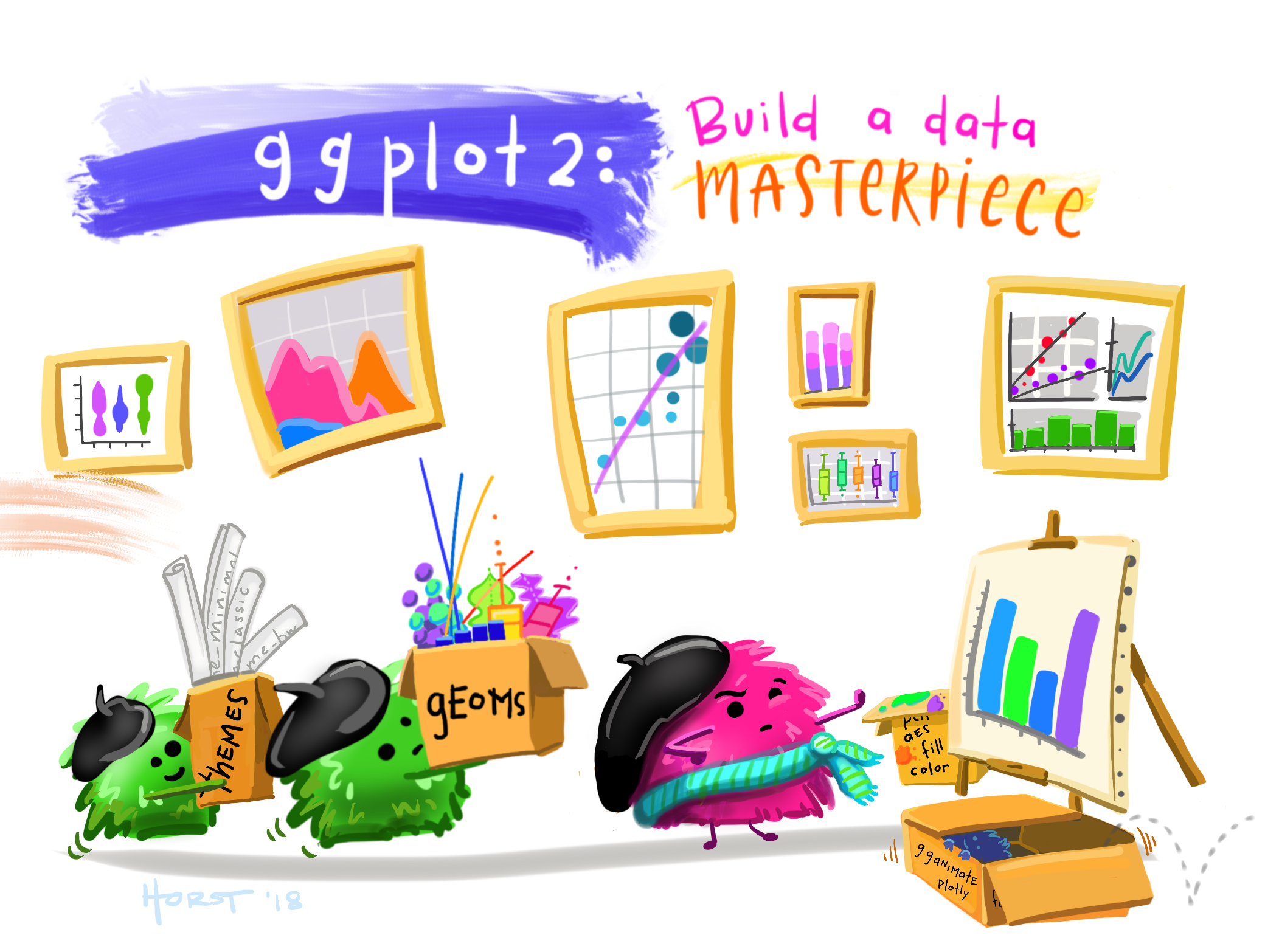
Art by Allison Horst

Data Visualization with R

ggplot2 works well with the tidyverse and is friendly and powerful

Better plots are better communication

ggplot2: Elegant Data Visualizations in R

A Layered Grammar of Graphics

Data is mapped to aesthetics; Statistics and plot are linked

Sensible defaults; Infinitely extensible

Publication quality and beyond

https://nyti.ms/2jUp36n

http://bit.ly/2KSGZLu
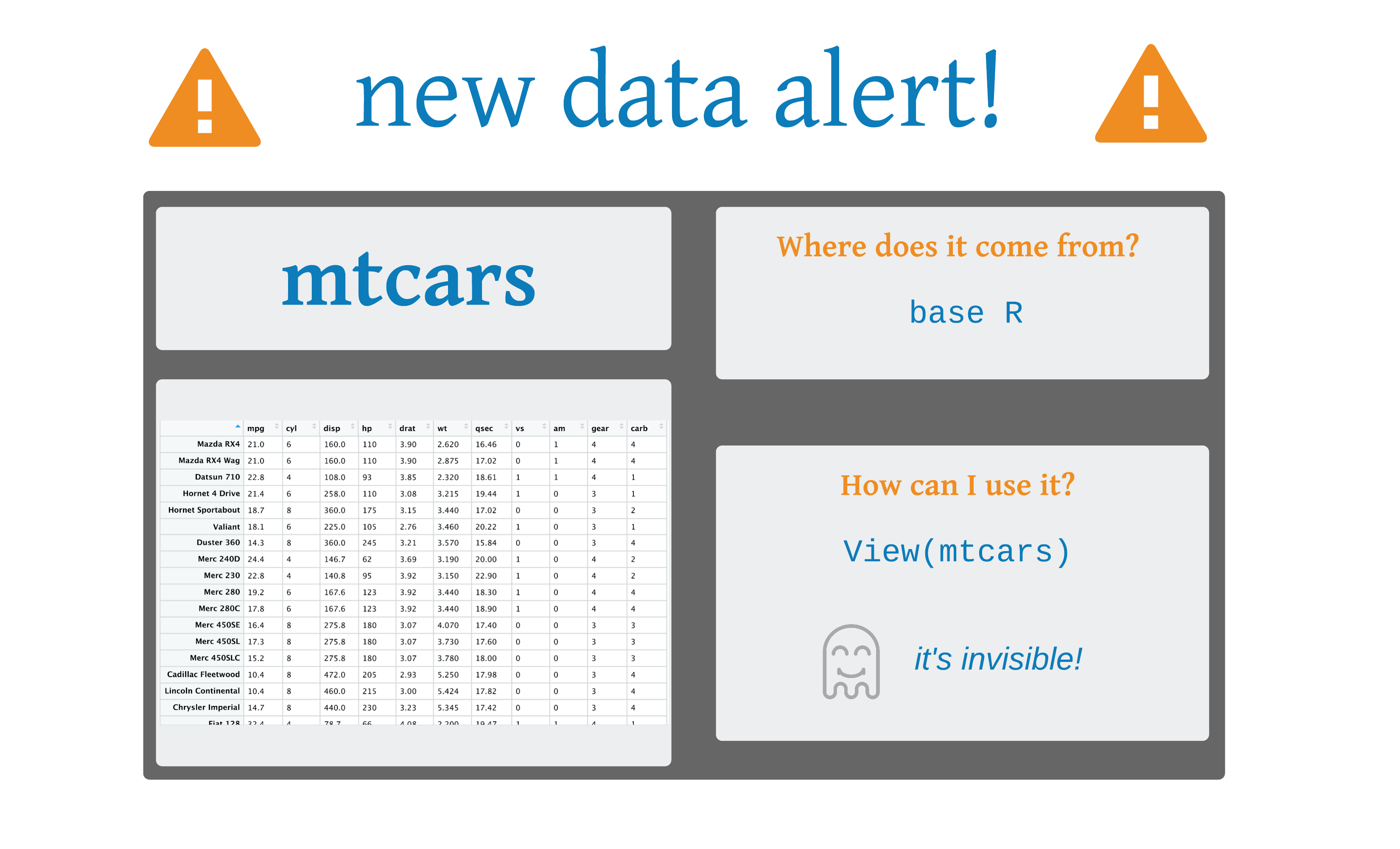
# print prettily 
as_tibble(mtcars)
# A tibble: 32 × 11
     mpg   cyl  disp    hp  drat    wt  qsec    vs    am
   <dbl> <dbl> <dbl> <dbl> <dbl> <dbl> <dbl> <dbl> <dbl>
 1  21       6  160    110  3.9   2.62  16.5     0     1
 2  21       6  160    110  3.9   2.88  17.0     0     1
 3  22.8     4  108     93  3.85  2.32  18.6     1     1
 4  21.4     6  258    110  3.08  3.22  19.4     1     0
 5  18.7     8  360    175  3.15  3.44  17.0     0     0
 6  18.1     6  225    105  2.76  3.46  20.2     1     0
 7  14.3     8  360    245  3.21  3.57  15.8     0     0
 8  24.4     4  147.    62  3.69  3.19  20       1     0
 9  22.8     4  141.    95  3.92  3.15  22.9     1     0
10  19.2     6  168.   123  3.92  3.44  18.3     1     0
# ℹ 22 more rows
# ℹ 2 more variables: gear <dbl>, carb <dbl>

ggplot()

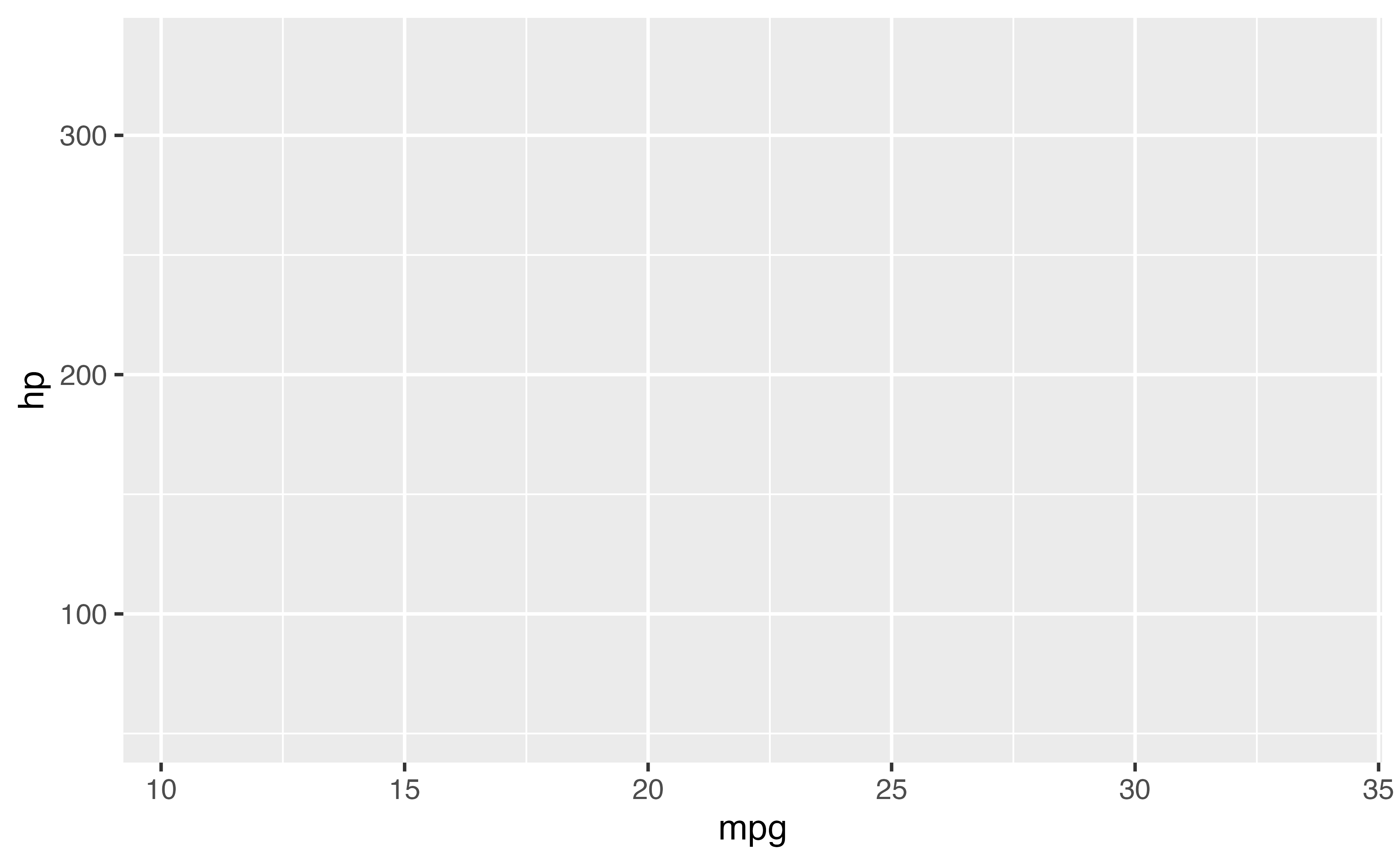
ggplot(mtcars, aes(x = mpg, y = hp))
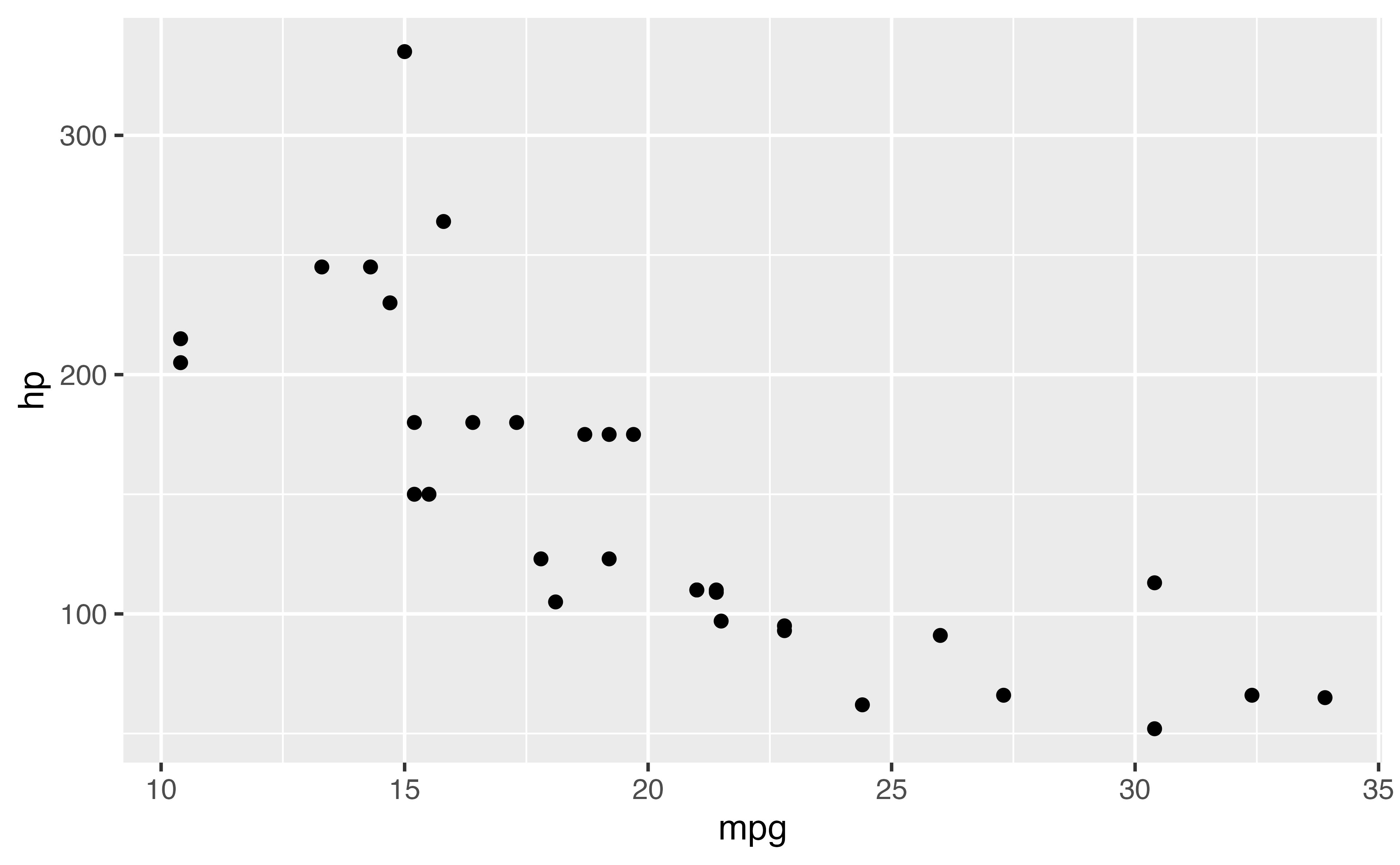
ggplot(mtcars, aes(x = mpg, y = hp)) +
  geom_point()

ggplot()

ggplot(data = <data>, mapping = aes(<mapping>)) + 
  <geom_function>()

Add layers with +

Put + at the end of a line

Connect variables in your dataset to aesthetics in the plot with aes()

Your Turn 1

Read in the diabetes data.

Write and run the code from this slide to make a graph. Pay strict attention to spelling, capitalization, and parentheses!

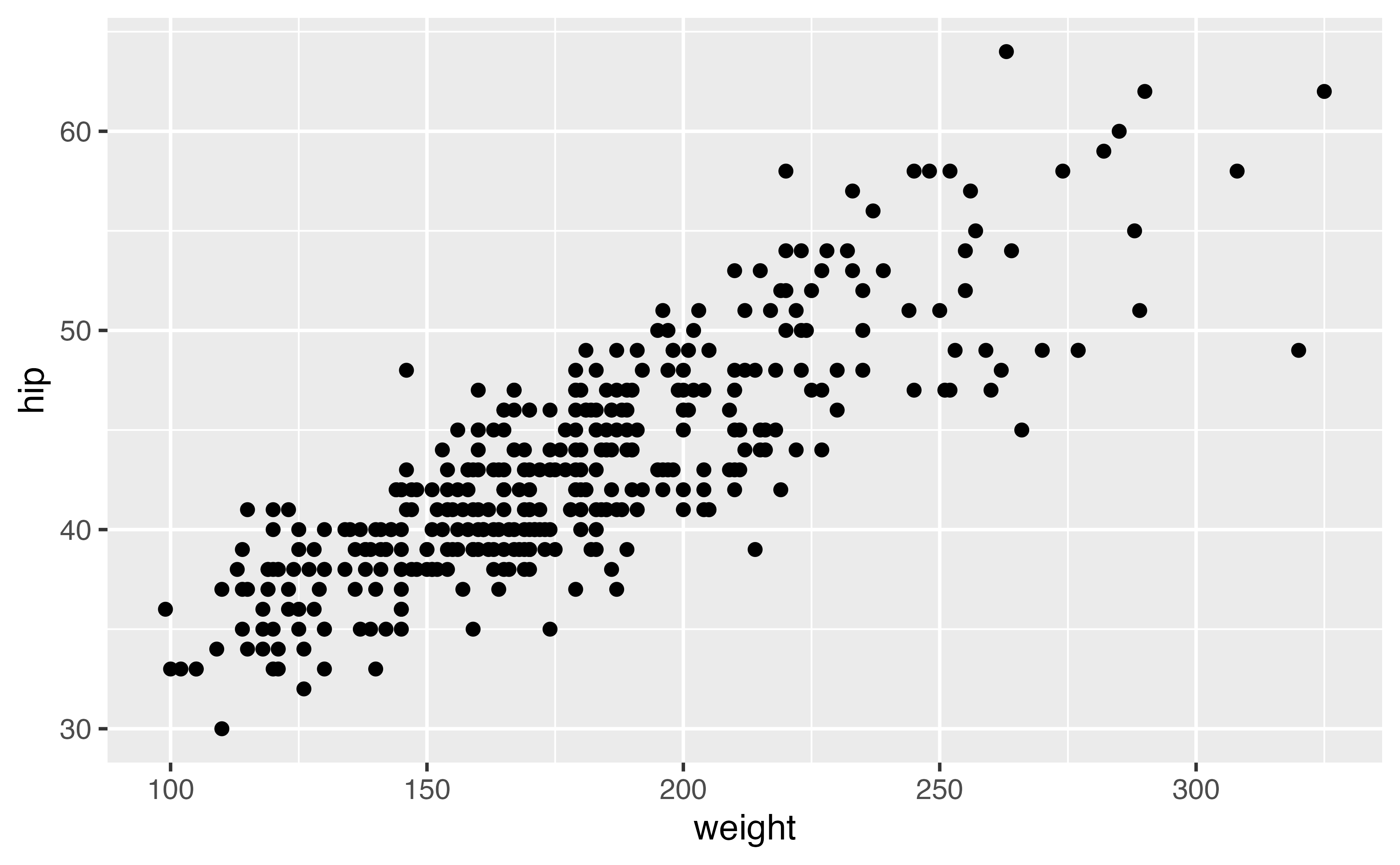
ggplot(data = diabetes, mapping = aes(x = weight, y = hip)) + 
  geom_point()
diabetes <- read_csv("diabetes.csv")
ggplot(data = diabetes, mapping = aes(x = weight, y = hip)) + 
  geom_point()

Aesthetics: aes()

ggplot(data = <data>, mapping = aes(<mapping>)) + 
  <geom_function>()

Aesthetics map the data to the plot

Aesthetics: aes()

ggplot(mtcars, aes(x = mpg, y = hp, color = cyl)) + 
  geom_point()

ggplot(mtcars, aes(x = mpg, y = hp, size = cyl)) + 
  geom_point()

ggplot(mtcars, aes(x = mpg, y = hp, alpha = cyl)) + 
  geom_point()

ggplot(mtcars, aes(x = mpg, y = hp, shape = cyl)) + 
  geom_point()

Your Turn 2

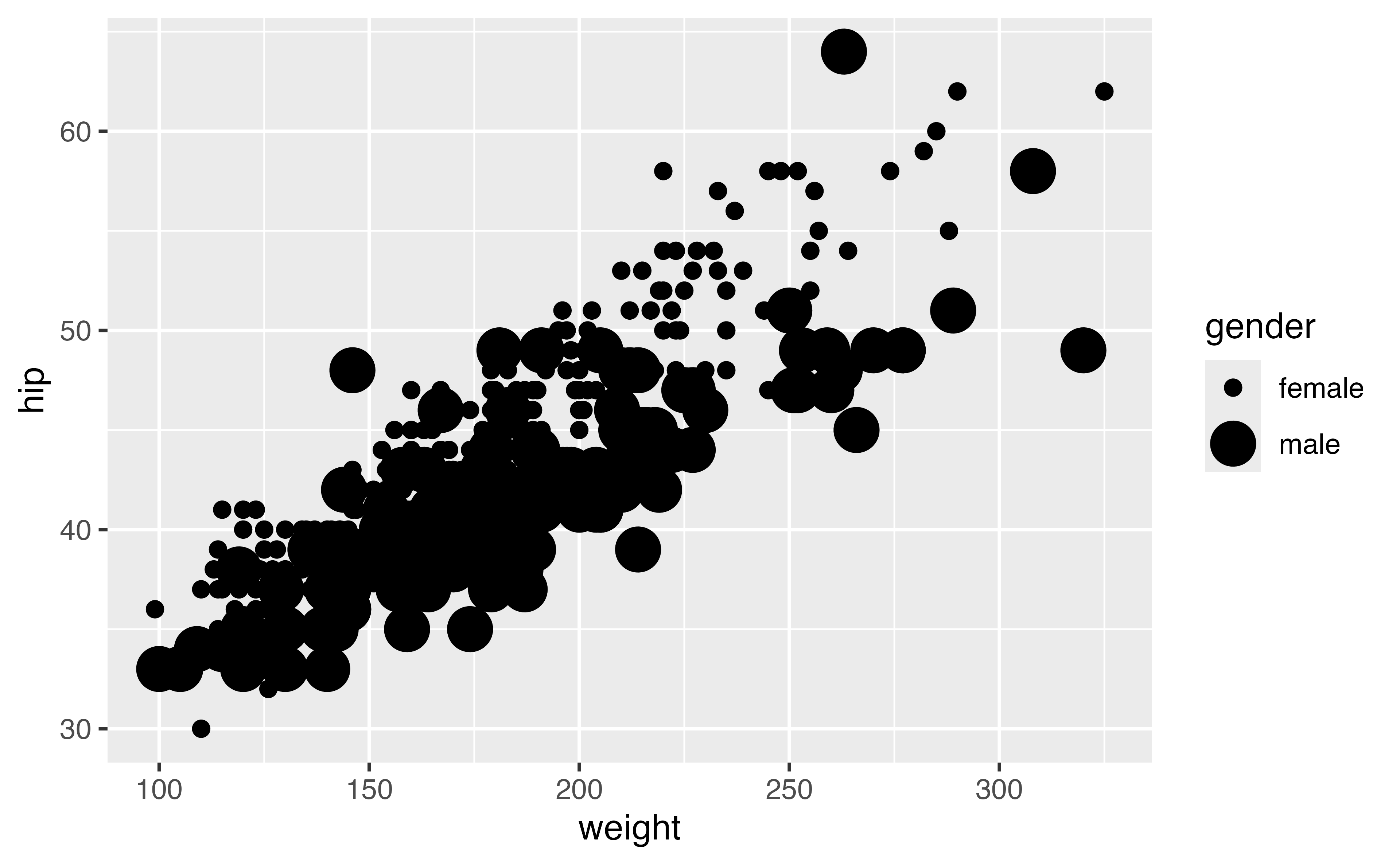
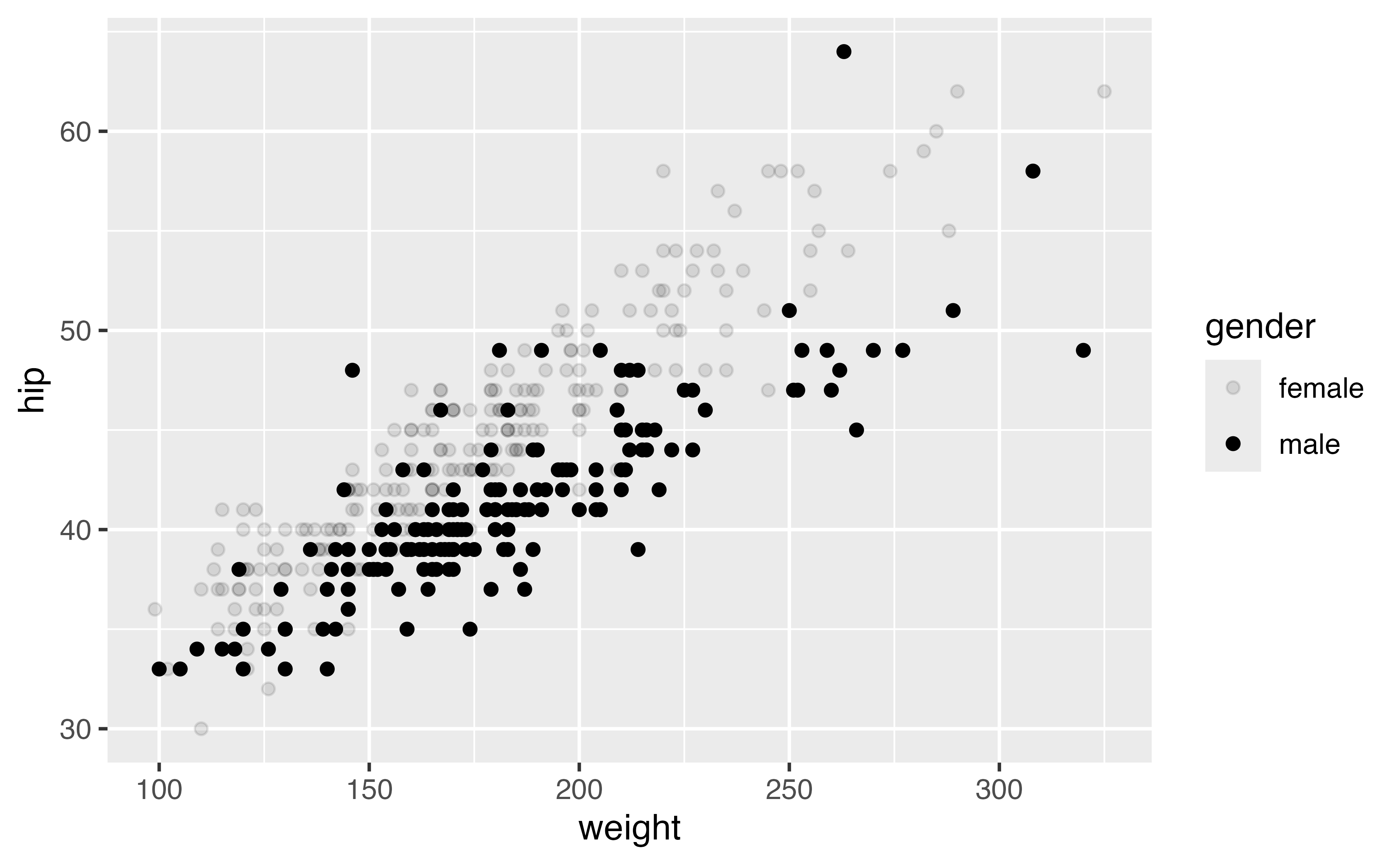
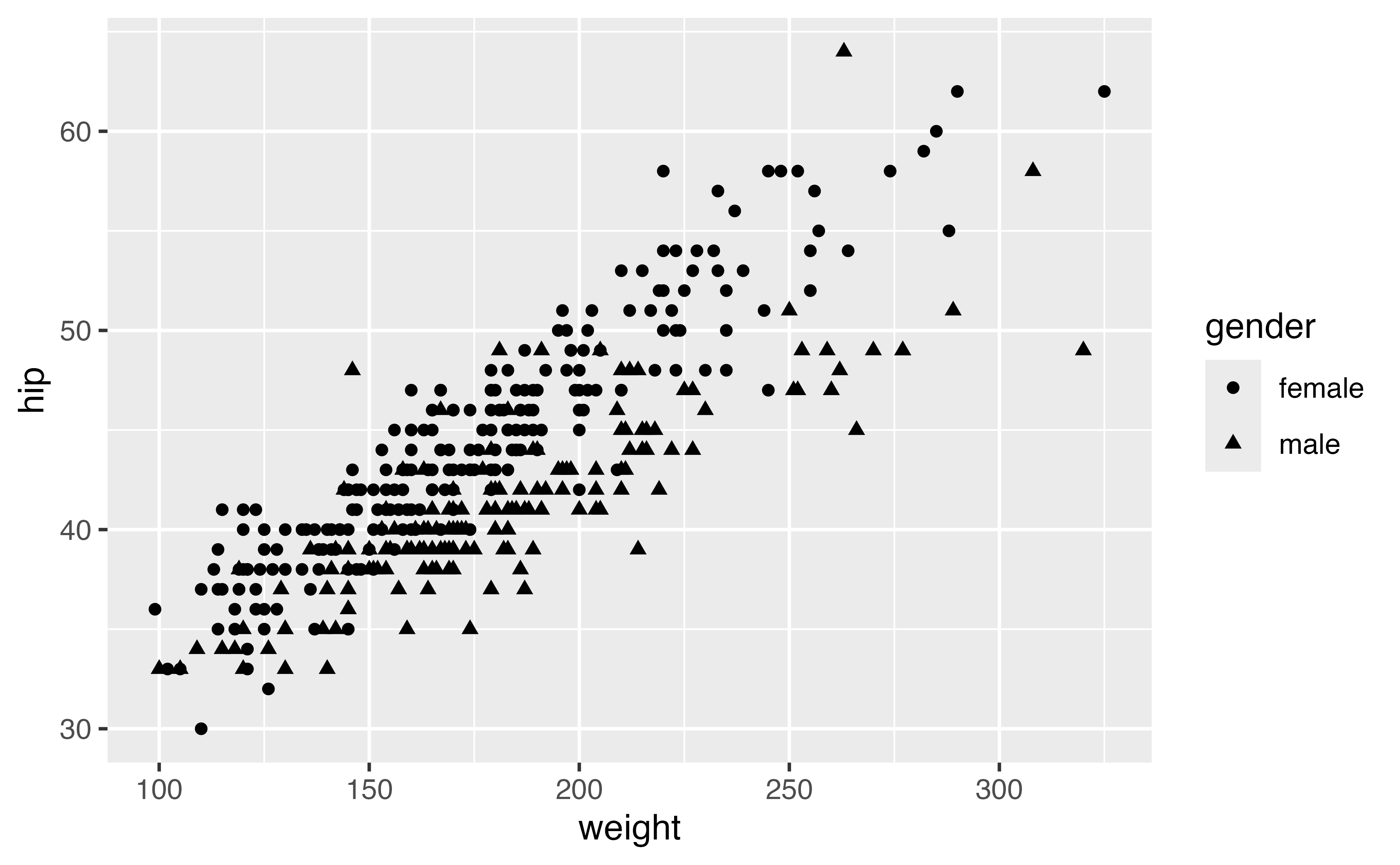
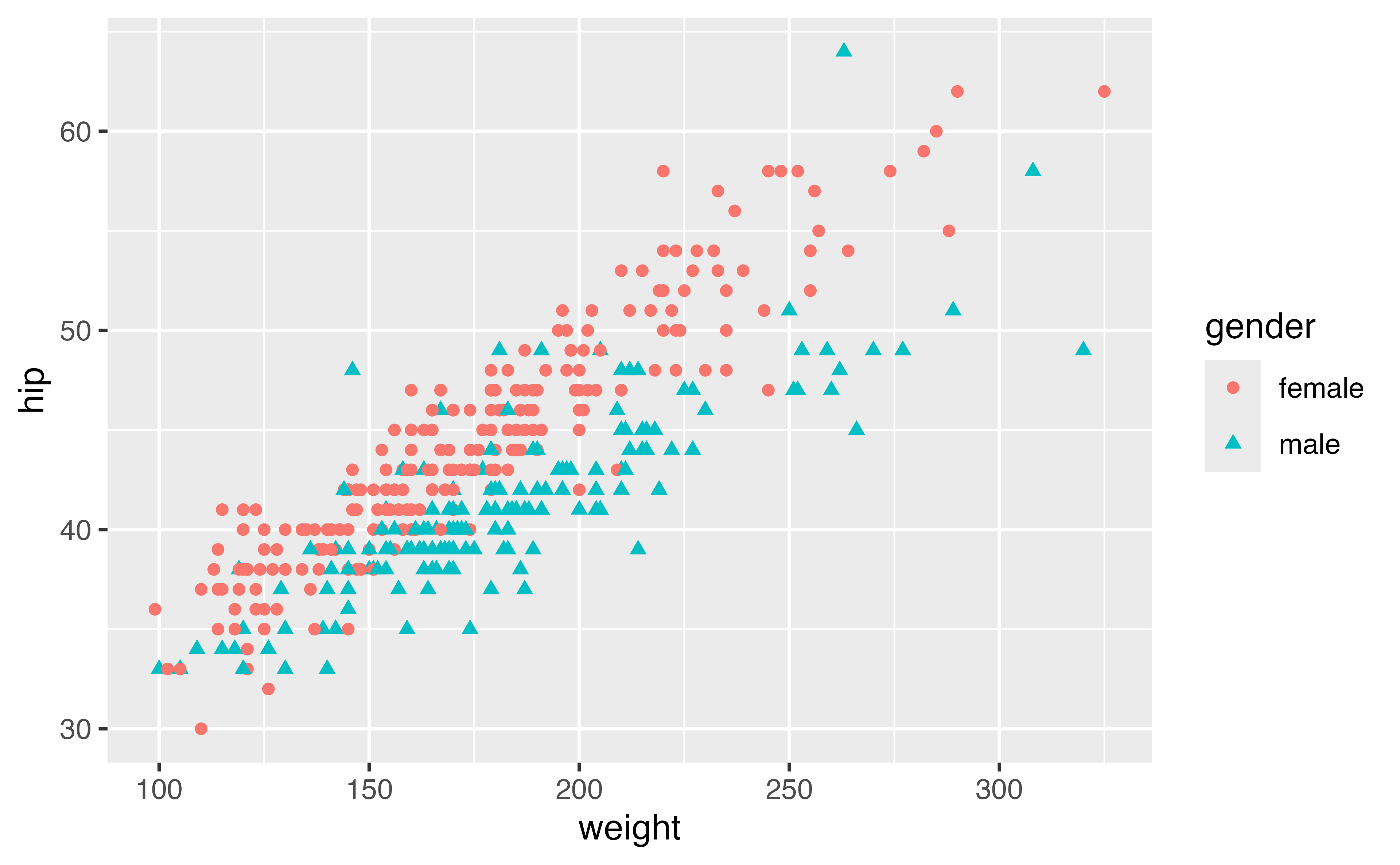
Add color, size, alpha, and shape aesthetics to your graph using the gender variable. Experiment.

ggplot(
  data = diabetes, 
  mapping = aes(x = weight, y = hip)
) +
  geom_point()

Try moving the mapping argument to geom_point(). Add in any aesthetics you found helpful.

ggplot(
  data = diabetes, 
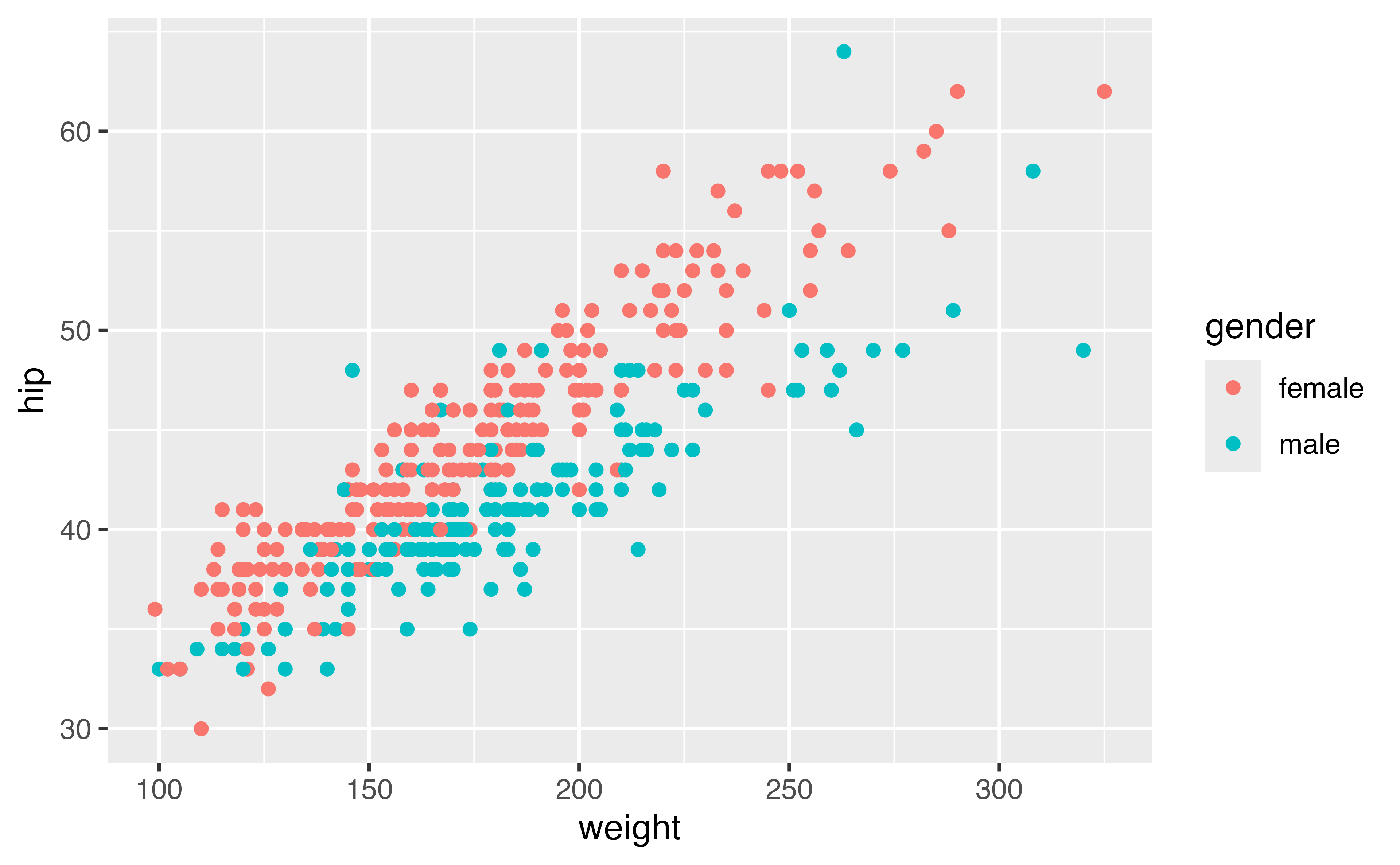
  mapping = aes(x = weight, y = hip, color = gender)
) +
  geom_point()
ggplot(
  data = diabetes, 
  mapping = aes(x = weight, y = hip, size = gender)
) +
  geom_point()
ggplot(
  data = diabetes, 
  mapping = aes(x = weight, y = hip, alpha = gender)
) +
  geom_point()
ggplot(
  data = diabetes, 
  mapping = aes(x = weight, y = hip, shape = gender)
) +
  geom_point()
ggplot(data = diabetes) +
  geom_point(
    mapping = aes(
      x = weight, 
      y = hip, 
      color = gender, 
      shape = gender
    )
  )

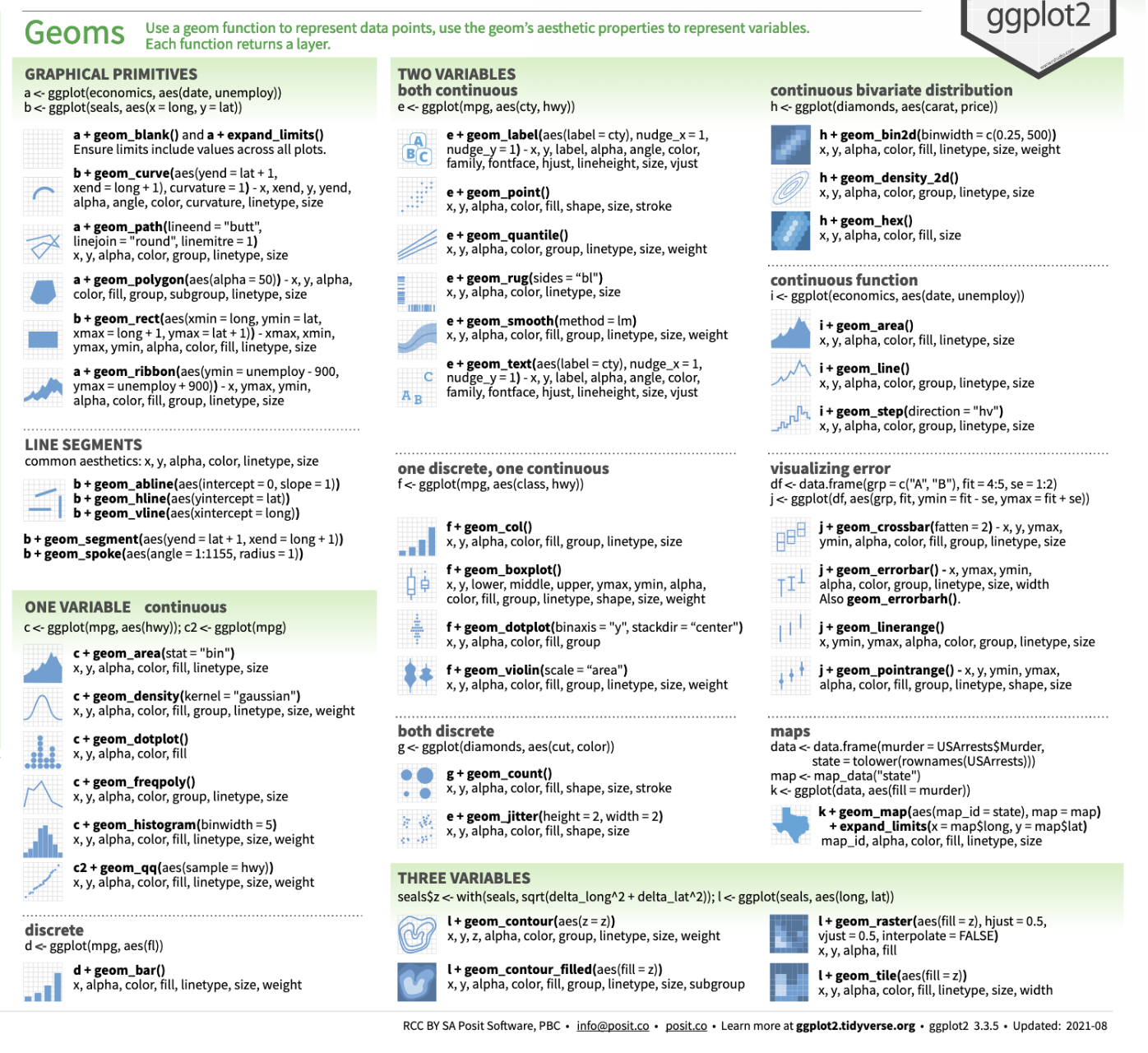
geoms: the shape of the data
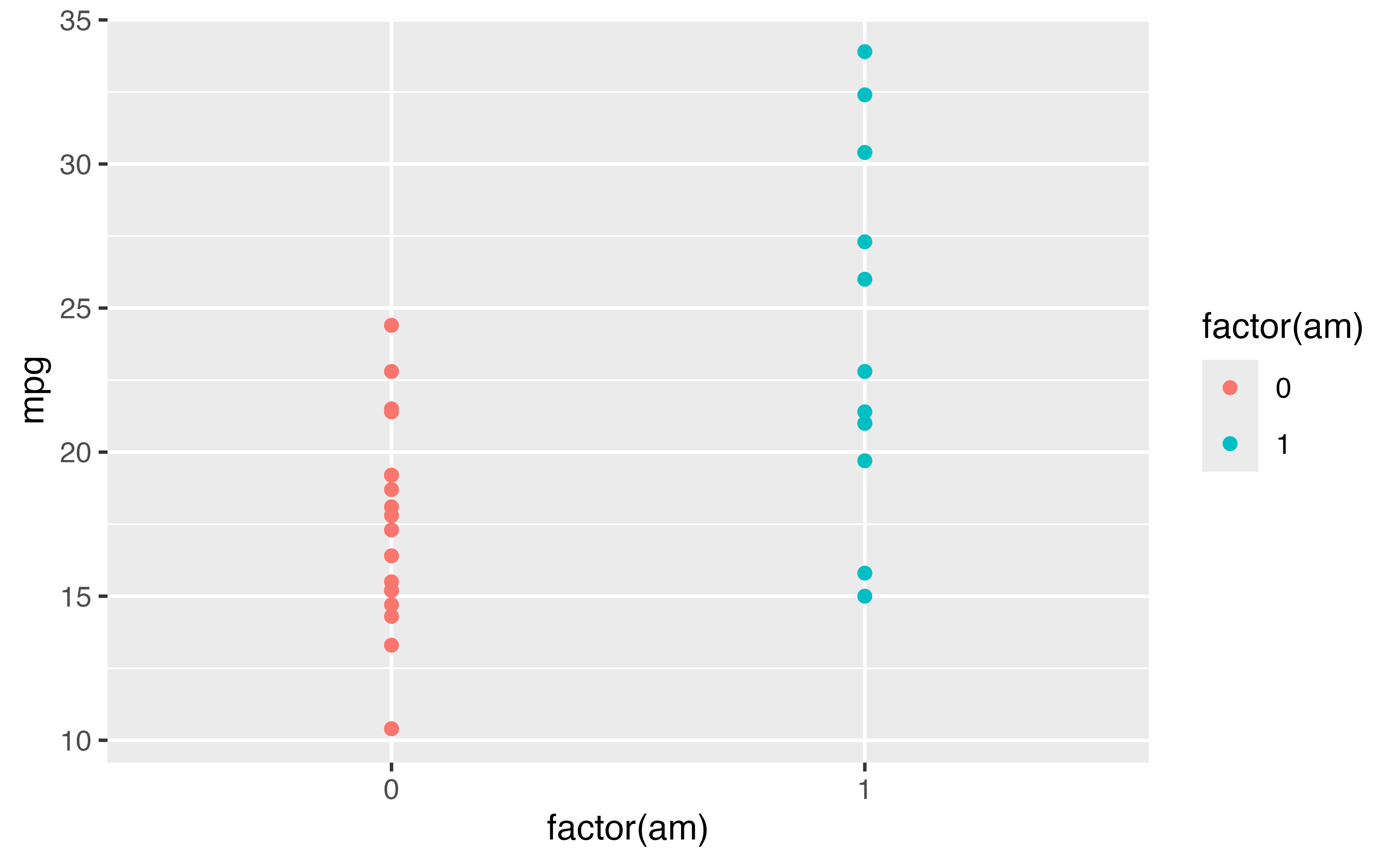
ggplot(
  mtcars, 
  aes(
    x = factor(am), 
    y = mpg, 
    color = factor(am)
  )
) +
  geom_point()

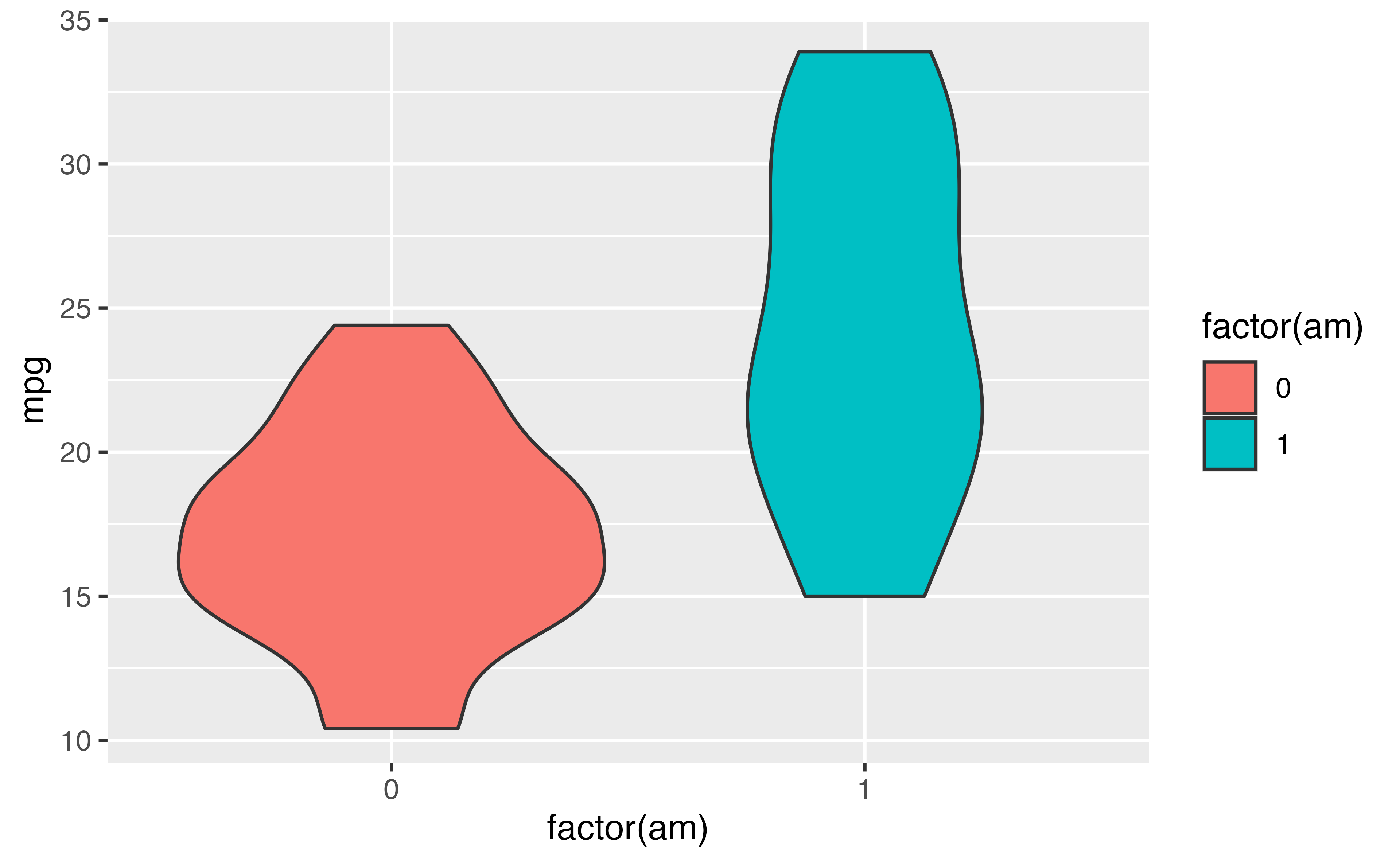
geoms: the shape of the data
ggplot(
  mtcars, 
  aes(
    x = factor(am), 
    y = mpg, 
    fill = factor(am)
  )
) +
  geom_violin()

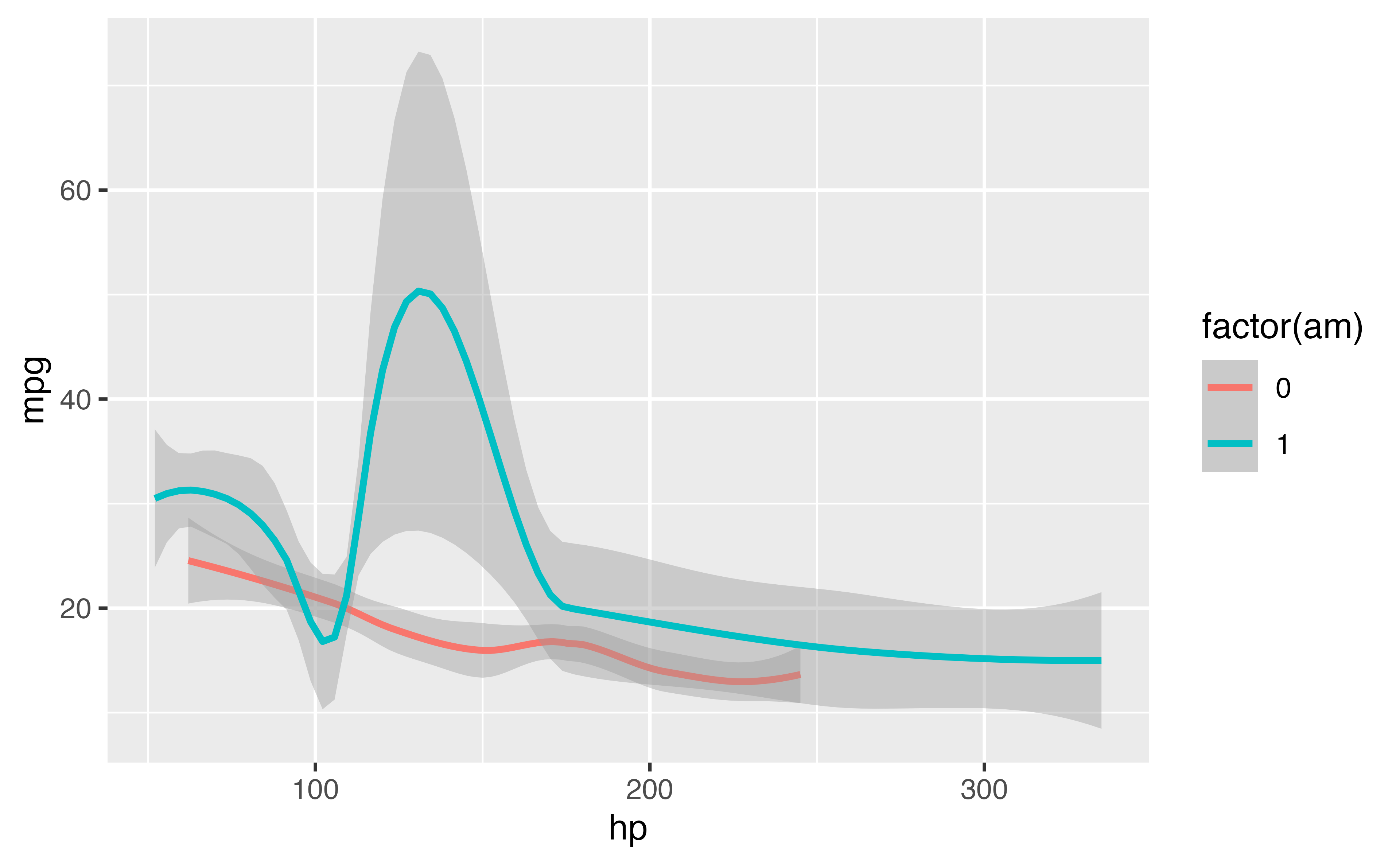
geoms: the shape of the data
ggplot(
  mtcars, 
  aes(
    x = hp, 
    y = mpg, 
    color = factor(am)
  )
) +
  geom_smooth()

geoms: the shape of the data
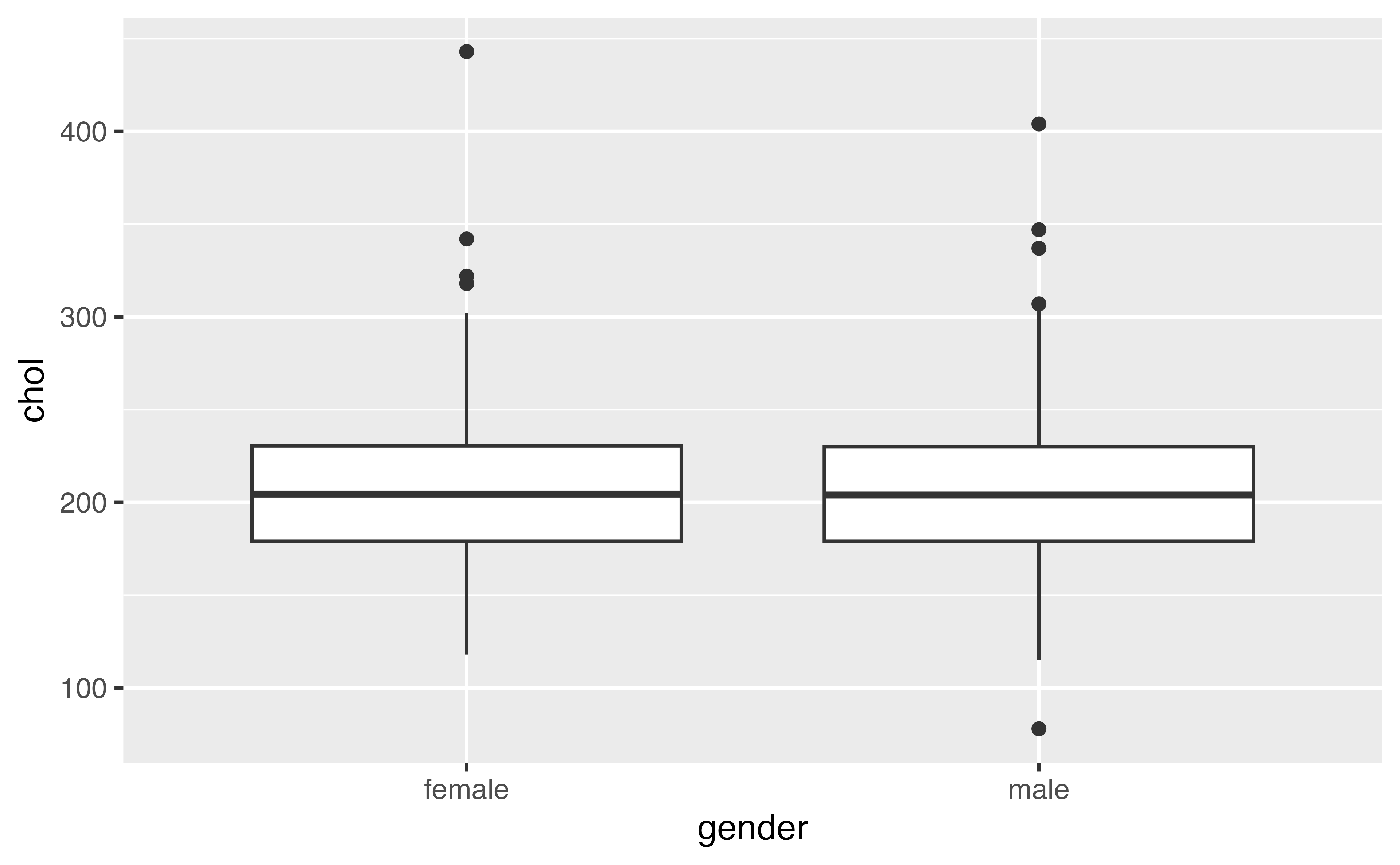
Your Turn 3

Replace this scatterplot with one that draws boxplots.

ggplot(diabetes, aes(gender, chol)) + geom_point()
ggplot(diabetes, aes(gender, chol)) + geom_boxplot()

Your Turn 4

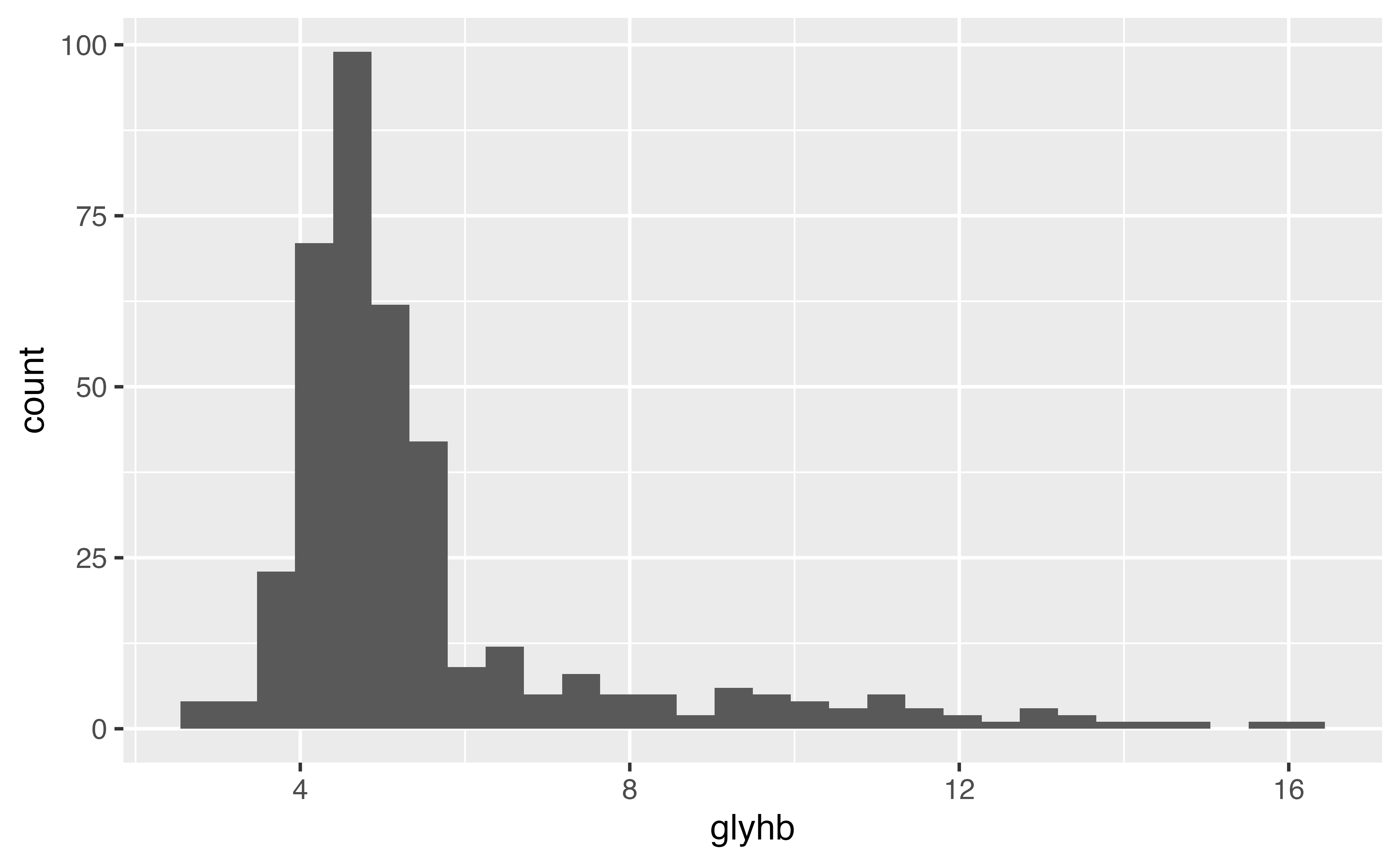
1. Make a histogram of the glyhb variable in diabetes.

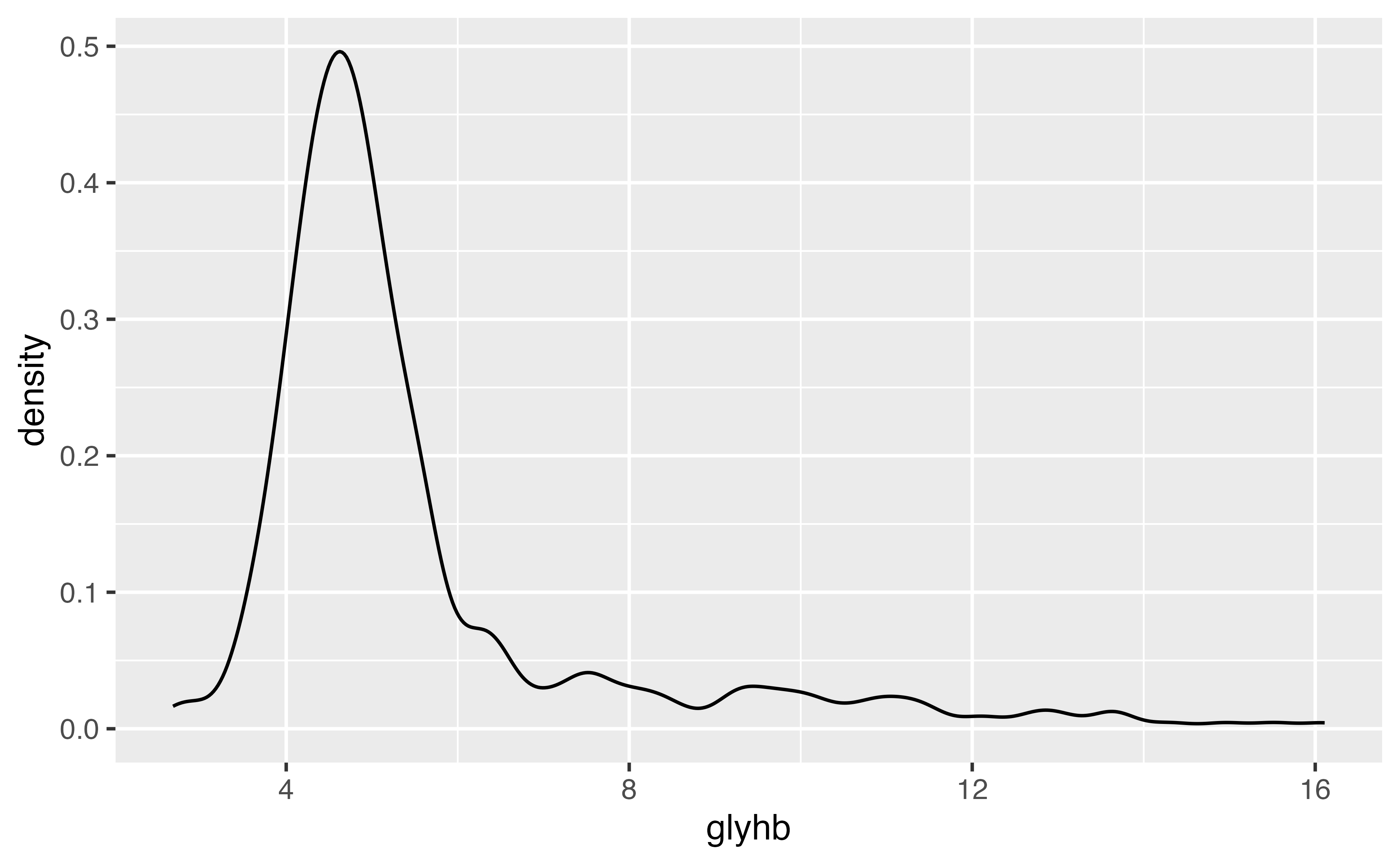
2. Redo the glyhb plot as a density plot.

ggplot(diabetes, aes(x = glyhb)) + 
  geom_histogram()
ggplot(diabetes, aes(x = glyhb)) + 
  geom_density()
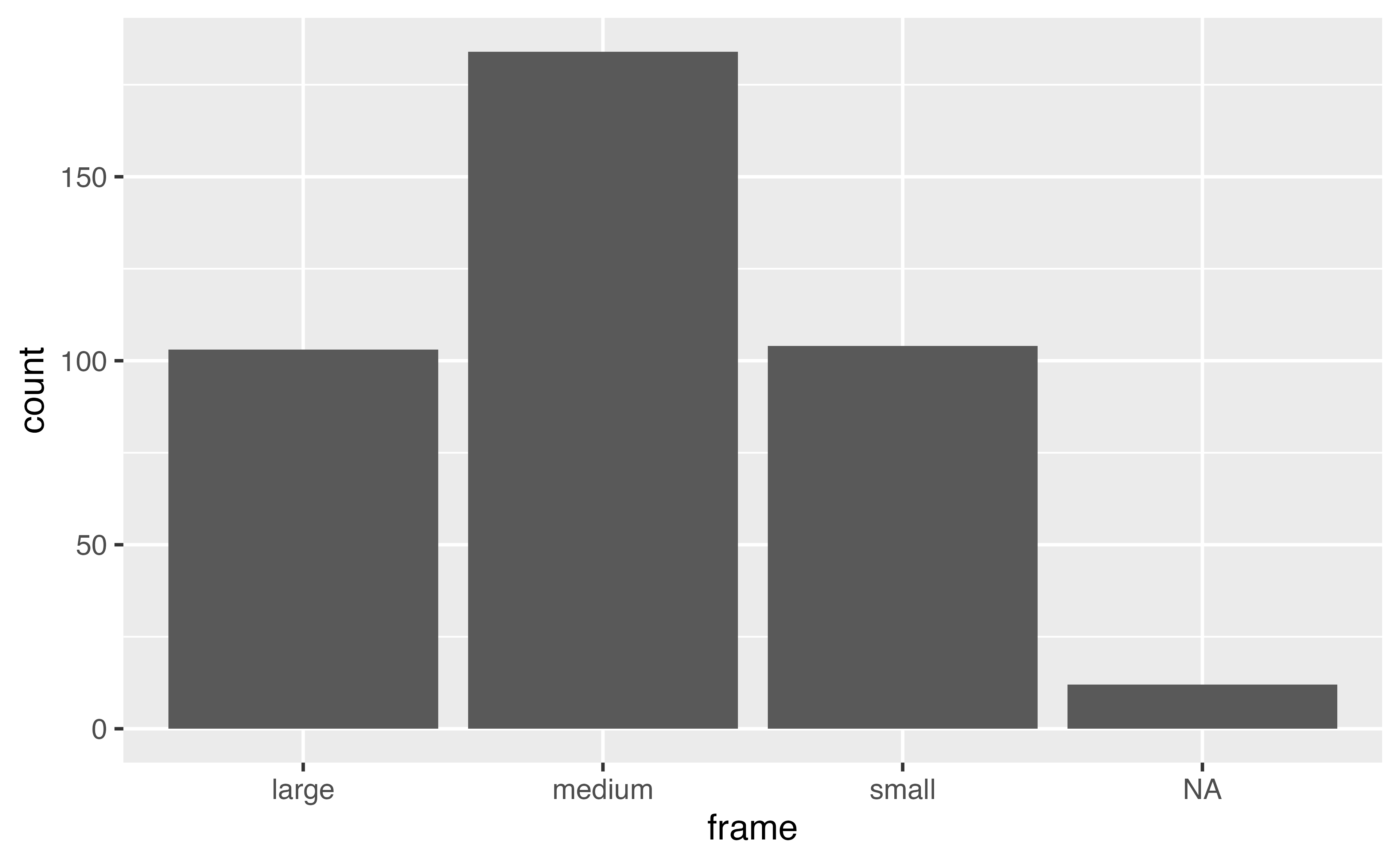
diabetes |> 
  ggplot(aes(x = frame)) + 
  geom_bar()
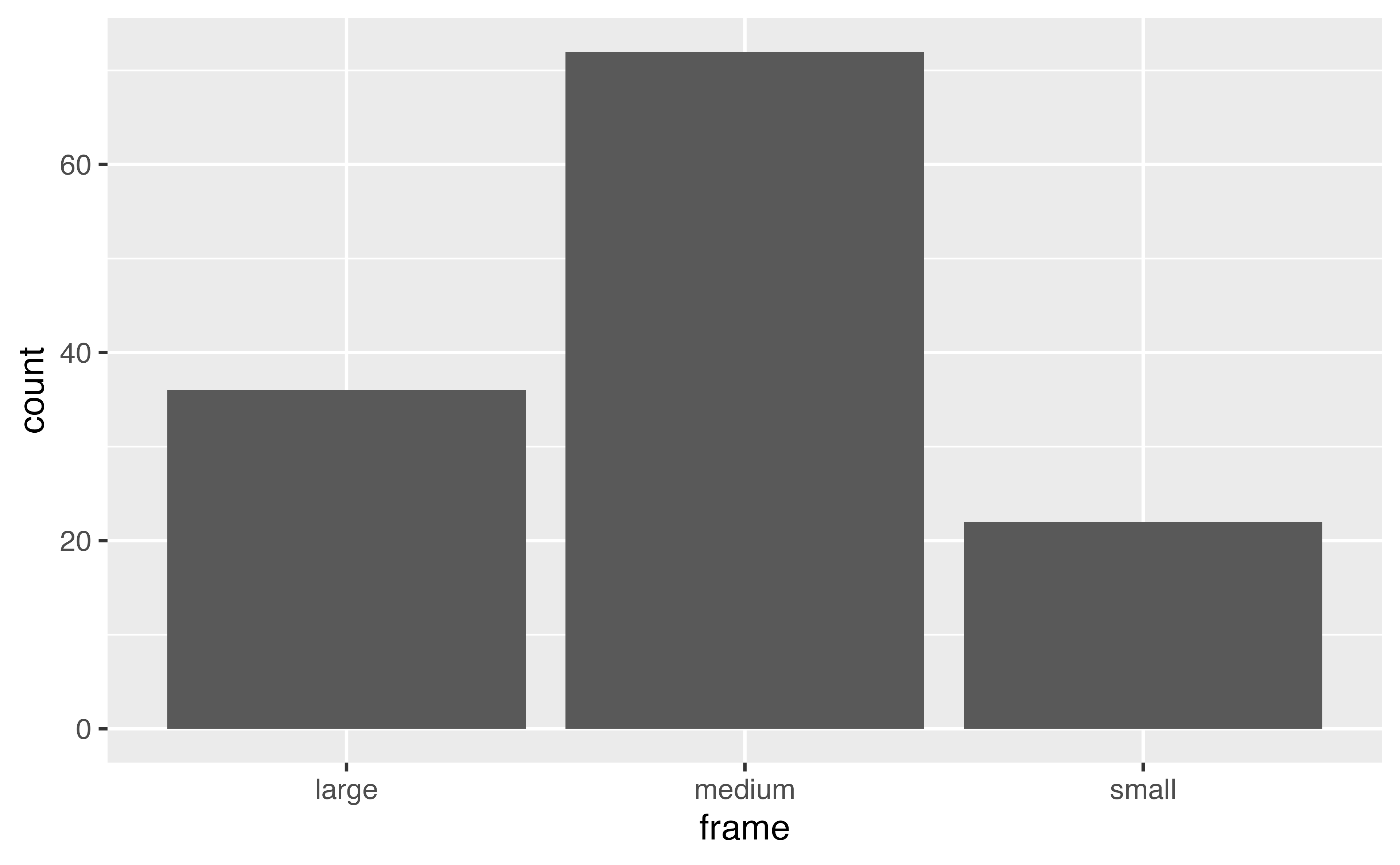
diabetes |> 
  drop_na() |> 
  ggplot(aes(x = frame)) + 
  geom_bar()

Your Turn 5

Make a bar chart of frame colored by gender. Then, try it with the fill aesthetic instead of color.

diabetes |> 
  drop_na() |> 
  ______() + 
  ______()
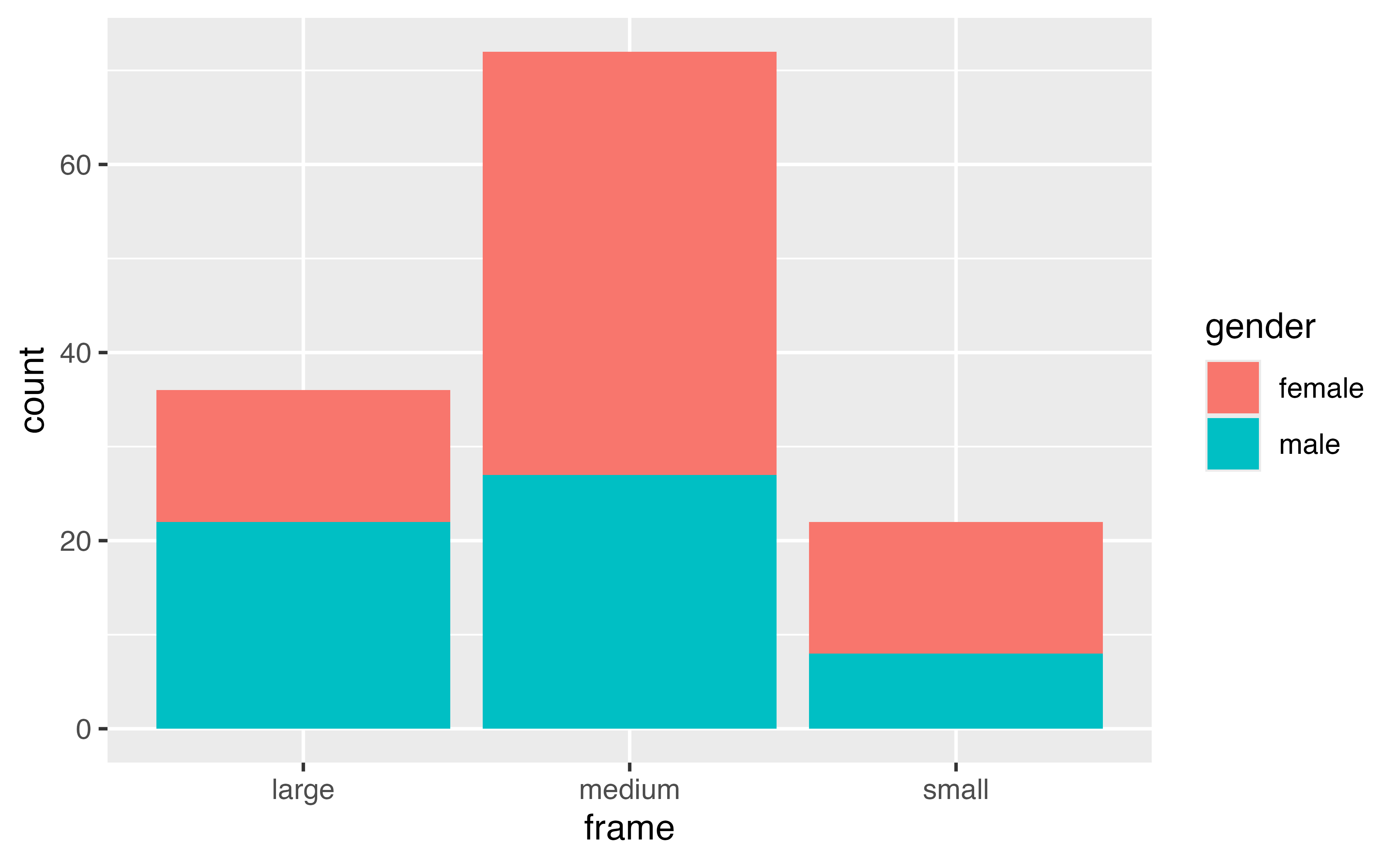
diabetes |> 
  drop_na() |> 
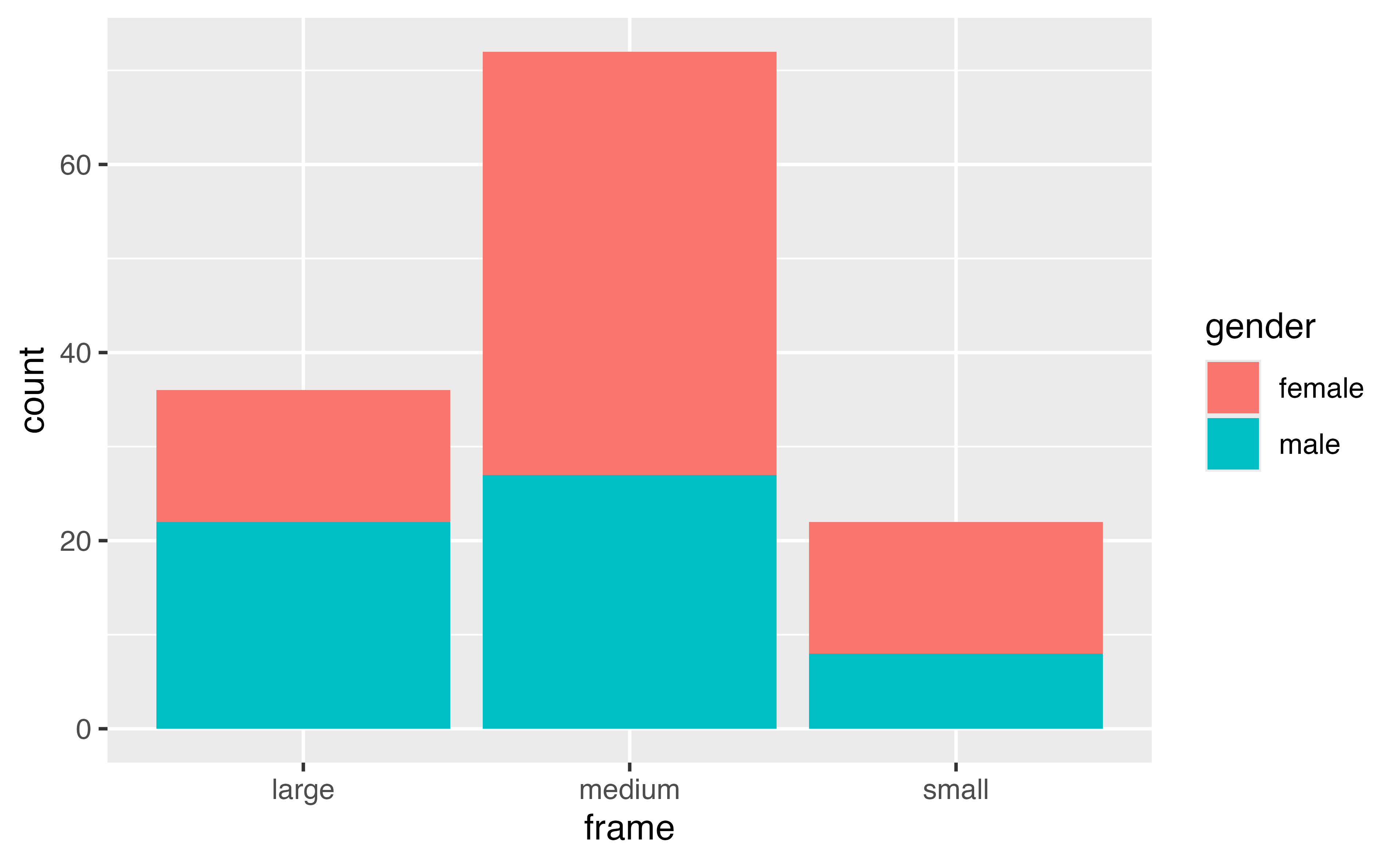
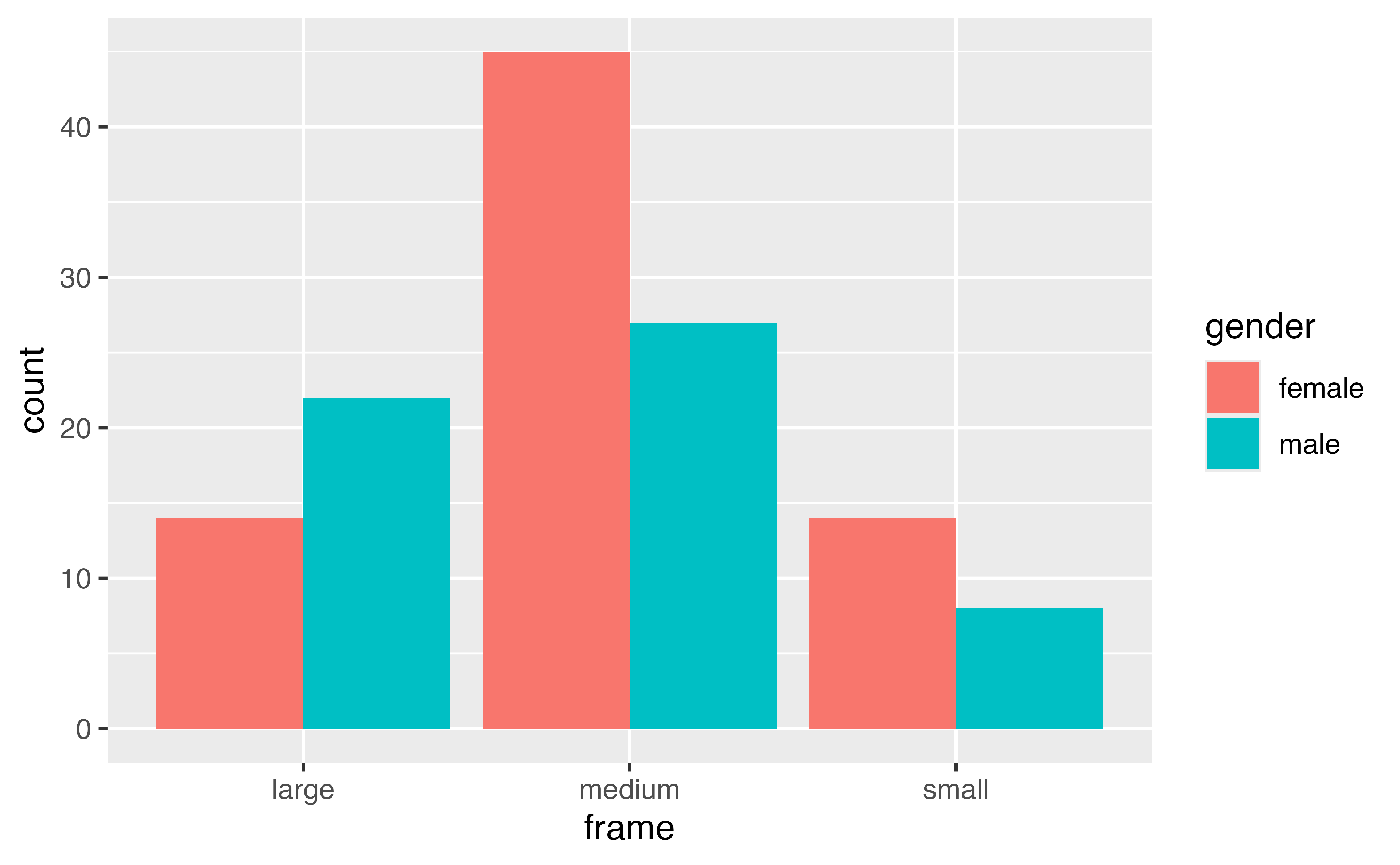
  ggplot(aes(x = frame, fill = gender)) + 
  geom_bar()

Positions

geom_bar(position = "<POSITION>")

When we have aesthetics mapped, how are they positioned?

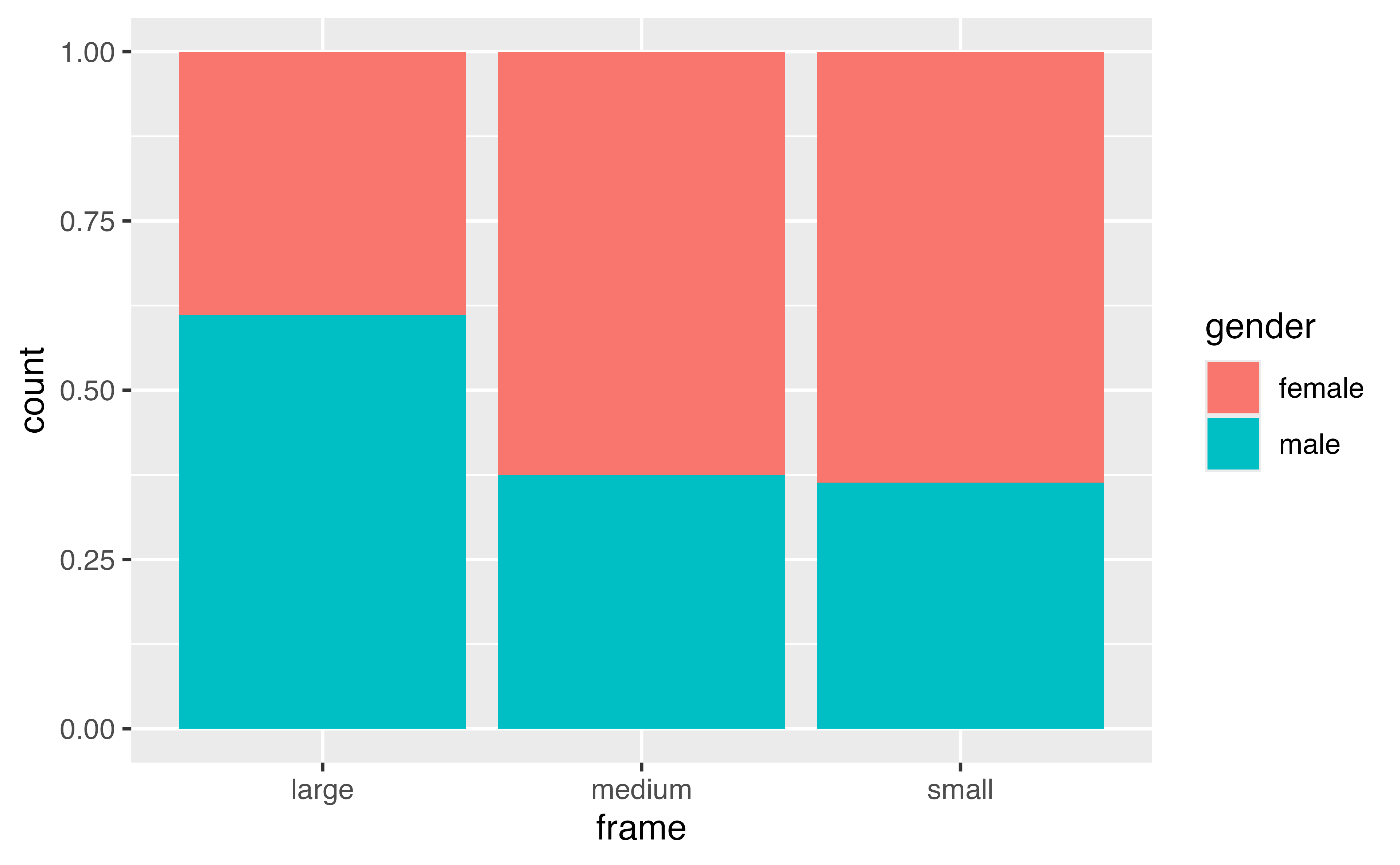
geom_bar: dodge, fill, stacked (default)

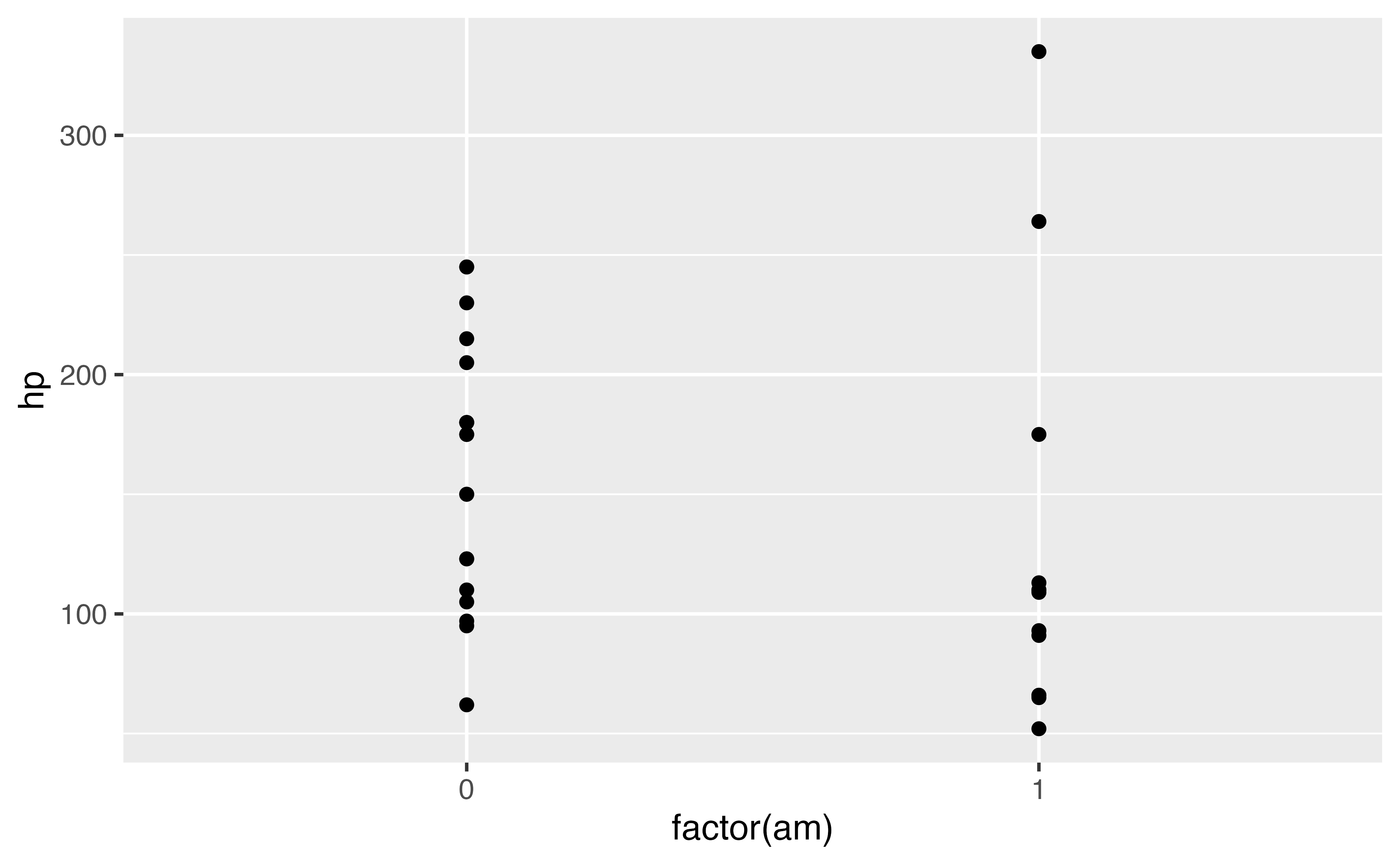
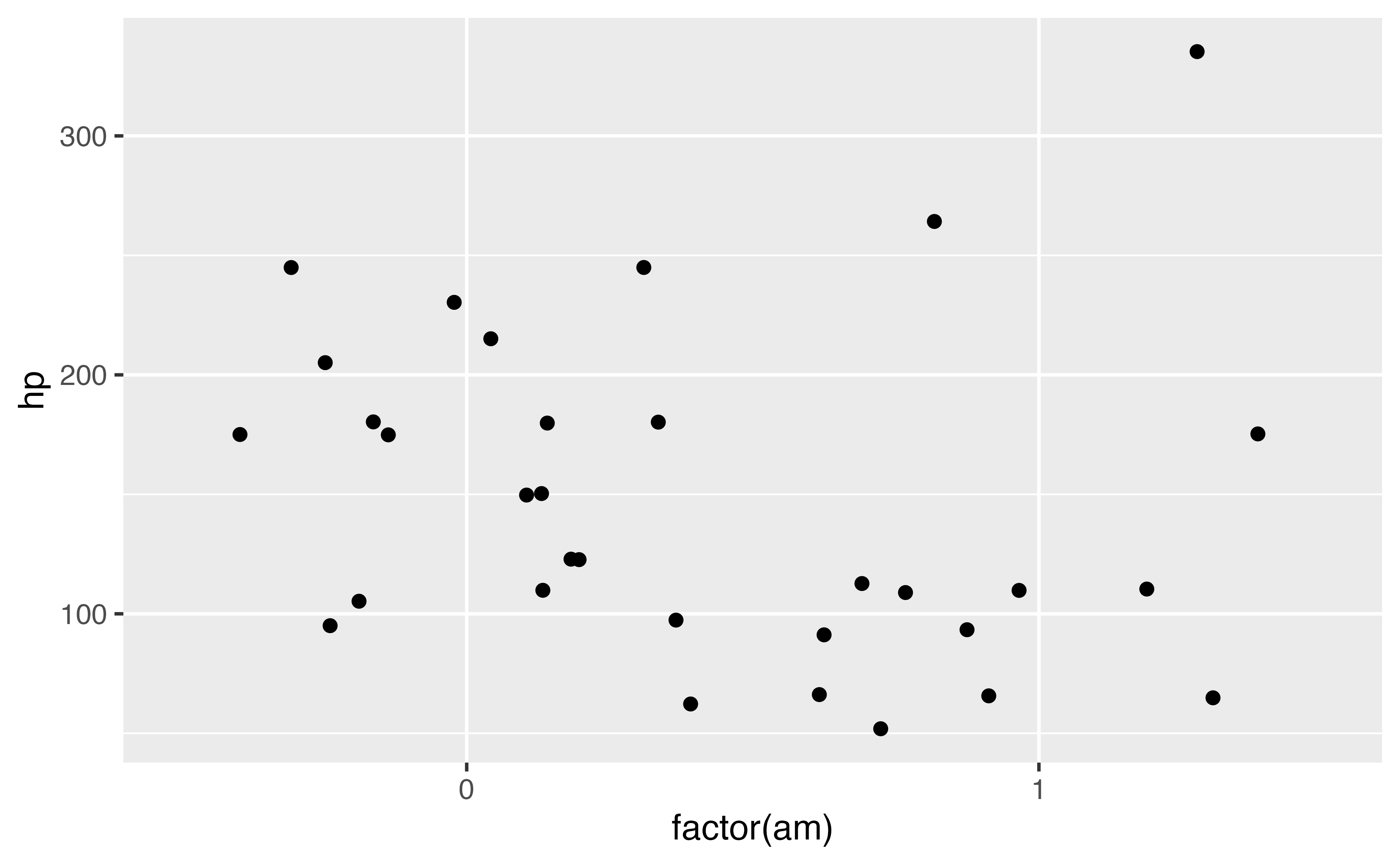
geom_point: jitter

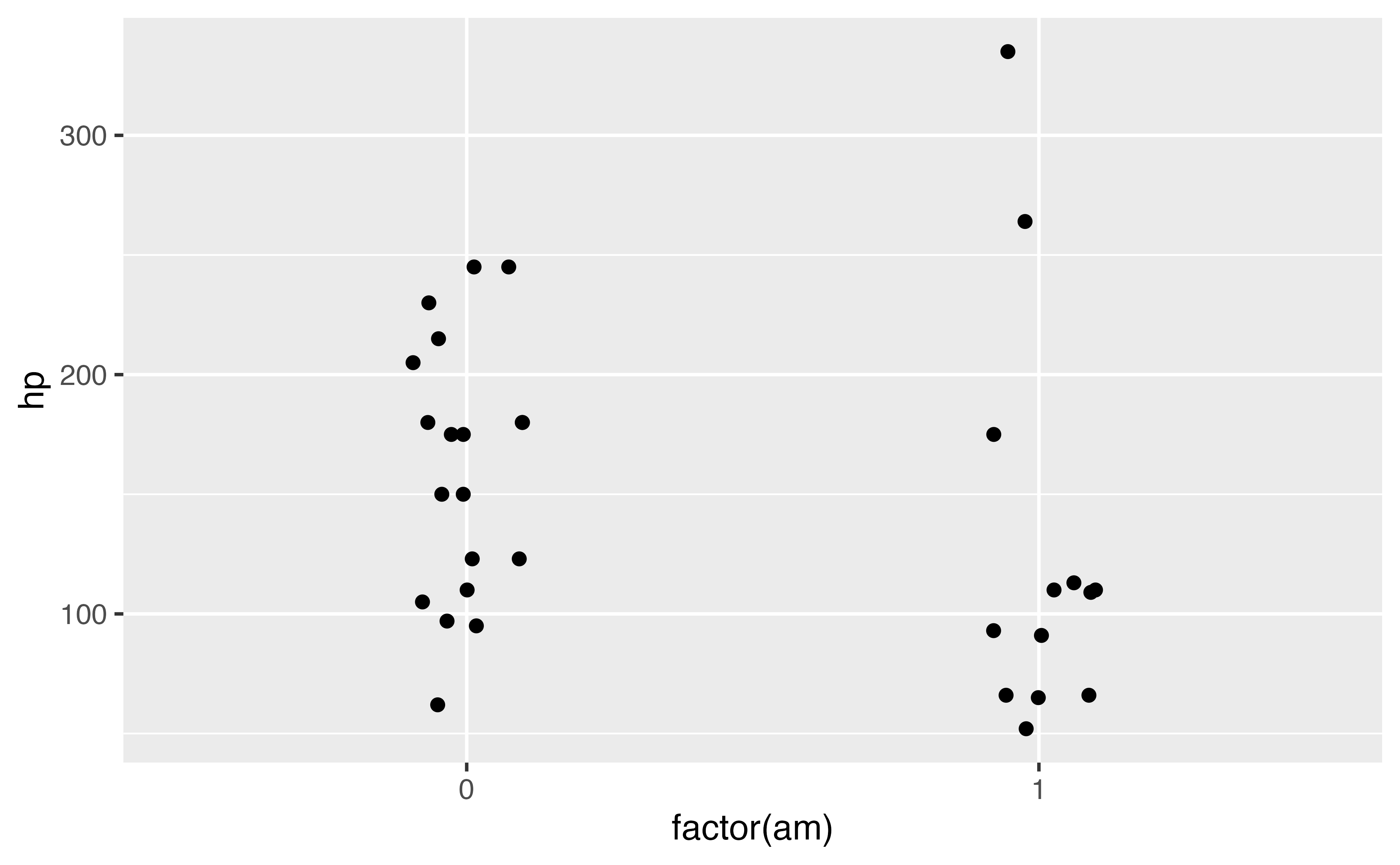
ggplot(mtcars, aes(x = factor(am), y = hp)) + 
  geom_point()
ggplot(mtcars, aes(x = factor(am), y = hp)) + 
  geom_point(position = "jitter") 
ggplot(mtcars, aes(x = factor(am), y = hp)) + 
  geom_jitter(width = .1, height = 0) 

Your Turn 6

Take your code for the bar chart before (using the fill aesthetic). Experiment with different position values: "dodge", "fill", "stack"

diabetes |> 
  drop_na() |> 
  ggplot(aes(x = frame, fill = gender)) + 
  geom_bar(position = "stack")
diabetes |> 
  drop_na() |> 
  ggplot(aes(x = frame, fill = gender)) + 
  geom_bar(position = "dodge")
diabetes |> 
  drop_na() |> 
  ggplot(aes(x = frame, fill = gender)) + 
  geom_bar(position = "fill")

Mapping vs setting

Cool, but how do I just make everything blue?

geom_point(aes(x, y), color = "blue") geom_bar(aes(x, y), fill = "blue")

To set a color, put it outside aes()

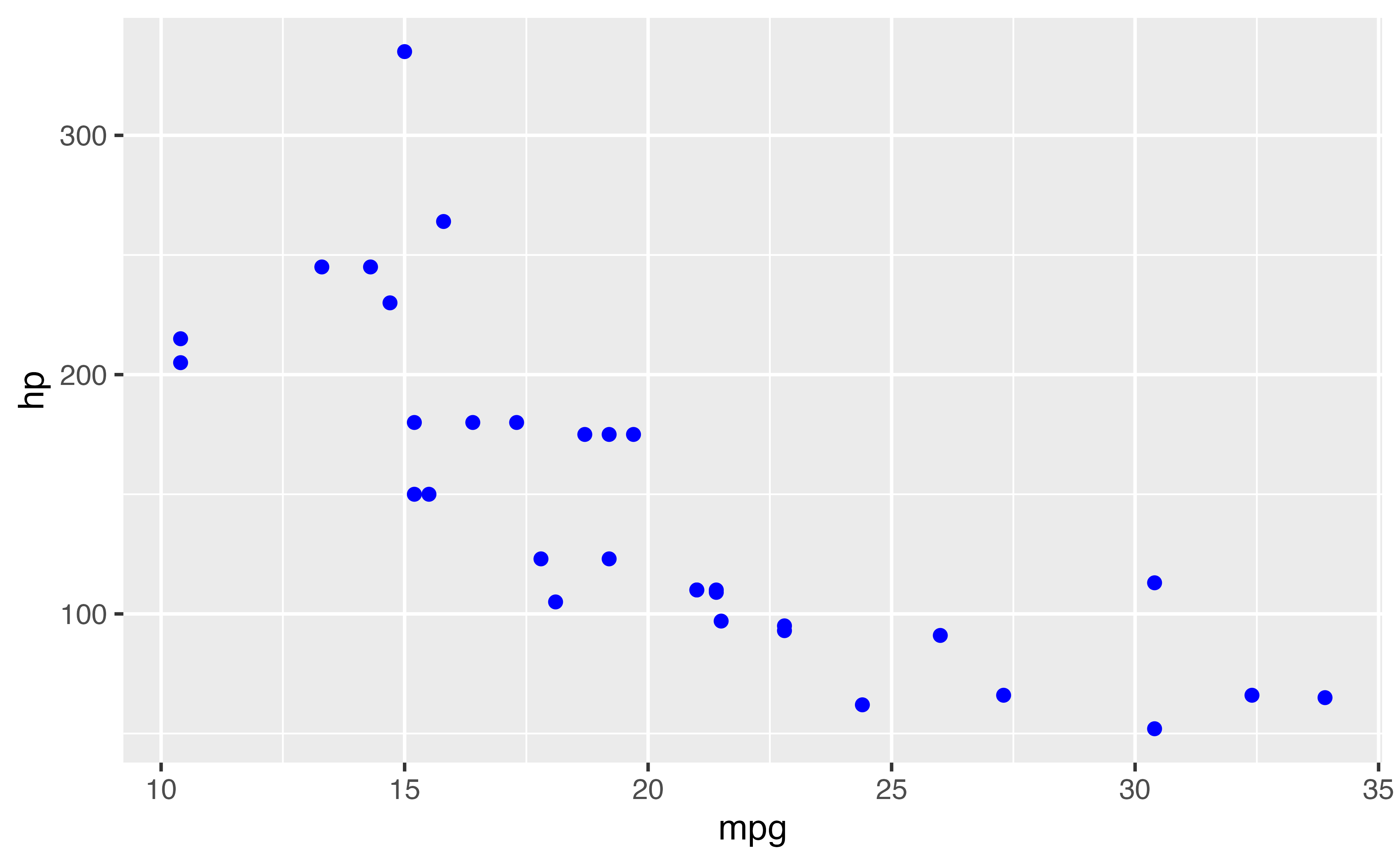
ggplot(mtcars, aes(x = mpg, y = hp, color = cyl)) + 
  geom_point(color = "blue")
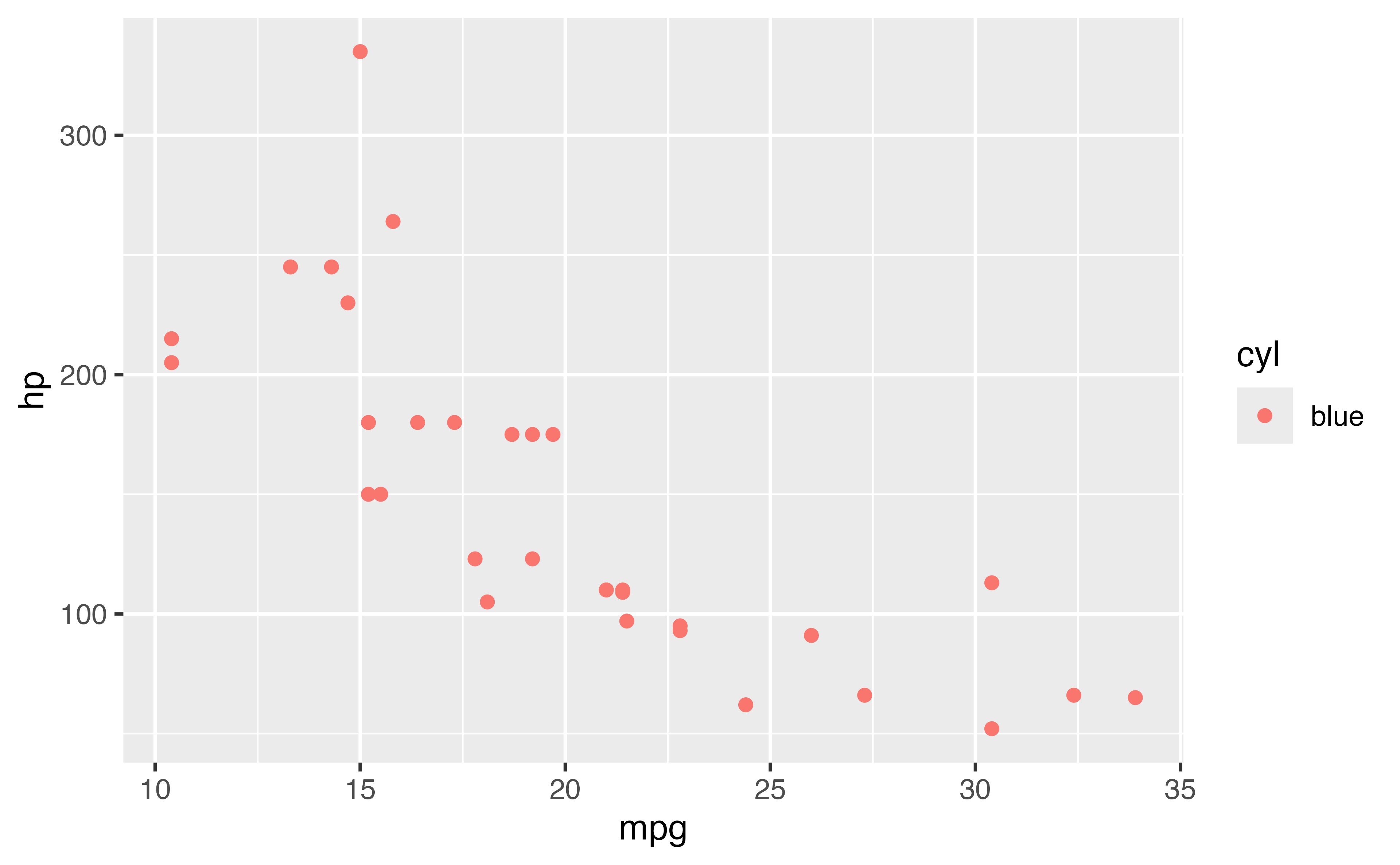
ggplot(mtcars, aes(x = mpg, y = hp, color = cyl)) + 
  geom_point(aes(color = "blue"))
ggplot(mtcars, aes(x = cyl)) + 
  geom_bar(color = "steelblue")
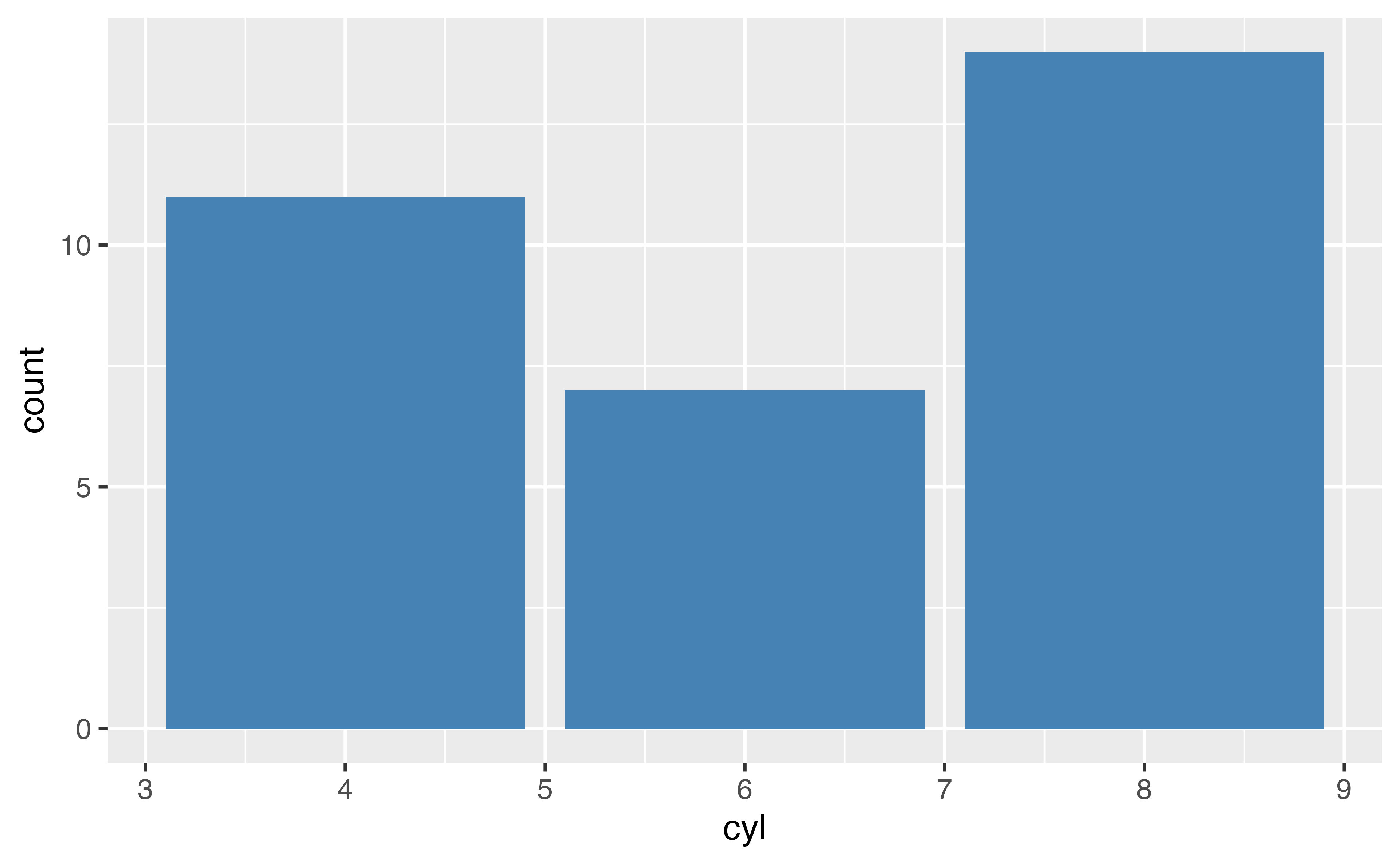
ggplot(mtcars, aes(x = cyl)) + 
  geom_bar(fill = "steelblue")
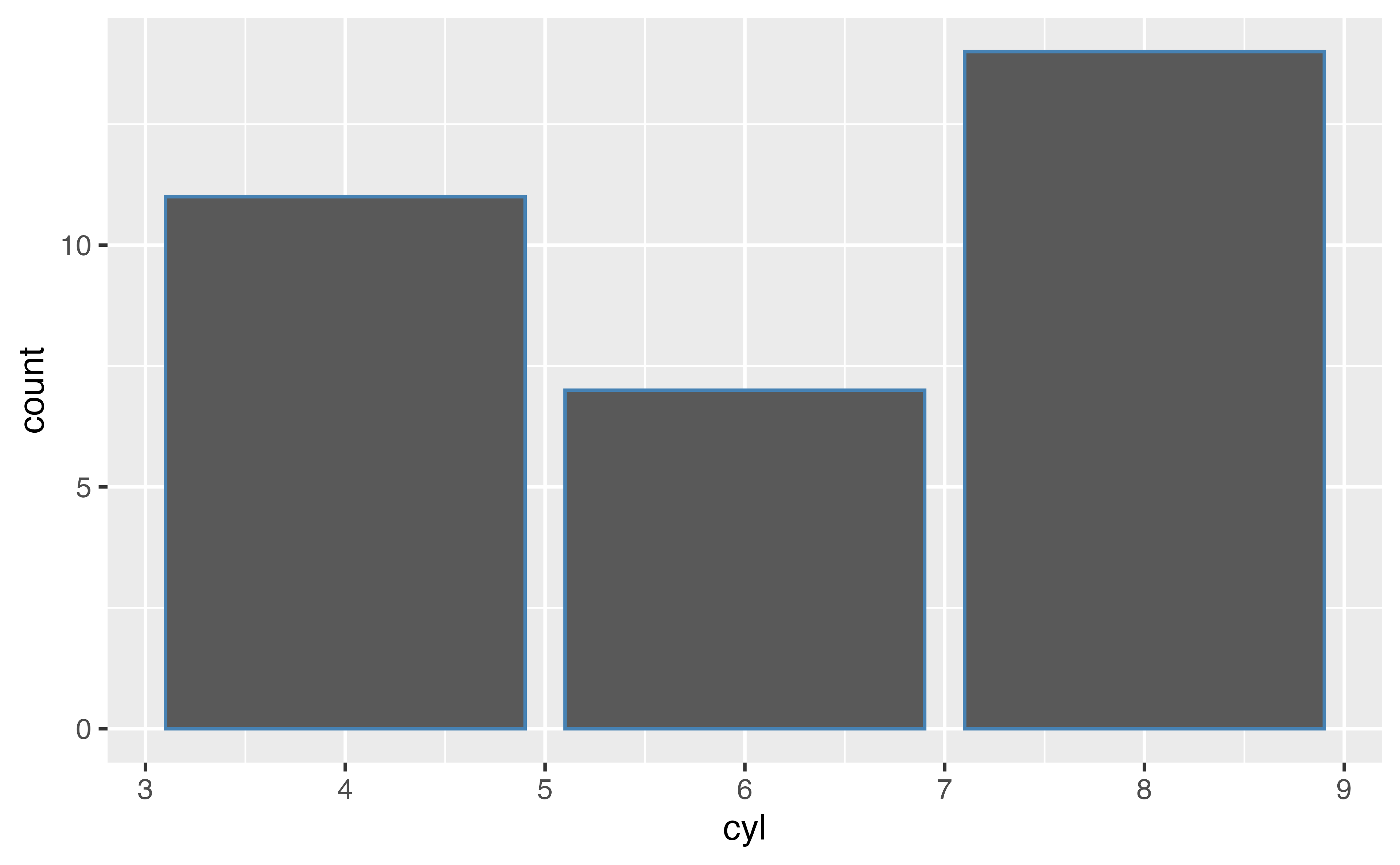
ggplot(mtcars, aes(x = cyl)) + 
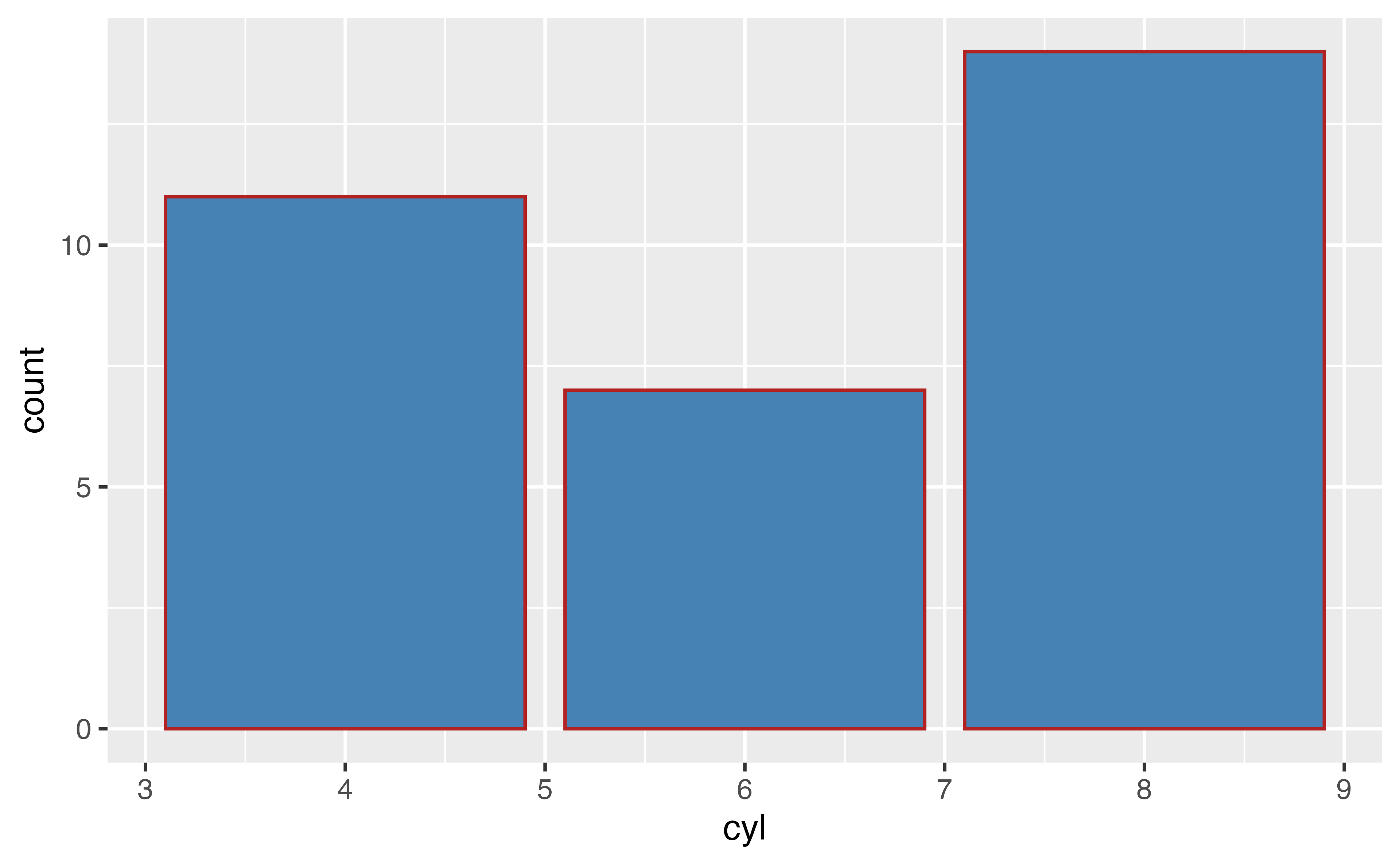
  geom_bar(color = "firebrick", fill = "steelblue")

Adding layers

ggplot(data = <DATA>, mapping = aes(<MAPPINGS>)) +
  <GEOM_FUNCTION>() +
  <GEOM_FUNCTION>() +
  <SCALE_FUNCTION>() + 
  <THEME_FUNCTION>()

Your Turn 7

Run the code after every change you make.

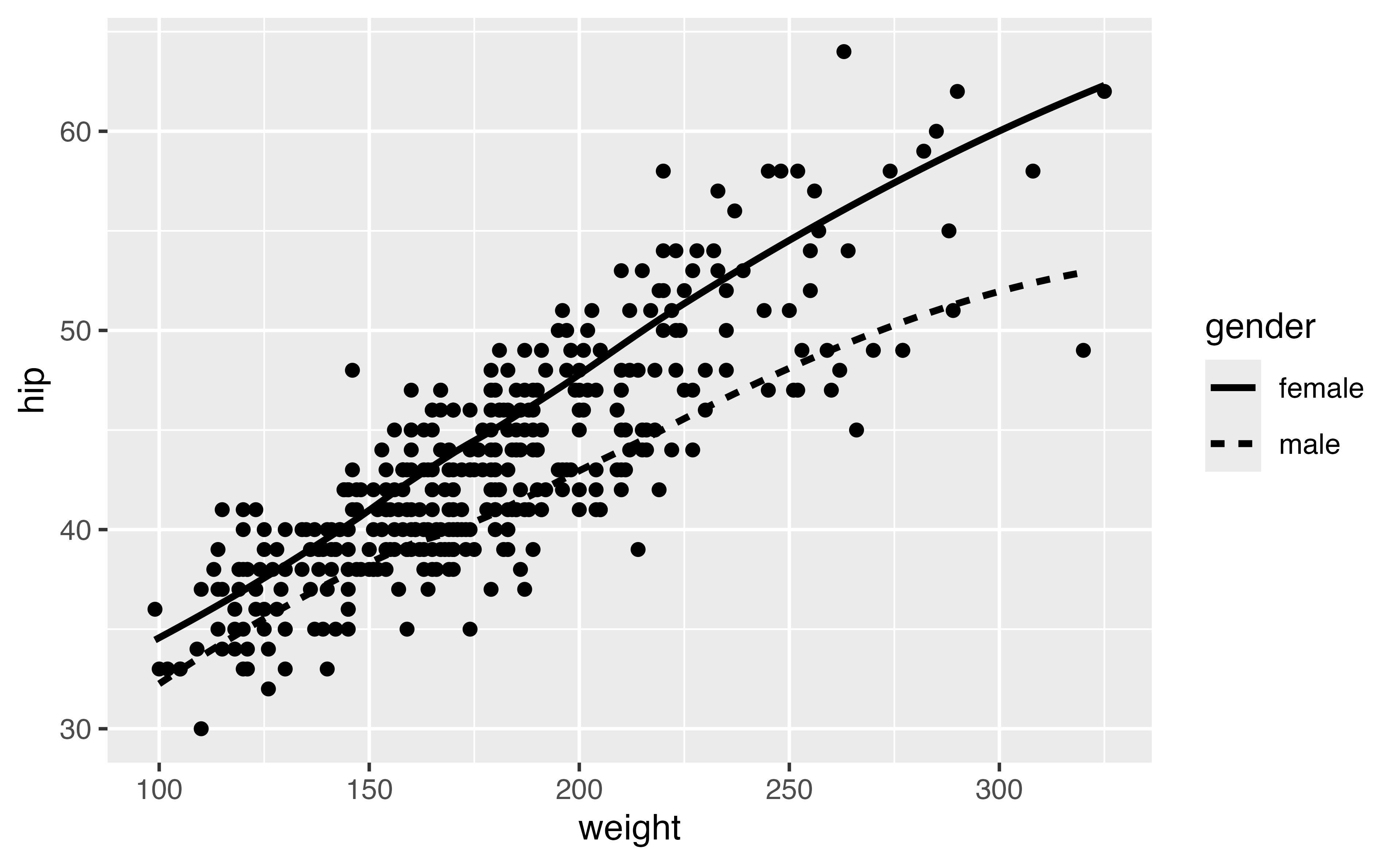
1. Predict what this code will do. Then run it.

2. Add a linetype aesthetic for gender. Run it again.

3. Set the color of geom_smooth() to “black”

4. Add se = FALSE to the geom_smooth()

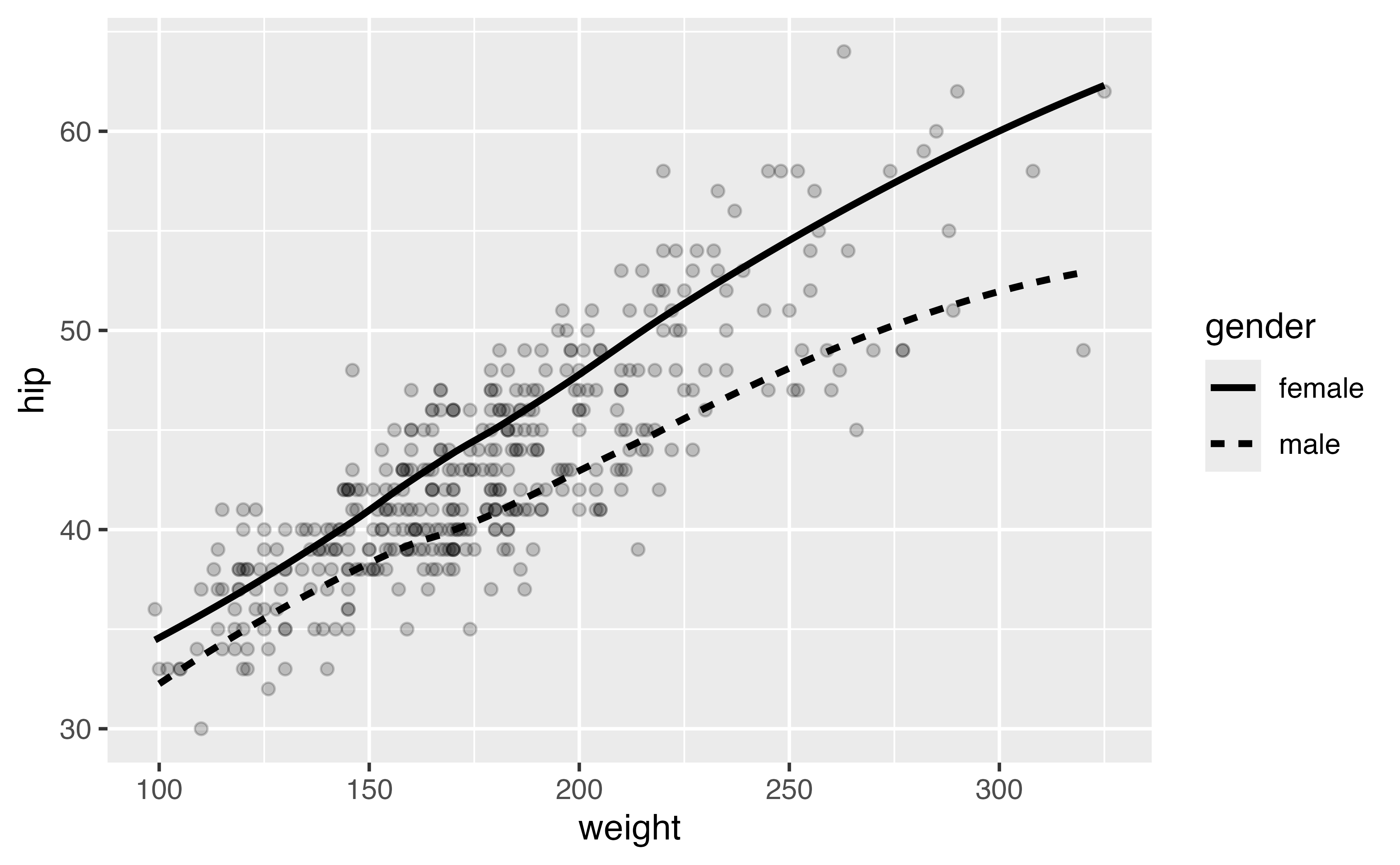
5. It’s hard to see the lines well now. How about setting alpha = .2 in geom_point()?

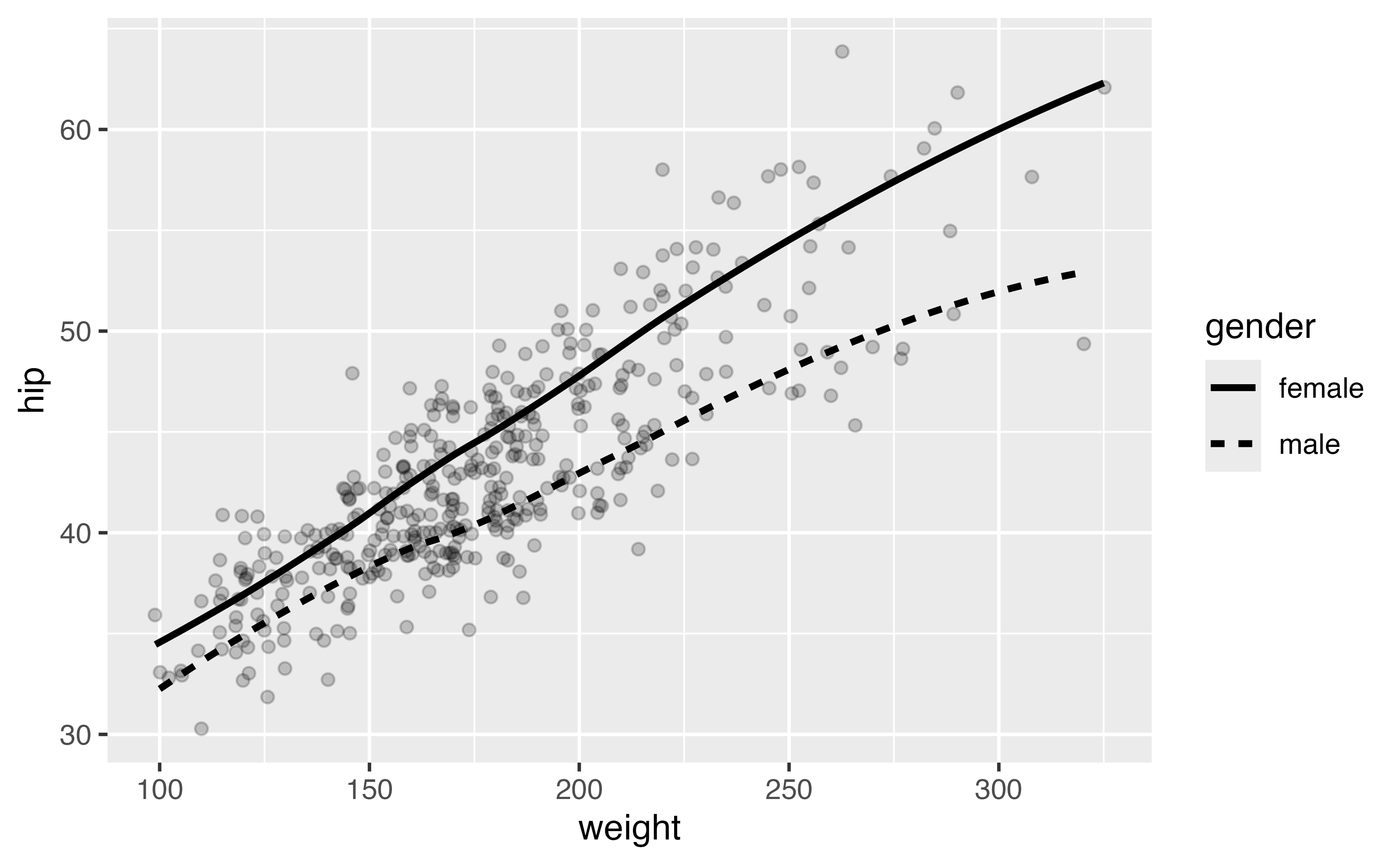
6. Jitter the points. You can either change the geom or change the position argument.

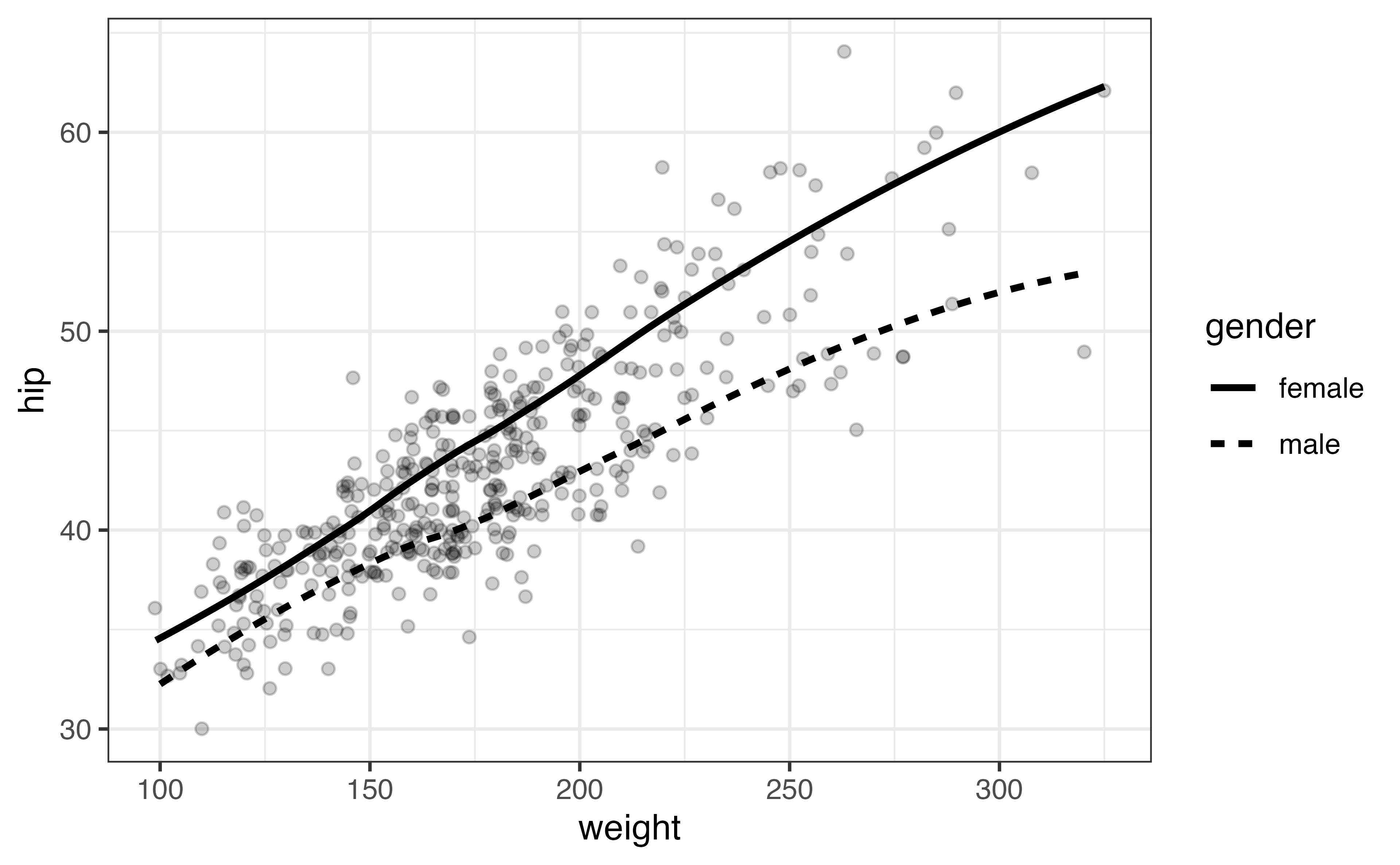
7. Add another layer, theme_bw(). Remember to use +.

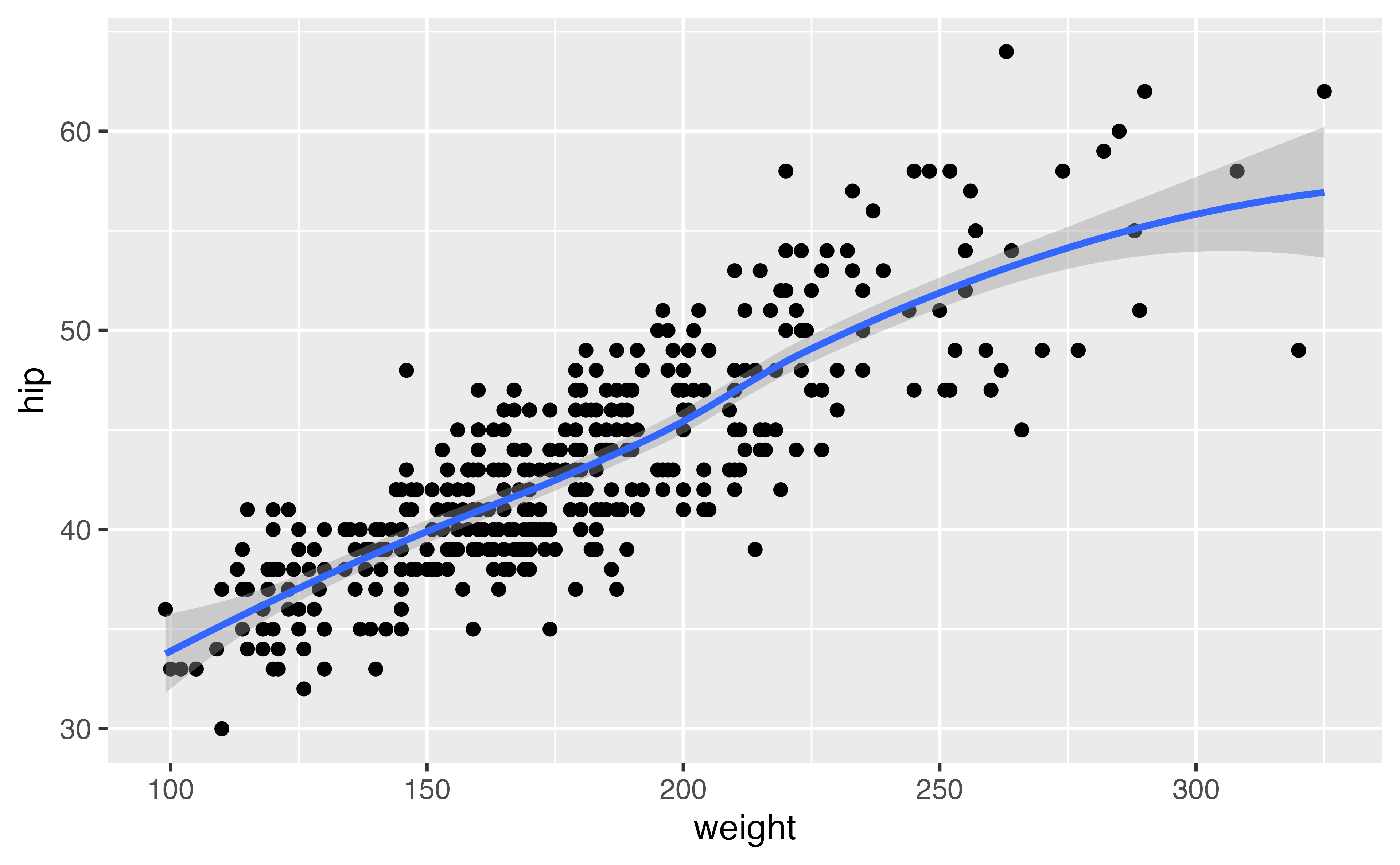
ggplot(diabetes, aes(weight, hip)) + 
  geom_point() +
  geom_smooth()

ggplot(diabetes, aes(weight, hip)) + 
  geom_point() +
  geom_smooth()

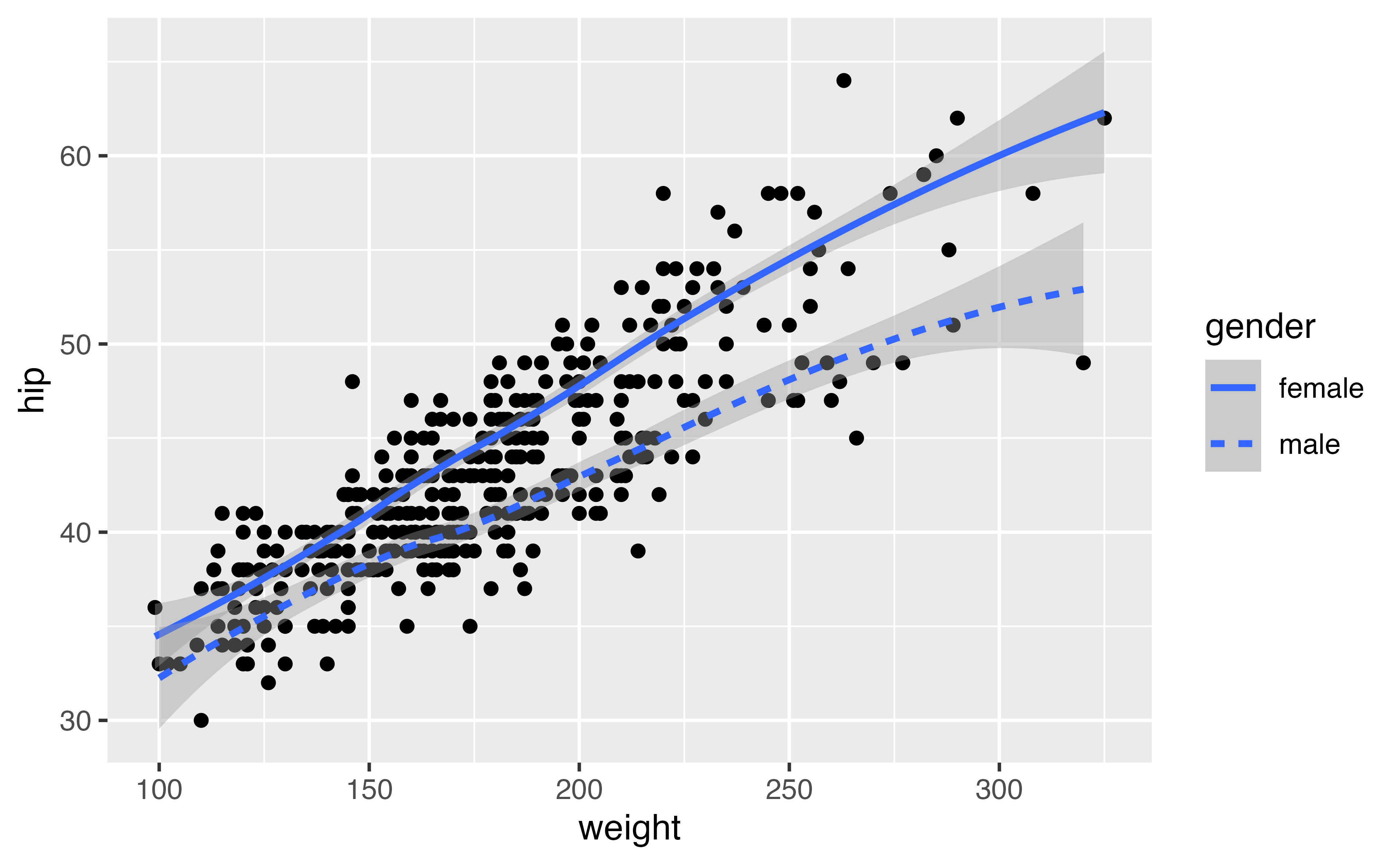
ggplot(diabetes, aes(weight, hip)) + 
  geom_point() +
  geom_smooth(aes(linetype = gender))

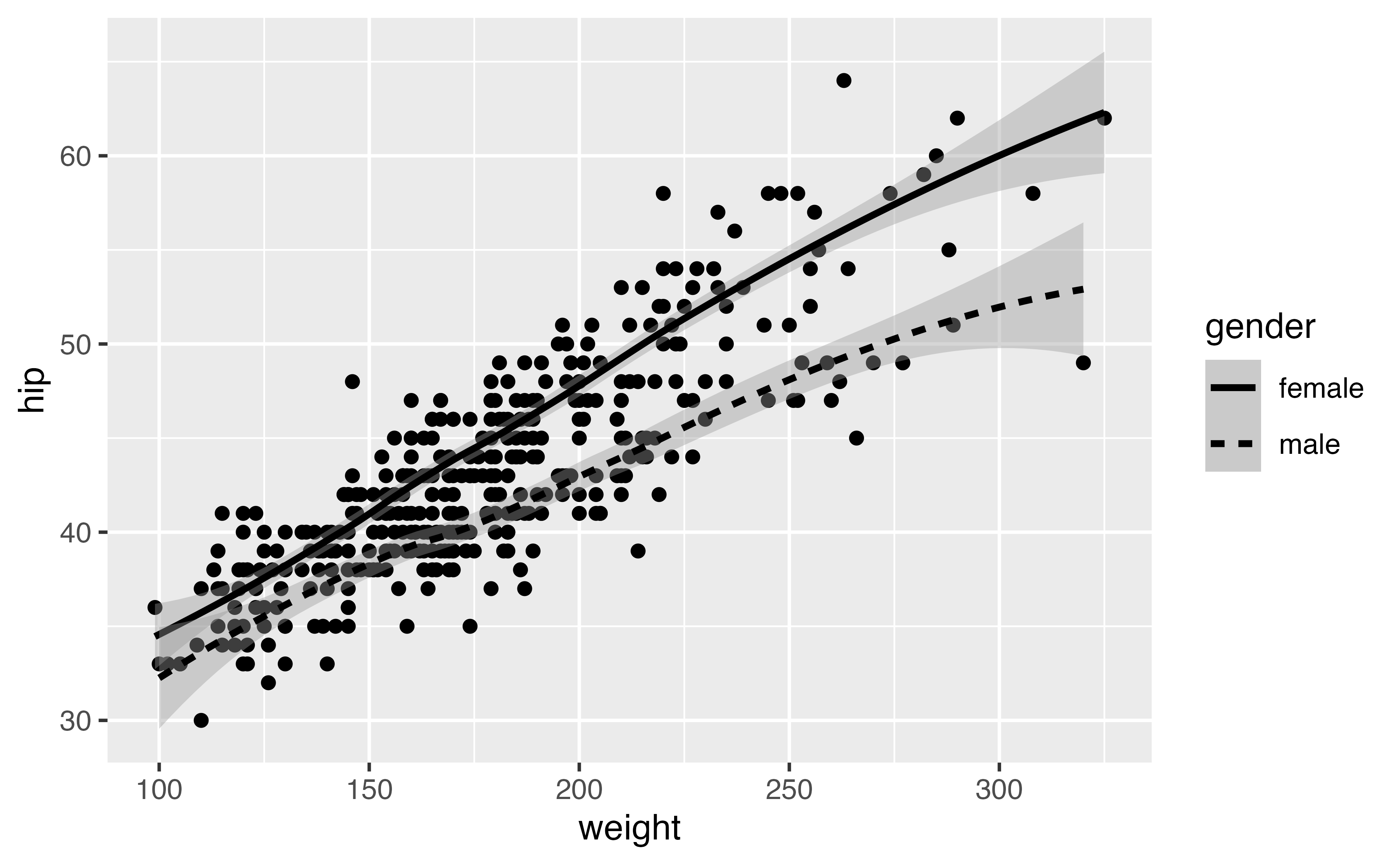
ggplot(diabetes, aes(weight, hip)) + 
  geom_point() +
  geom_smooth(aes(linetype = gender), color = "black")

ggplot(diabetes, aes(weight, hip)) + 
  geom_point() +
  geom_smooth(aes(linetype = gender), color = "black", se = FALSE)

ggplot(diabetes, aes(weight, hip)) + 
  geom_point(alpha = .2) +
  geom_smooth(aes(linetype = gender), color = "black", se = FALSE)

ggplot(diabetes, aes(weight, hip)) + 
  geom_jitter(alpha = .2) +
  geom_smooth(aes(linetype = gender), color = "black", se = FALSE)

ggplot(diabetes, aes(weight, hip)) + 
  geom_jitter(alpha = .2) +
  geom_smooth(aes(linetype = gender), color = "black", se = FALSE) +
  theme_bw()

Facets

Easily split your plot into panels

facet_grid(x ~ y)

facet_wrap(~ x)

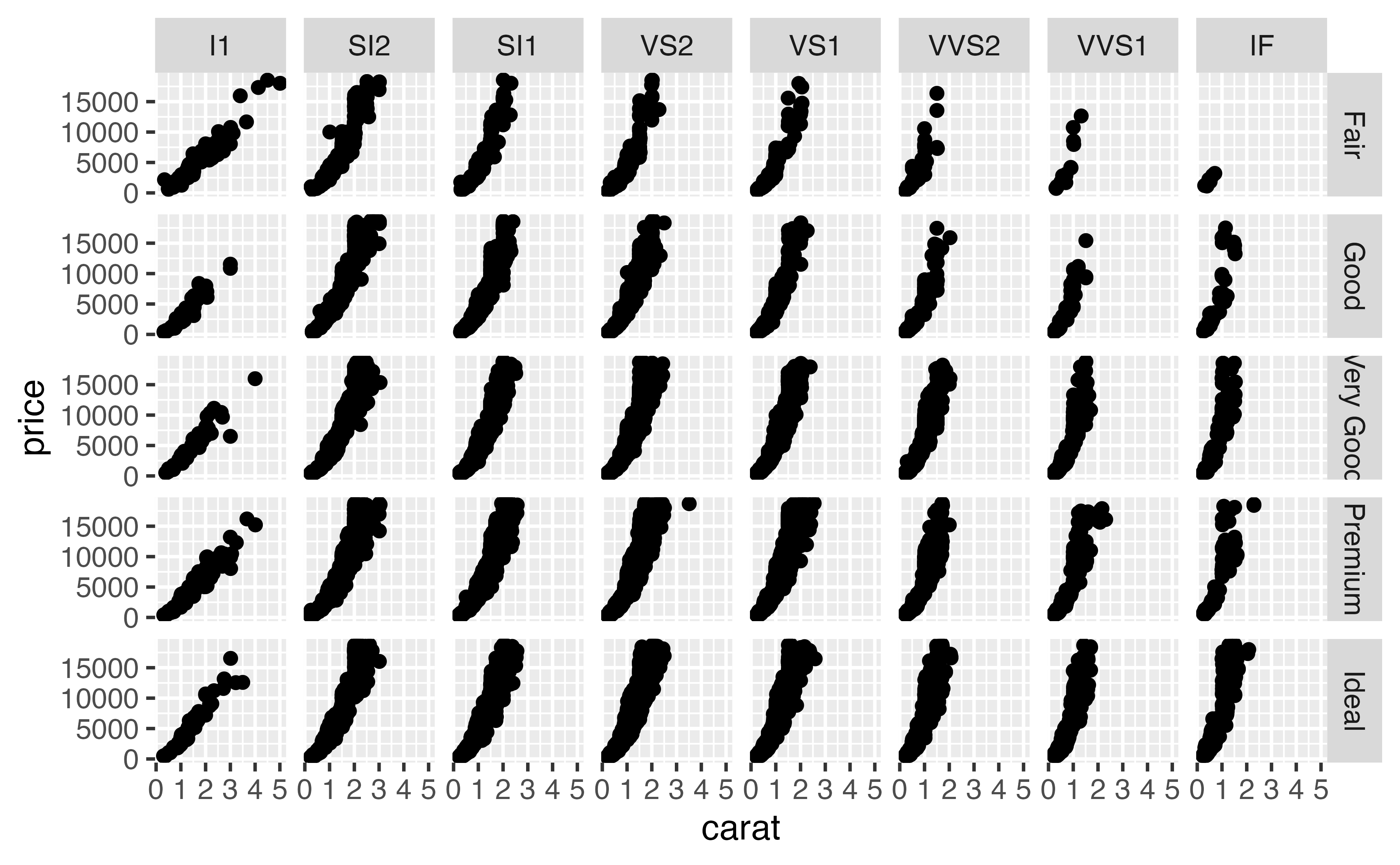
diamonds |> 
  ggplot(aes(x = carat, y = price)) + 
  geom_point() + 
  facet_grid(cut ~ clarity) 

Your Turn 8

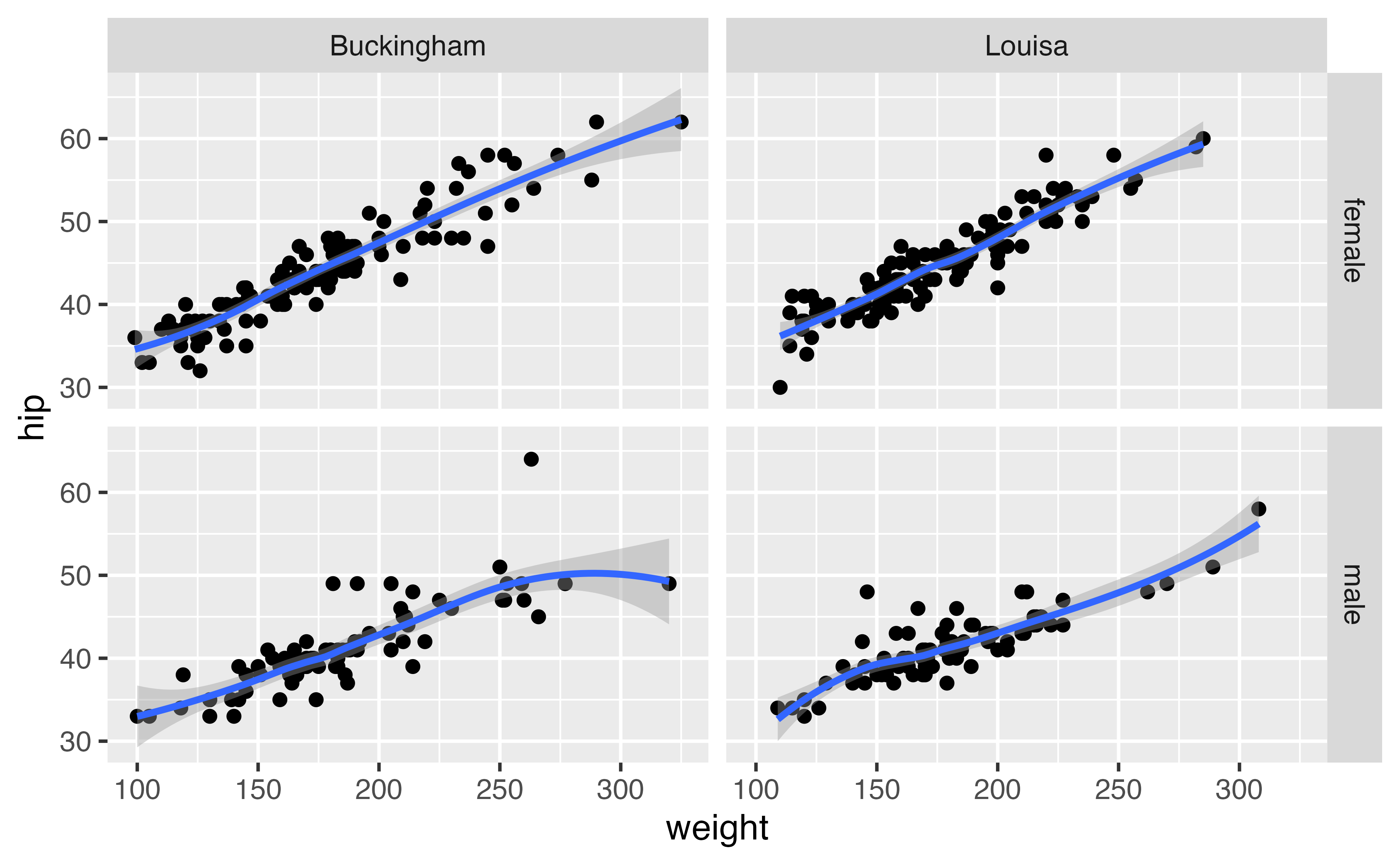
Use a facet grid by gender and location

ggplot(diabetes, aes(weight, hip)) + 
  geom_point() +
  geom_smooth()
ggplot(diabetes, aes(weight, hip)) + 
  geom_point() +
  geom_smooth() + 
  facet_grid(gender ~ location)

facet_wrap()
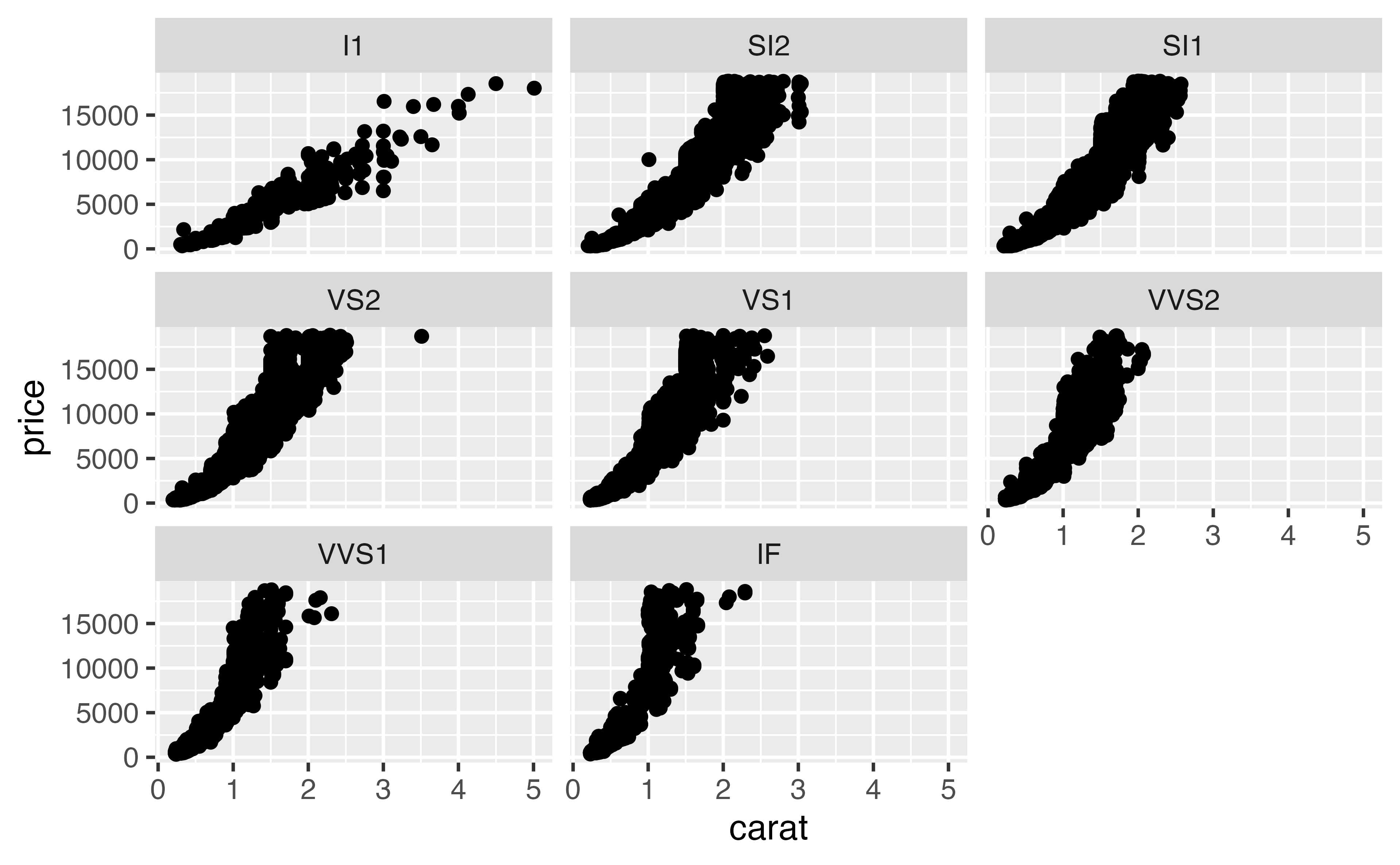
diamonds |> 
  ggplot(aes(x = carat, y = price)) + 
  geom_point() + 
  facet_wrap(~ clarity)

facet_wrap()
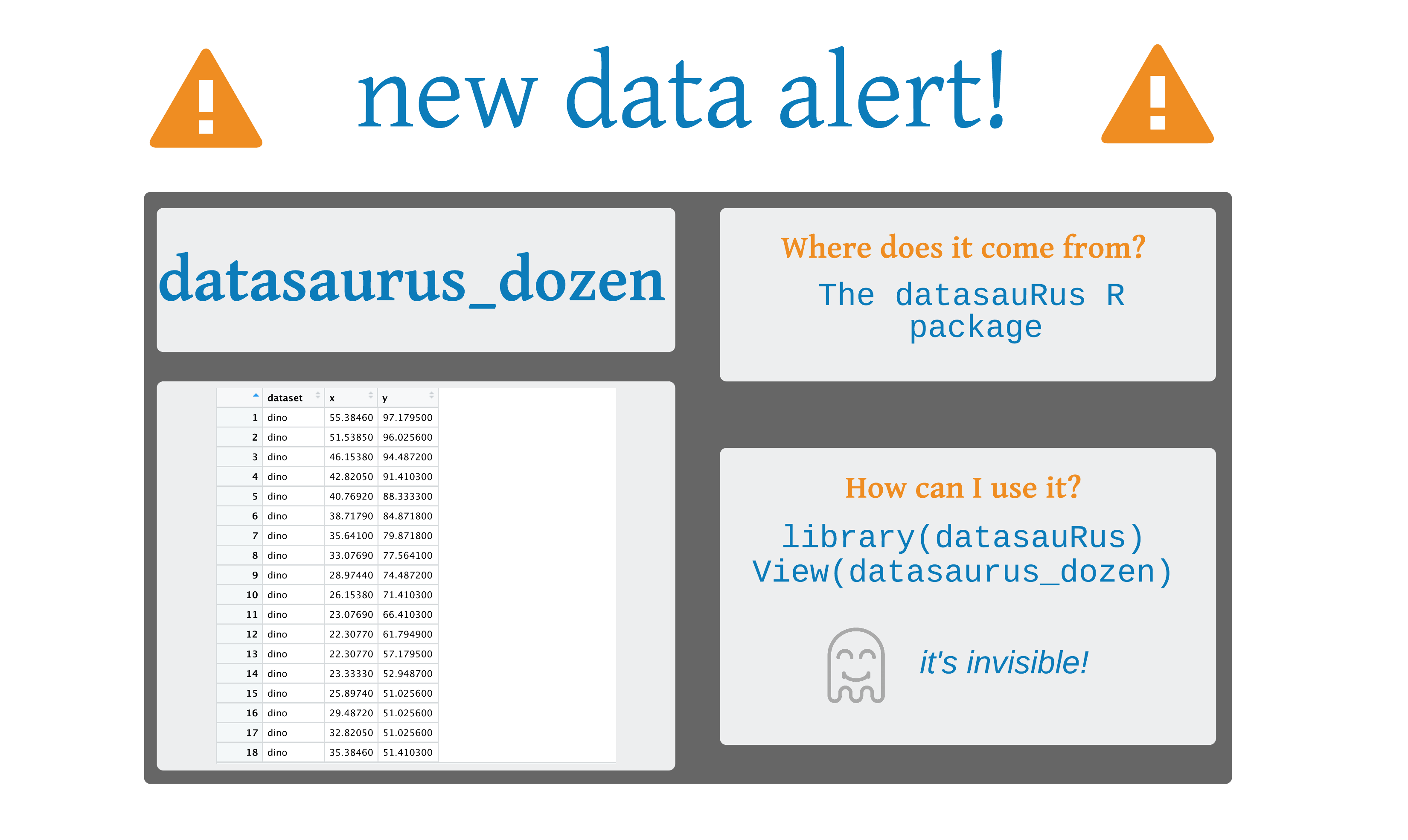
datasauRus

library(datasauRus)
datasaurus_dozen 
# A tibble: 1,846 × 3
   dataset     x     y
   <chr>   <dbl> <dbl>
 1 dino     55.4  97.2
 2 dino     51.5  96.0
 3 dino     46.2  94.5
 4 dino     42.8  91.4
 5 dino     40.8  88.3
 6 dino     38.7  84.9
 7 dino     35.6  79.9
 8 dino     33.1  77.6
 9 dino     29.0  74.5
10 dino     26.2  71.4
# ℹ 1,836 more rows

Your Turn 9: Challenge!

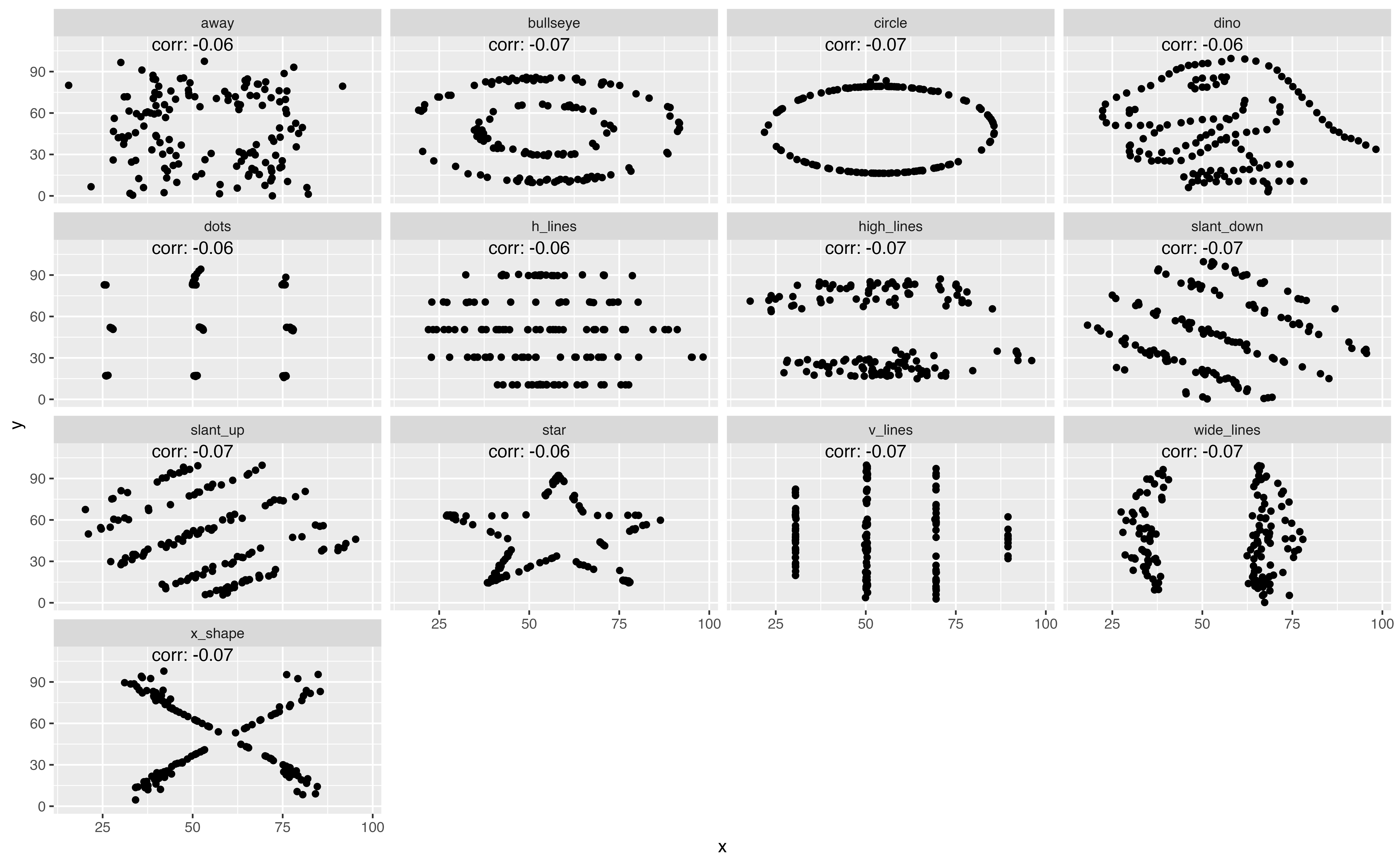
1. Load the datasauRus package. This package includes a data set called datasaurus_dozen.

2. Use dplyr to summarize the correlation between x and y. First, group it by dataset, and then summarize with the cor() function. Call the new variable corr. What’s it look like?

3. Mutate corr. Round it to 2 digits. Then, mutate it again (or wrap it around your first change) using: paste("corr:", corr)

4. Save the summary data frame as corrs.

5. Pass datasaurus_dozen to ggplot() and add a point geom

6. Use a facet (wrap) for dataset.

7. Add a text geom. For this geom, set data = corrs. You also need to use aes() in this call to set label = corr, x = 50, and y = 110.

corrs <- datasaurus_dozen |> 
  group_by(dataset) |> 
  summarize(corr = cor(x, y)) |> 
  mutate(
    corr = round(corr, 2),
    corr = paste("corr:", corr)
  )
corrs
# A tibble: 13 × 2
   dataset    corr       
   <chr>      <chr>      
 1 away       corr: -0.06
 2 bullseye   corr: -0.07
 3 circle     corr: -0.07
 4 dino       corr: -0.06
 5 dots       corr: -0.06
 6 h_lines    corr: -0.06
 7 high_lines corr: -0.07
 8 slant_down corr: -0.07
 9 slant_up   corr: -0.07
10 star       corr: -0.06
11 v_lines    corr: -0.07
12 wide_lines corr: -0.07
13 x_shape    corr: -0.07
datasaurus_dozen |> 
  ggplot(aes(x, y)) + 
  geom_point() + 
  geom_text(data = corrs, aes(label = corr, x = 50, y = 110)) +
  facet_wrap(~ dataset)