Data Visualization in R

customizing ggplot2

2025-08-09

Scales: position scales

scale_x_continuous() scale_y_date() scale_x_log10()

Scales: aesthetic scales

scale_color_hue() scale_fill_brewer() scale_shape_manual()

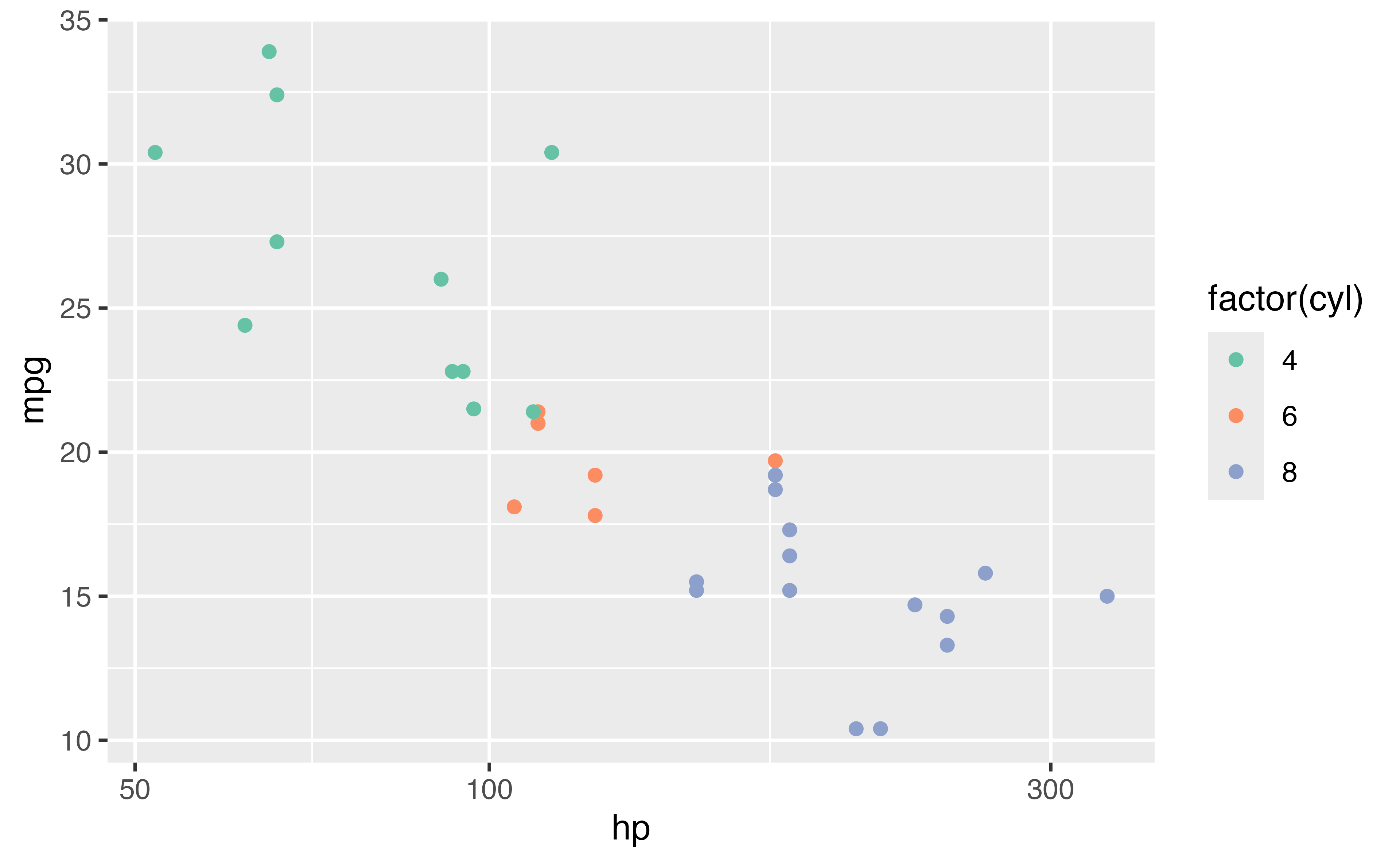
mtcars |> 
  ggplot(aes(hp, mpg, color = factor(cyl))) + 
  geom_point() + 
  scale_x_log10() + 
  scale_color_brewer(palette = "Set2")

Your Turn 10

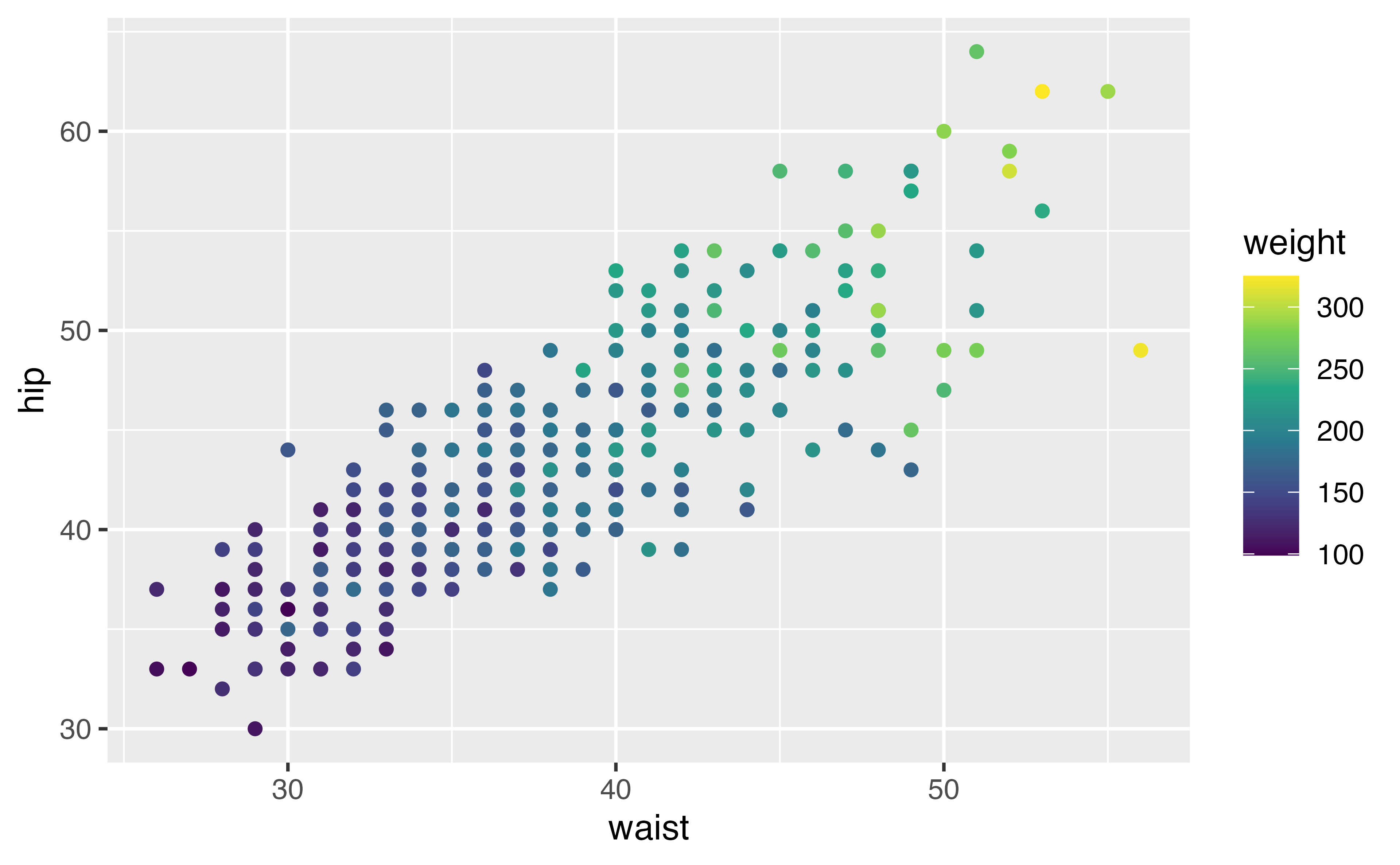
1. Change the color scale by adding a scale layer. Experiment with scale_color_distiller() and scale_color_viridis_c(). Check the help pages for different palette options.

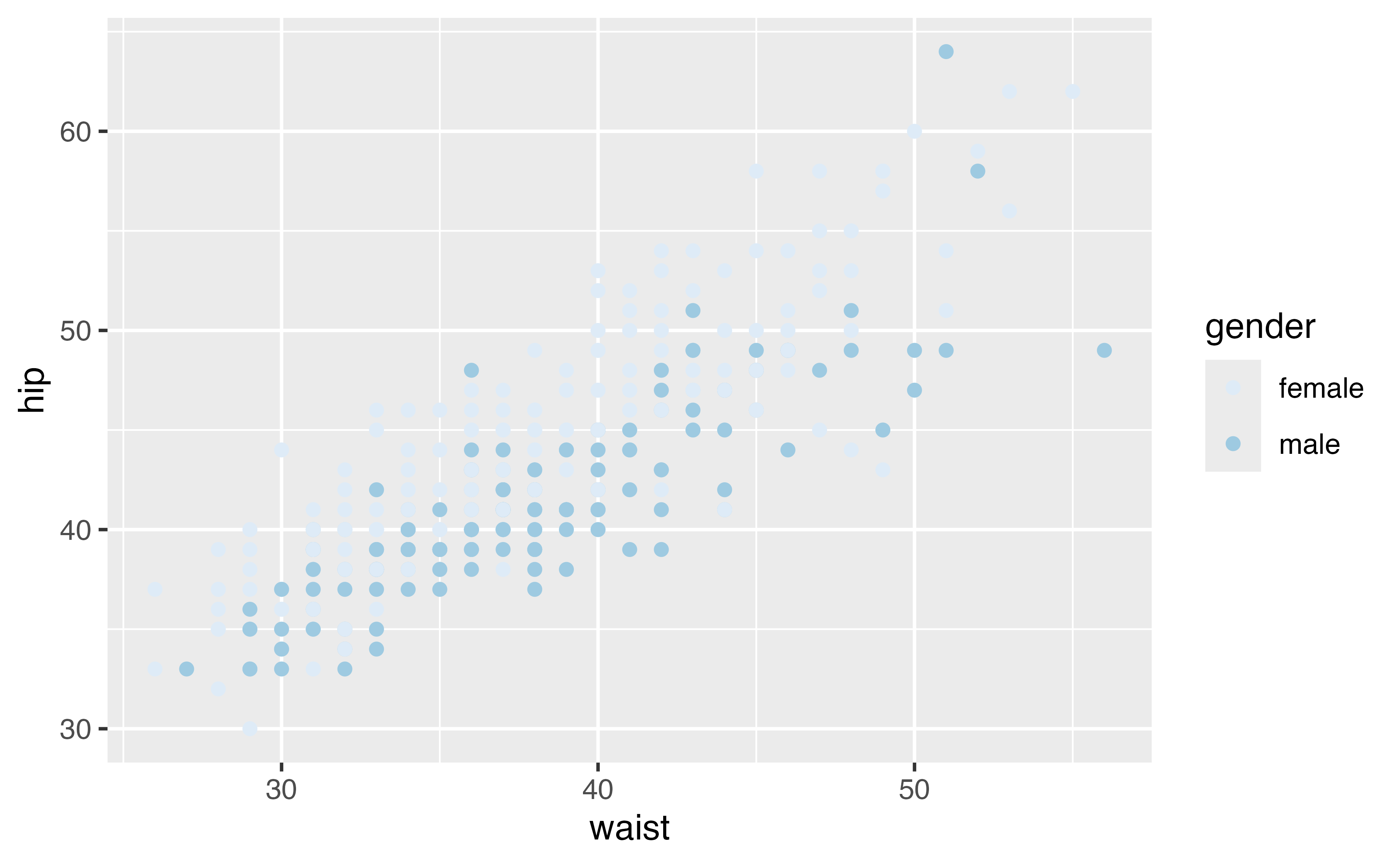
2. Set the color aesthetic to gender. Try scale_color_brewer().

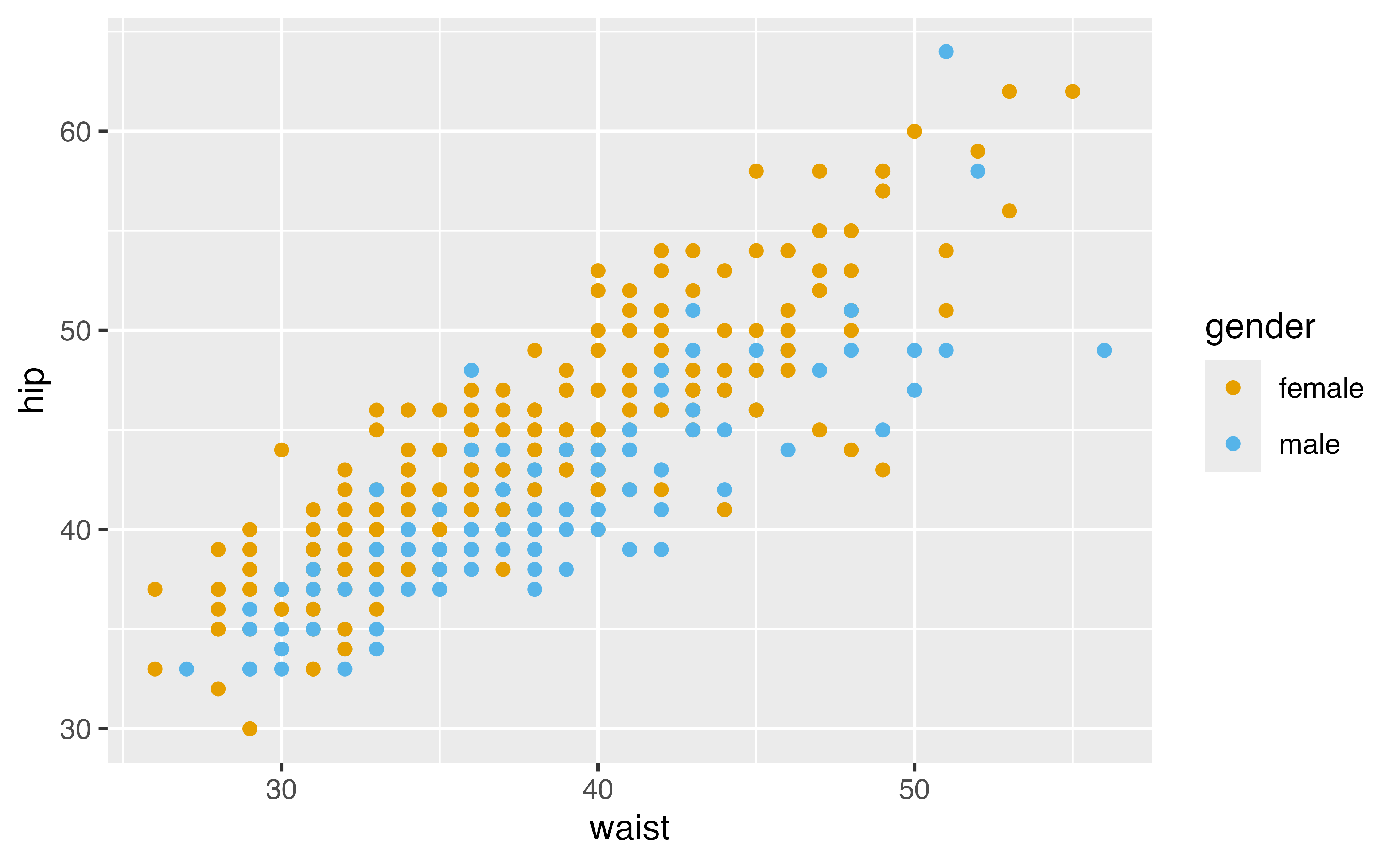
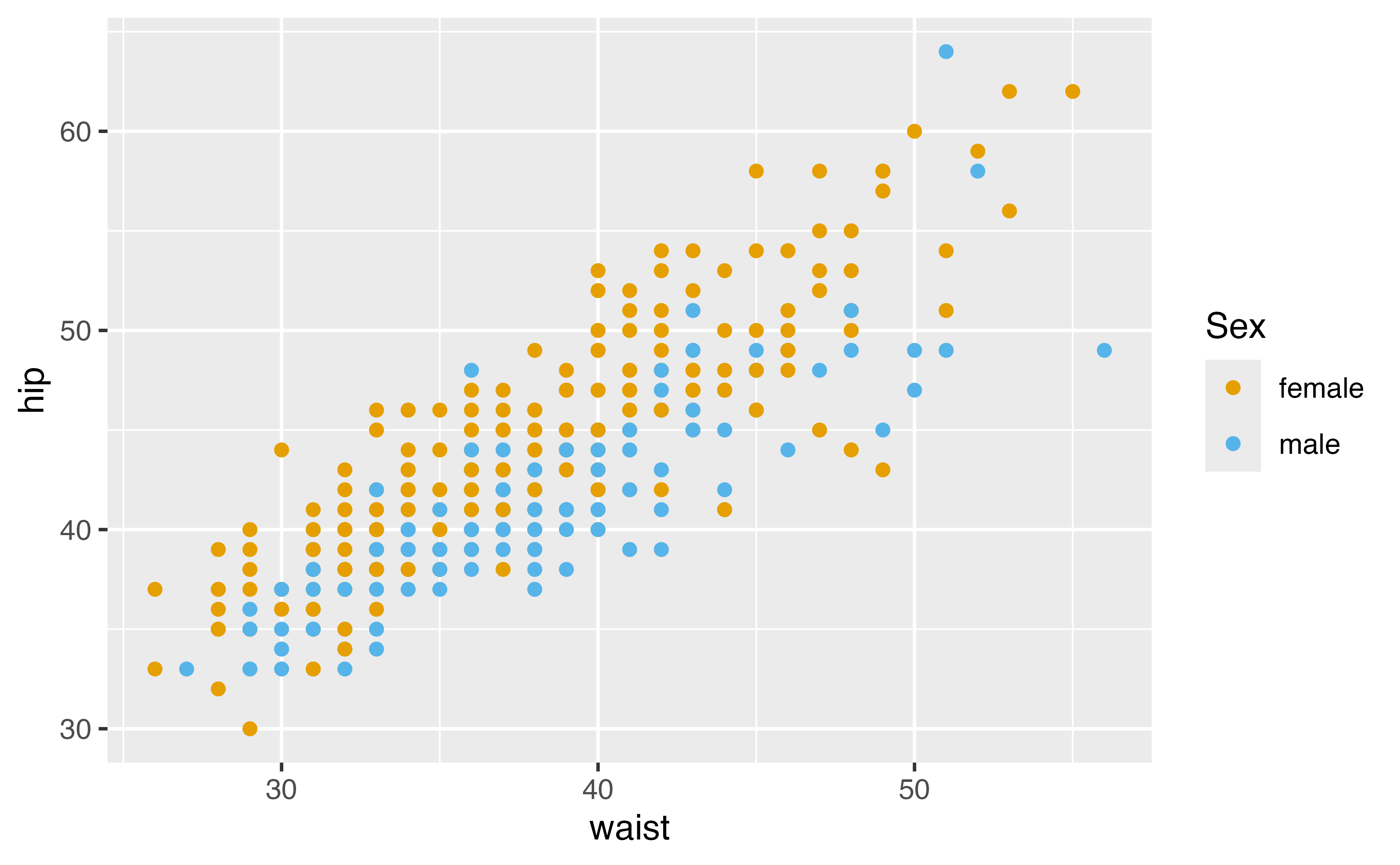
3. Set the colors manually with scale_color_manual(). Use values = c("#E69F00", "#56B4E9") in the function call.

4. Change the legend title for the color legend. Use the name argument in whatever scale function you’re using.

diabetes |> 
  ggplot(aes(waist, hip, color = weight)) + 
  geom_point() 
diabetes |> 
  ggplot(aes(waist, hip, color = weight)) + 
  geom_point() + 
  scale_color_viridis_c()
diabetes |> 
  ggplot(aes(waist, hip, color = gender)) + 
  geom_point() + 
  scale_color_brewer()
diabetes |> 
  ggplot(aes(waist, hip, color = gender)) + 
  geom_point() + 
  scale_color_manual(
    values = c("#E69F00", "#56B4E9")
  )
diabetes |> 
  ggplot(aes(waist, hip, color = gender)) + 
  geom_point() + 
  scale_color_manual(
    name = "Sex", 
    values = c("#E69F00", "#56B4E9")
  )

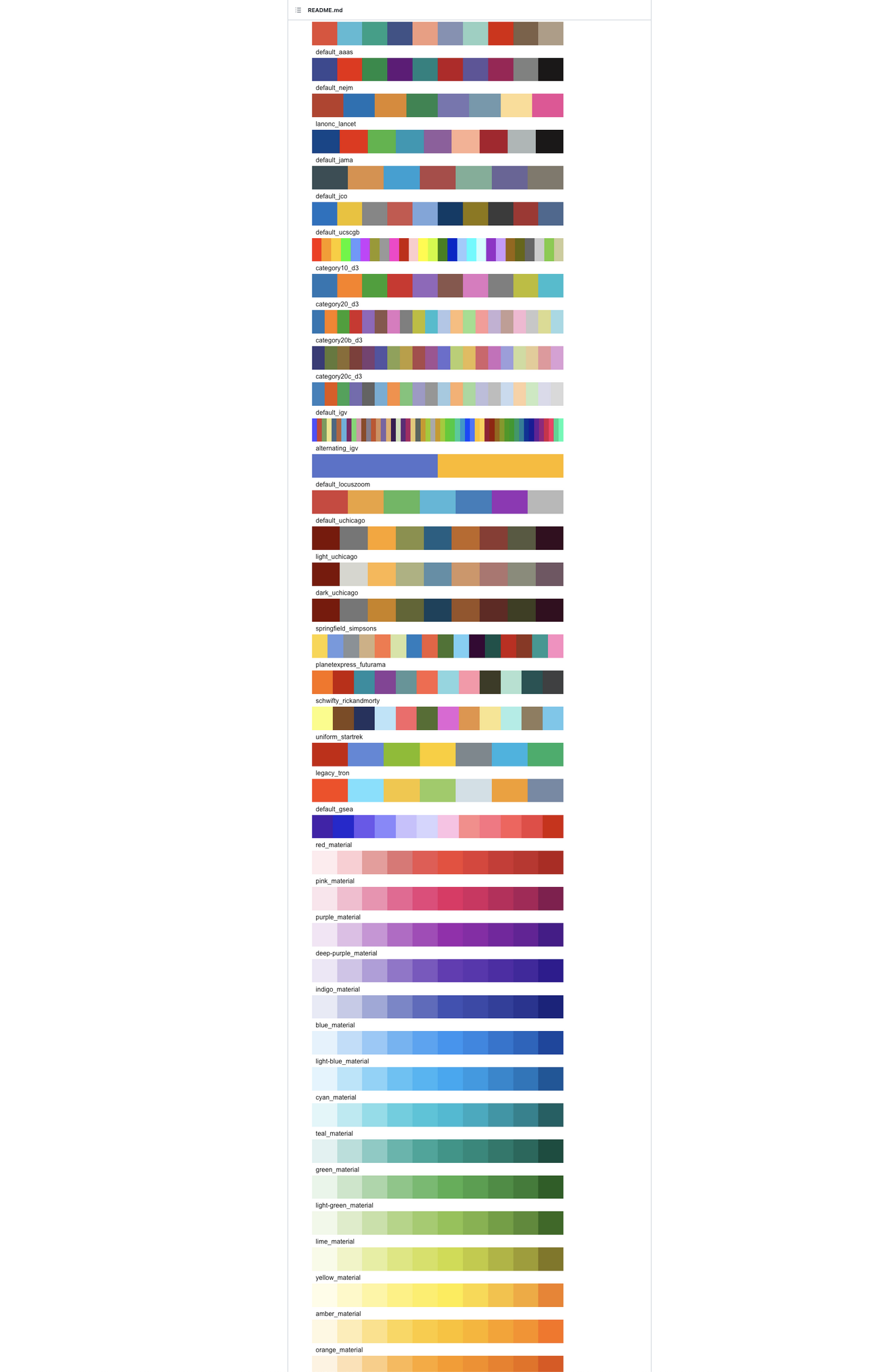
Color Palettes

https://github.com/EmilHvitfeldt/r-color-palettes

Themes

Non-data ink (text, background, etc)

Pre-specified themes: theme_gray() (default), theme_minimal(), theme_light(), etc.

theme()

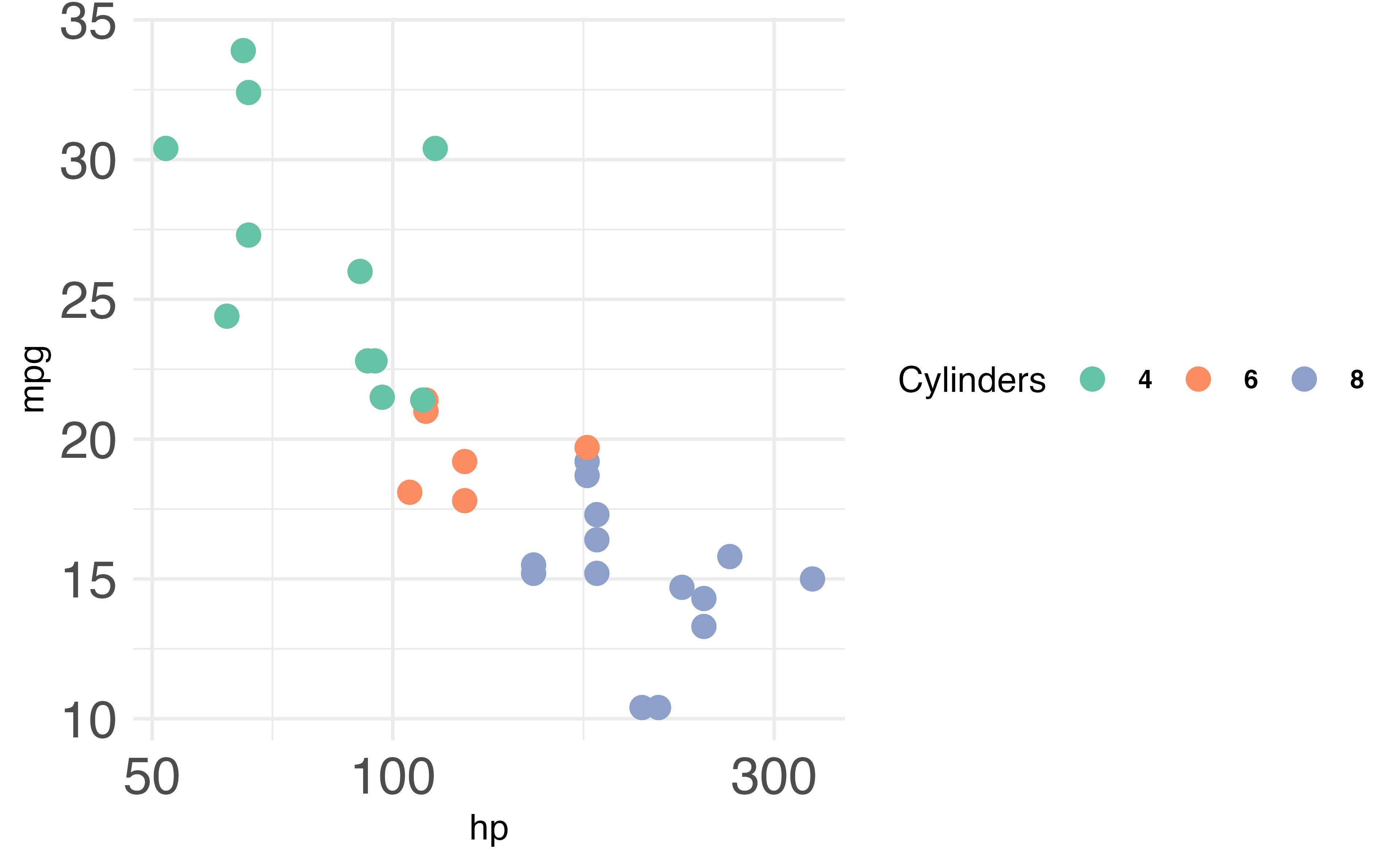
mtcars |> 
  ggplot(aes(hp, mpg, color = factor(cyl))) + 
  geom_point(size = 3) + 
  scale_x_log10() + 
  scale_colour_brewer(name = "Cylinders", palette = "Set2") + 
  theme_minimal() +
  theme(
    axis.text = element_text(size = 16),
    legend.text = element_text(size = 8, face = "bold"),
    legend.direction = "horizontal"
  )

theme elements

element draws
element_blank() nothing (remove element)
element_line() lines
element_rect() borders and backgrounds
element_text() text

Your Turn 11

1. Change the theme using one of the built-in theme functions.

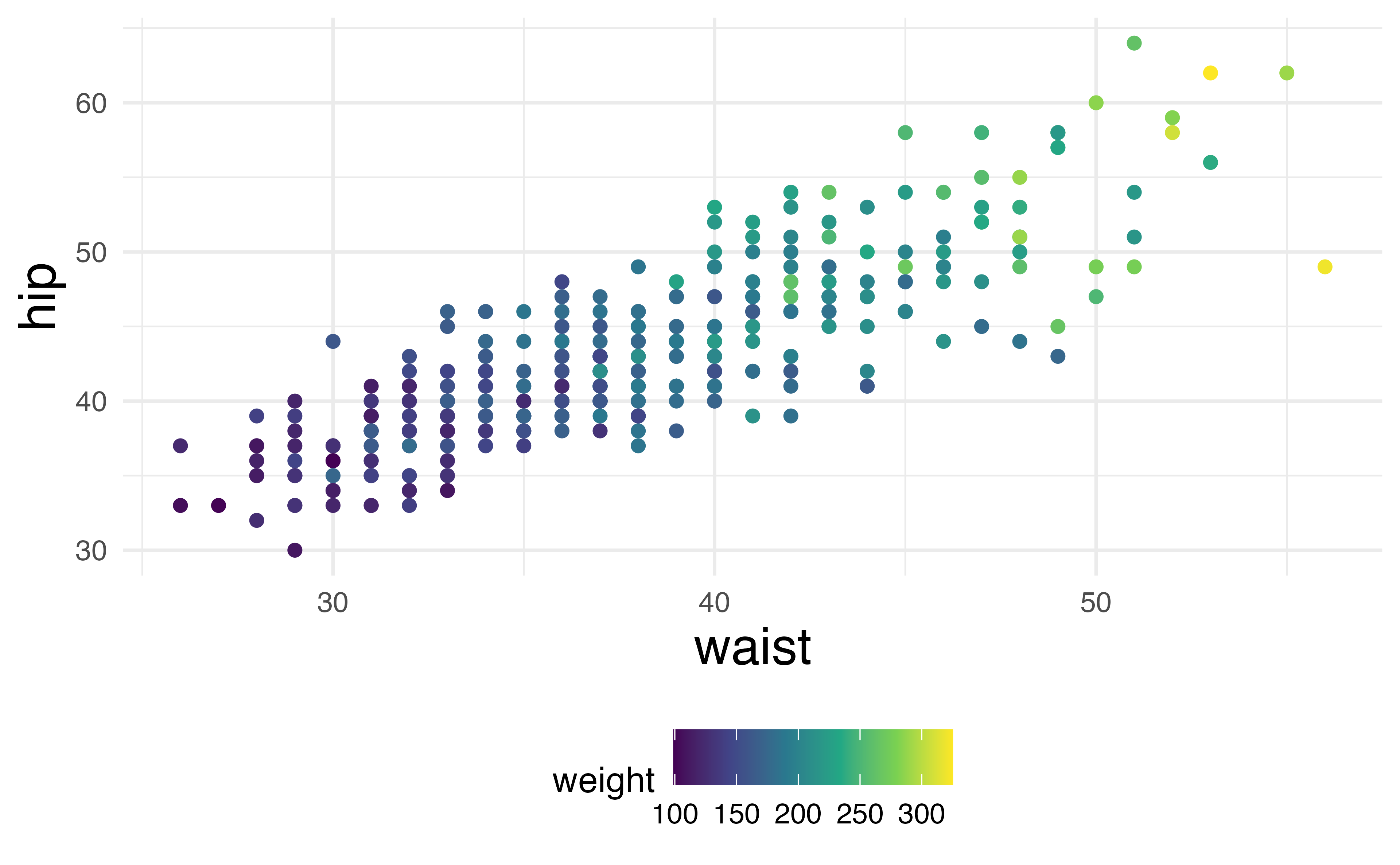
2. Use theme() to change the legend to the bottom with legend.position = "bottom".

3. Remove the axis ticks by setting the axis.ticks argument to element_blank()

4. Change the font size for the axis titles. Use element_text(). Check the help page if you don’t know what option to change.

diabetes |> 
  ggplot(aes(waist, hip, color = weight)) + 
  geom_point() +
  scale_color_viridis_c()
diabetes |> 
  ggplot(aes(waist, hip, color = weight)) + 
  geom_point() +
  scale_color_viridis_c() +
  theme_minimal() +
  theme(
    legend.position = "bottom", 
    axis.ticks = element_blank(), 
    axis.title = element_text(size = 16) 
  )

High-density plots

?rnorm, ?Distributions

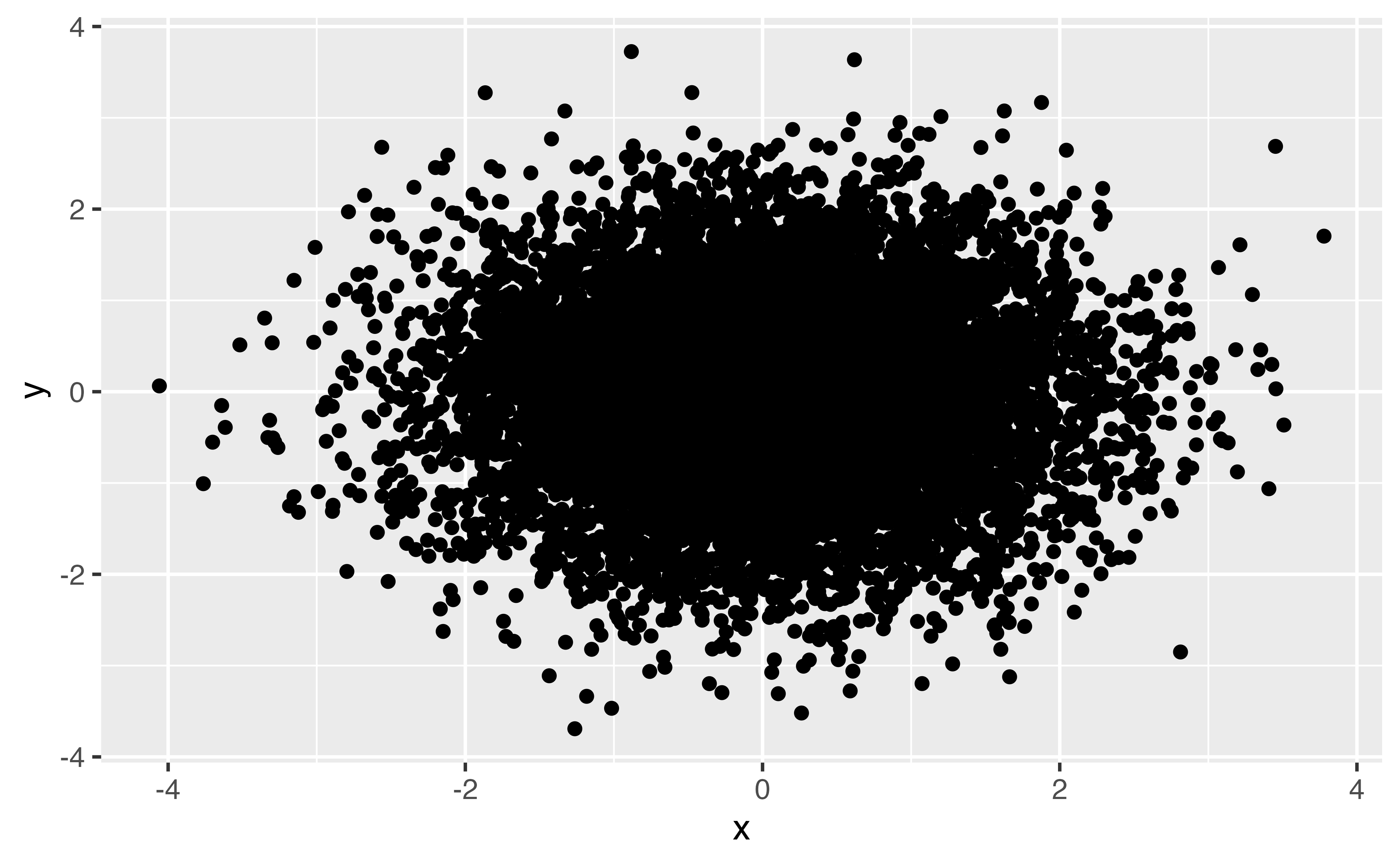
bigger_data <- tibble(x = rnorm(10000), y = rnorm(10000)) 

High-density plots

bigger_data |> 
  ggplot(aes(x, y)) + 
  geom_point()

High-density plots

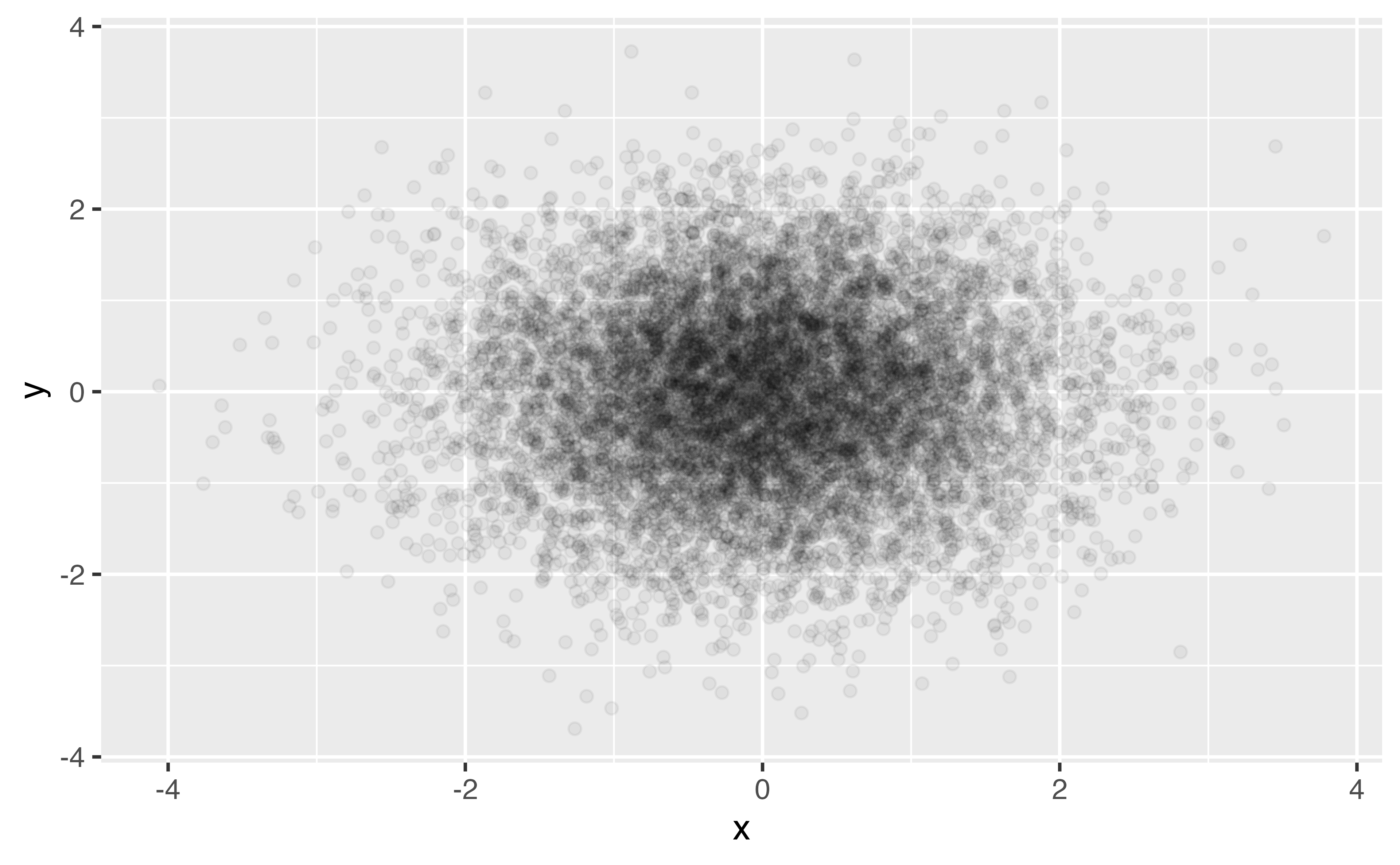
  1. Transparency
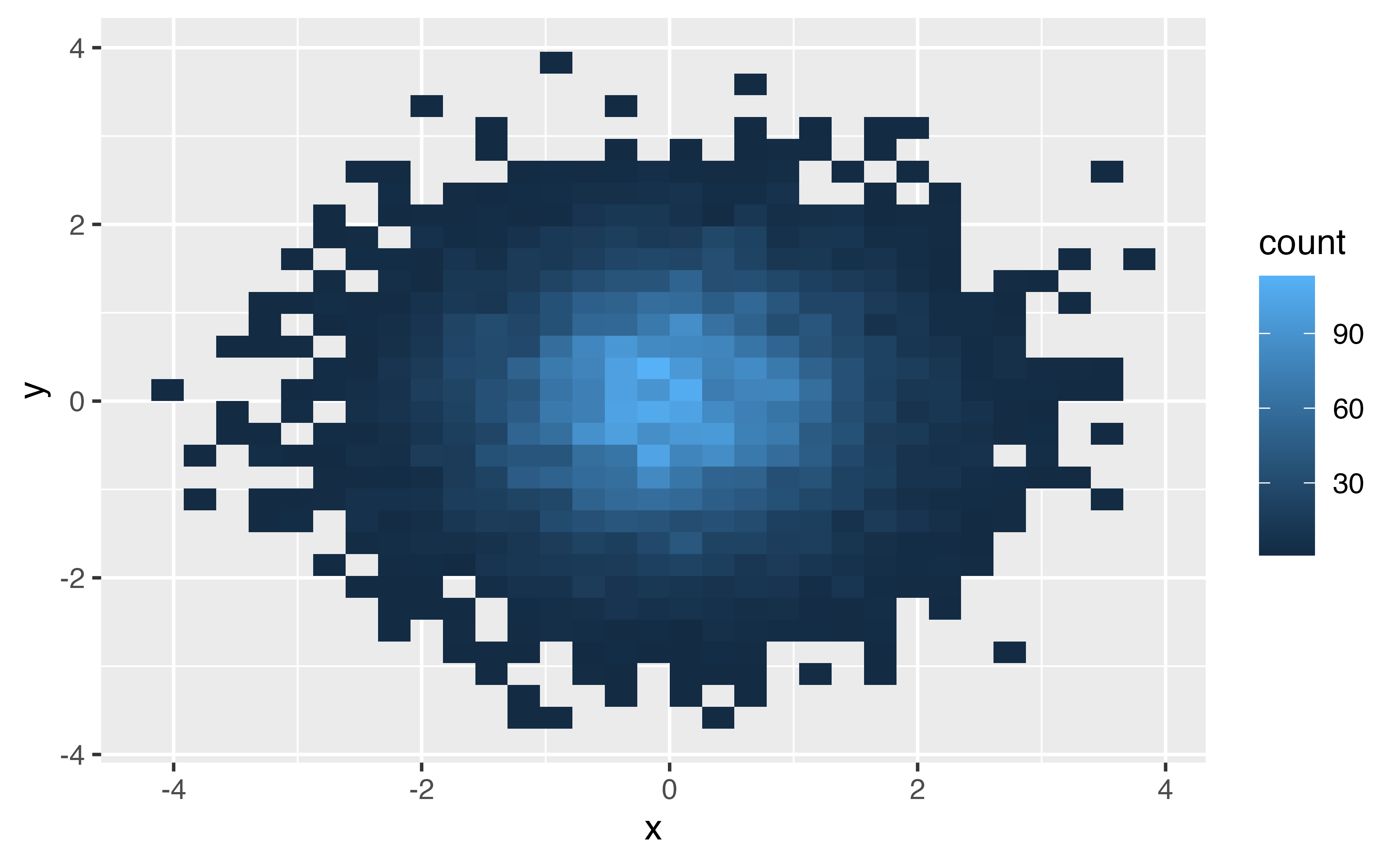
  2. Binning
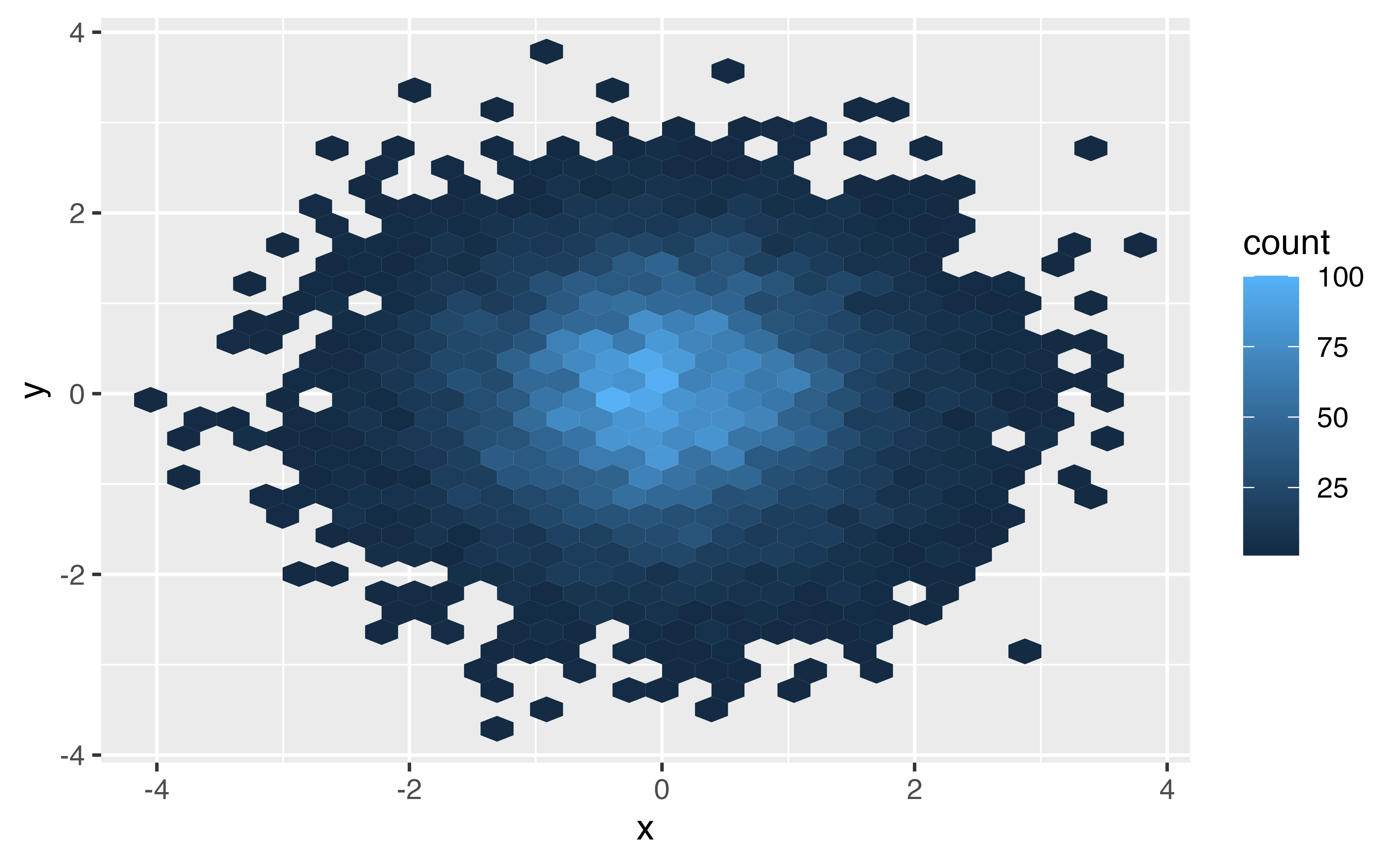
  3. Visualize other summary data
bigger_data |> 
  ggplot(aes(x, y)) + 
  geom_point(alpha = .05) 
bigger_data |> 
  ggplot(aes(x, y)) + 
  geom_bin2d() 
bigger_data |> 
  ggplot(aes(x, y)) + 
  geom_hex() 

Your Turn 12

Take a look at the diamonds data set from ggplot2. How many rows does it have?

diamonds


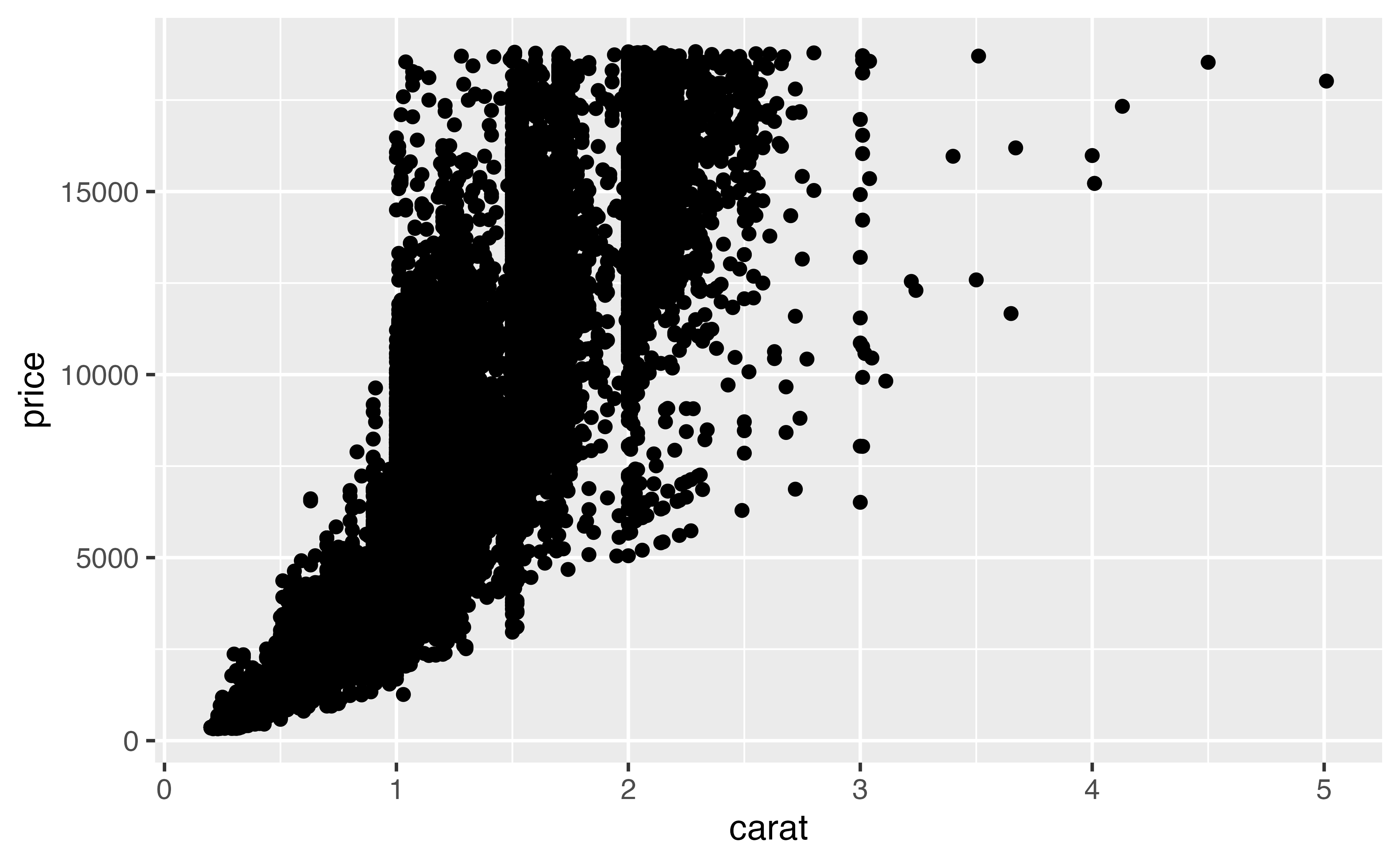
1. Make a scatterplot of carat vs. price. How’s it look?

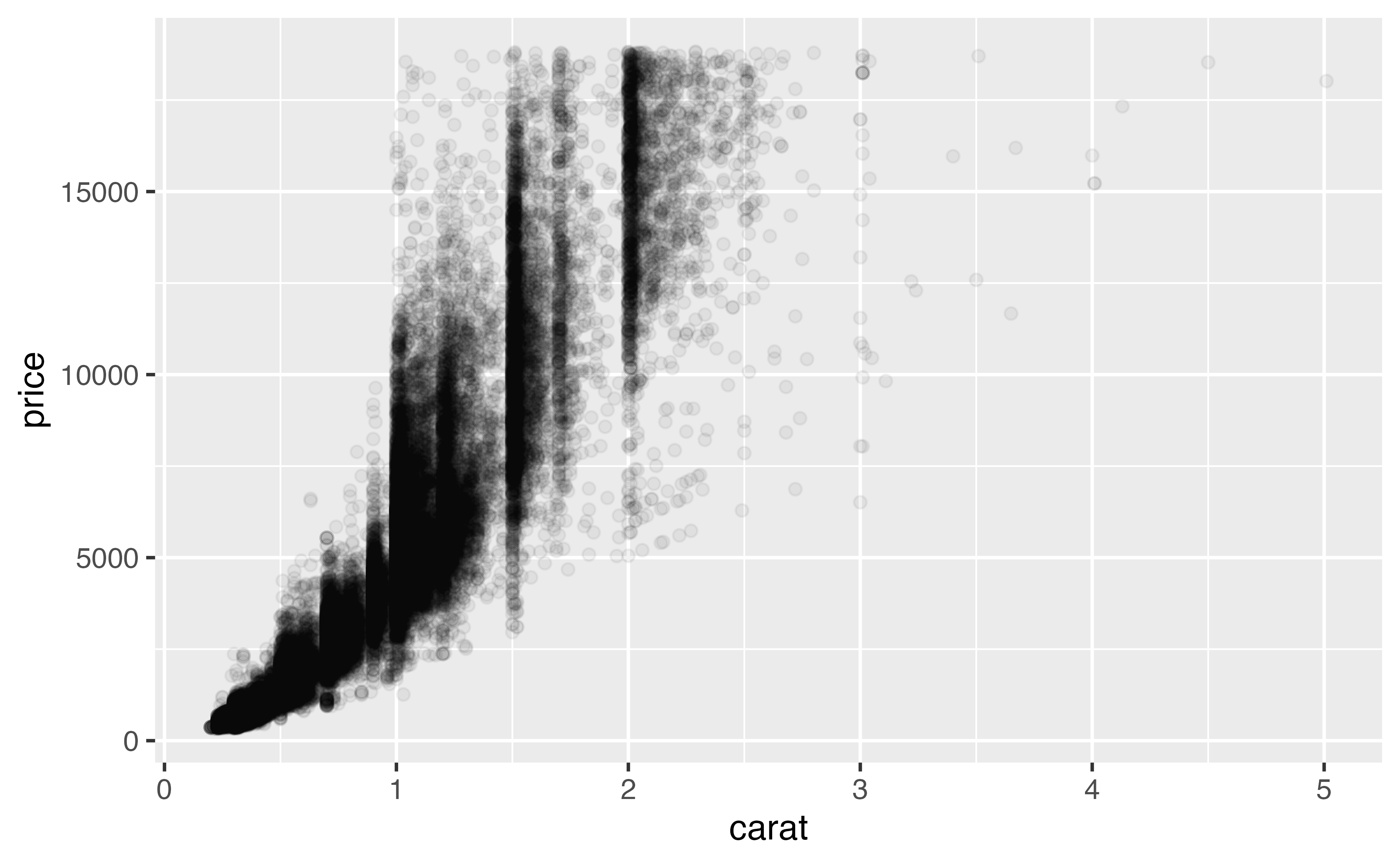
2. Try adjusting the transparency.

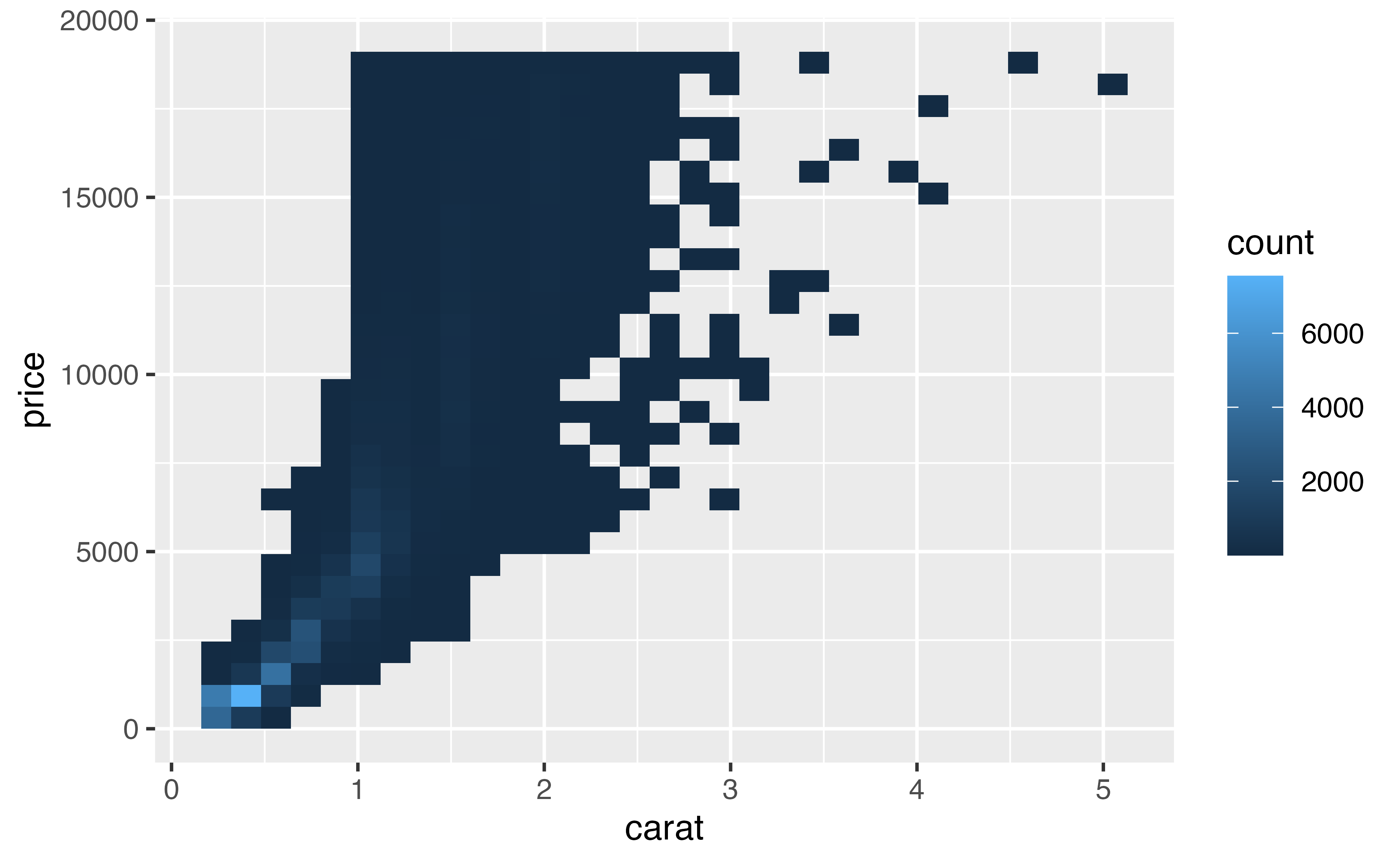
3. Replace geom_point() with 2d bins.

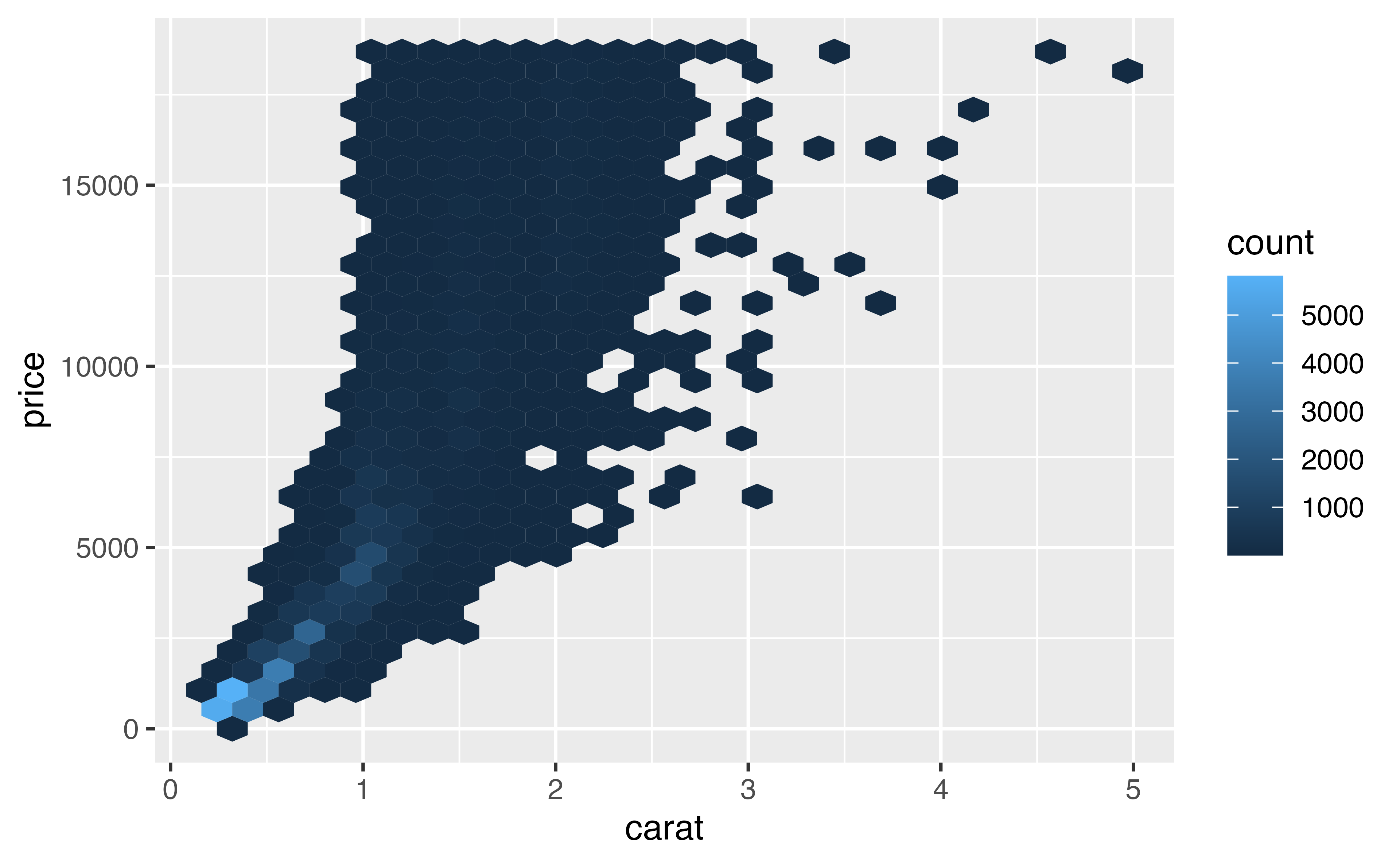
4. Try hex bins.

diamonds |> 
  ggplot(aes(x = carat, price)) + 
  geom_point()
diamonds |> 
  ggplot(aes(x = carat, price)) + 
  geom_point(alpha = .05)
diamonds |> 
  ggplot(aes(x = carat, price)) + 
  geom_bin2d() 
diamonds |> 
  ggplot(aes(x = carat, price)) + 
  geom_hex() 

Labels, titles, and legends

Labels, titles, and legends

Add a title:

ggtitle()

labs(title = "My Awesome Plot")

Labels, titles, and legends

Change a label:

xlab(), ylab()

labs(x = "X Label", y = "Y Label")

Labels, titles, and legends

Change a legend:

scale_*() functions

labs(color = "Wow, labs does everything", fill = "Yup")

Labels, titles, and legends

Remove the legend:

theme(legend.position = "none")

Your Turn 13

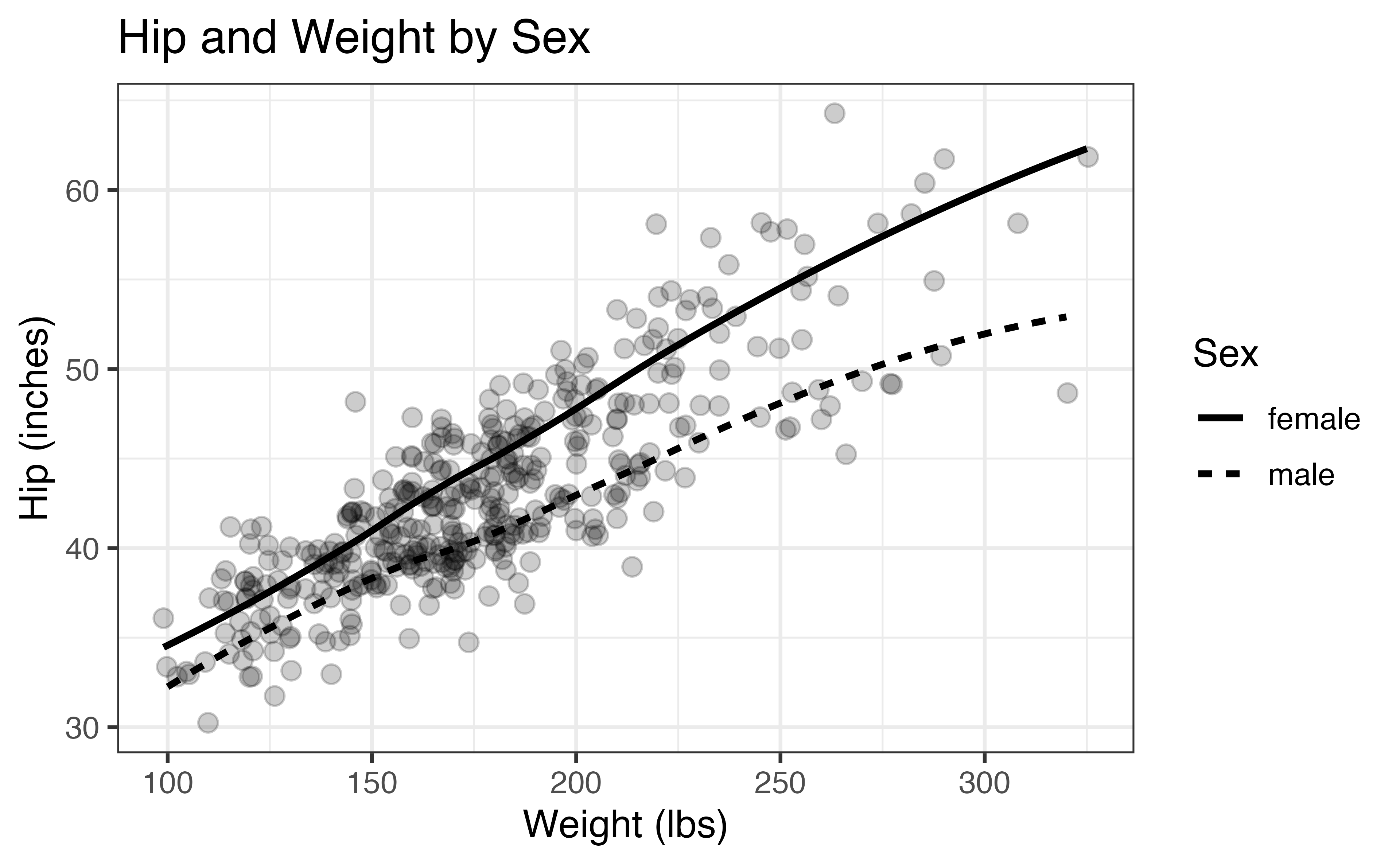
1. Add a title.

2. Change the x and y axis labels to include the units (inches for hip and pounds for weight). You can use either labs() or xlab() and ylab()

3. Add scale_linetype() and set the name argument to “Sex”.

ggplot(diabetes, aes(weight, hip, linetype = gender)) +
  geom_jitter(alpha = .2, size = 2.5) +
  geom_smooth(color = "black", se = FALSE) + 
  theme_bw(base_size = 12)
ggplot(diabetes, aes(weight, hip, linetype = gender)) +
  geom_jitter(alpha = .2, size = 2.5) +
  geom_smooth(color = "black", se = FALSE) + 
  theme_bw(base_size = 12) +
  labs(x = "Weight (lbs)", y = "Hip (inches)") + 
  ggtitle("Hip and Weight by Sex") + 
  scale_linetype(name = "Sex") 

ggplot(diabetes, aes(weight, hip, linetype = gender)) +
  geom_jitter(alpha = .2, size = 2.5) +
  geom_smooth(color = "black", se = FALSE) + 
  theme_bw(base_size = 12) +
  labs( 
    title = "Hip and Weight by Sex", 
    x = "Weight (lbs)", 
    y = "Hip (inches)", 
    linetype = "Sex" 
  ) 

Saving plots

ggsave()

ggsave(
  filename = "figure_name.png", 
  dpi = 320
)

Saving plots

ggsave()

ggsave(
  filename = "figure_name.png", 
  plot = plot_you_just_made,
  dpi = 320
)

Your Turn 14

Save the last plot and then locate it in the files pane.

Your Turn 14

Save the last plot and then locate it in the files pane.

ggsave("diabetes_weight_hip.png", dpi = 320)

Take aways:

You can use this code template to make thousands of graphs with ggplot2.

ggplot(data = <DATA>, mapping = aes(<MAPPINGS>)) +
  <GEOM_FUNCTION>() +
  <SCALE_FUNCTION>() + 
  <THEME_FUNCTION>()

Resources

R for Data Science: A comprehensive but friendly introduction to the tidyverse. Free online.

Posit Recipes: Common code patterns in R (with some comparisons to SAS)

Data Visualization: A Practical Introduction: Mostly free online; great ggplot2 intro