Dynamic documents in R

reproducible research with Quarto

2025-08-09
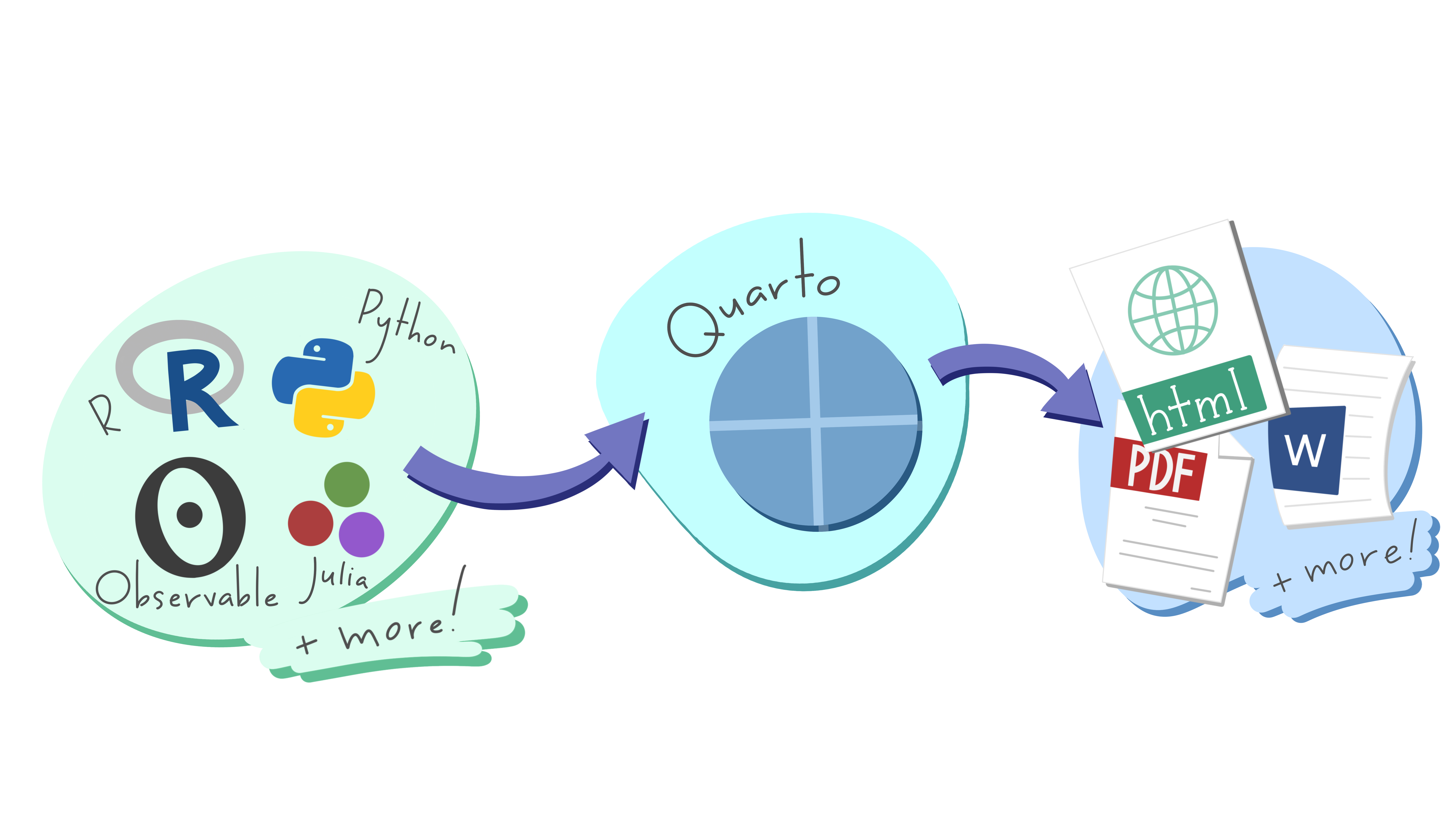
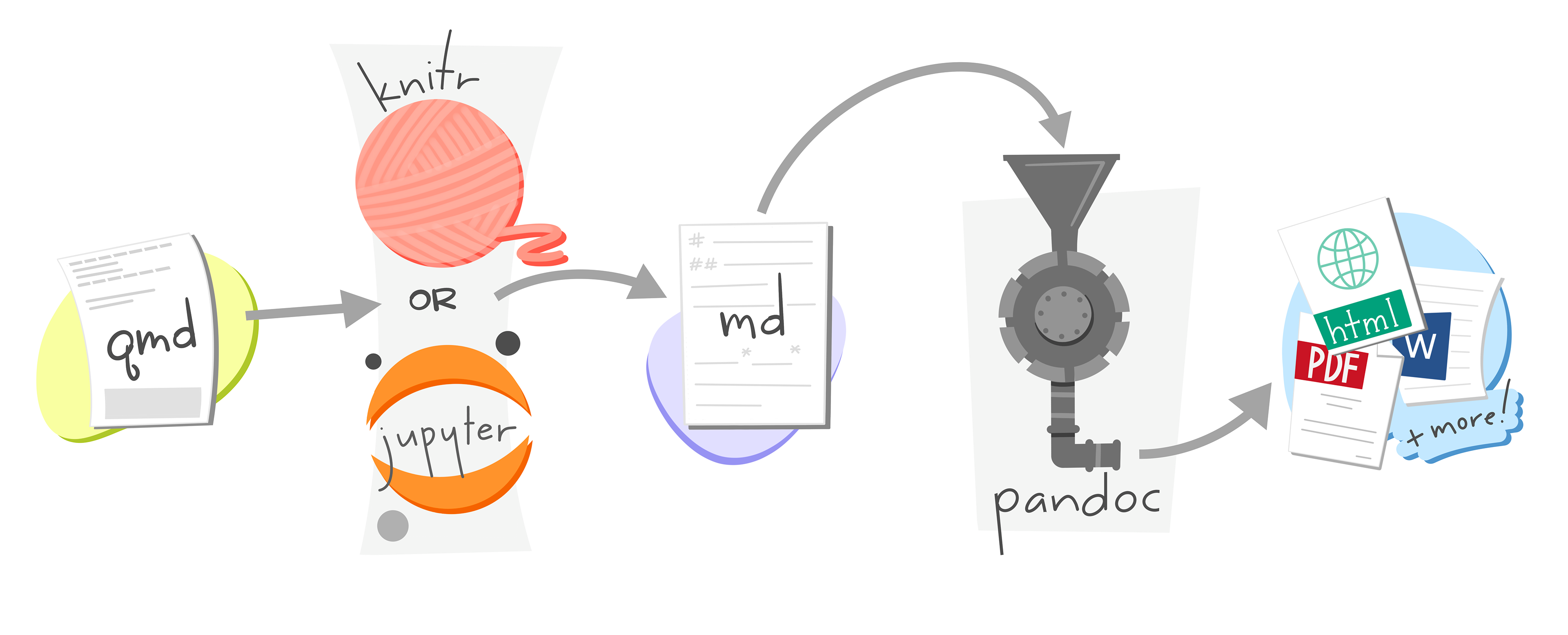
Artwork from “Hello, Quarto” keynote by Julia Lowndes and Mine Çetinkaya-Rundel, presented at RStudio Conference 2022. Illustrated by Allison Horst.

Quarto


Dynamic: code and text in same document

Reproducible: re-run your analysis, re-render your document

Flexible: output to different formats easily

Rendering
Your Turn 1

Create a new Quarto file. Go to File > New File > Quarto Document. Press OK. Save the file and press the “Render” button.

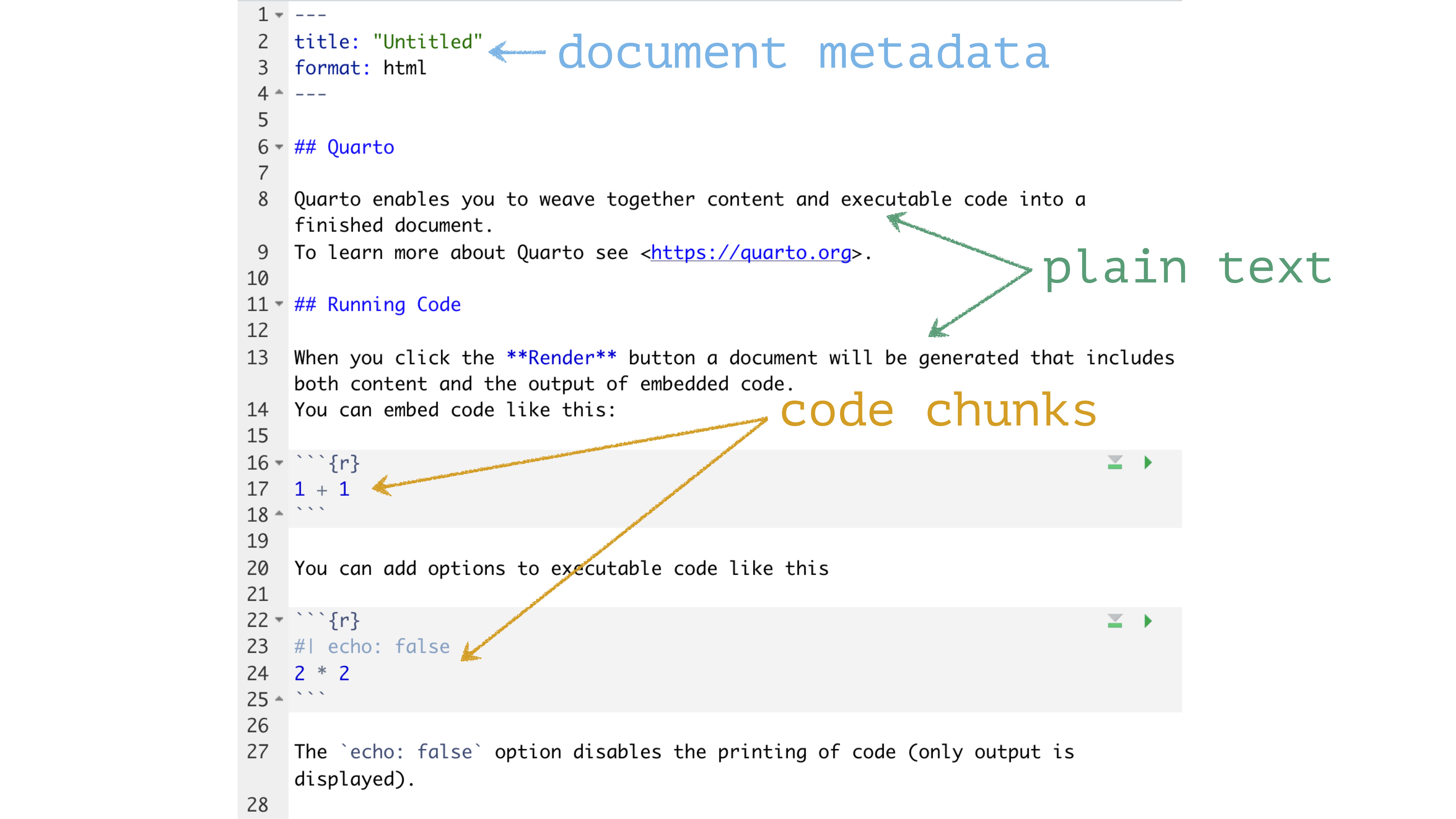
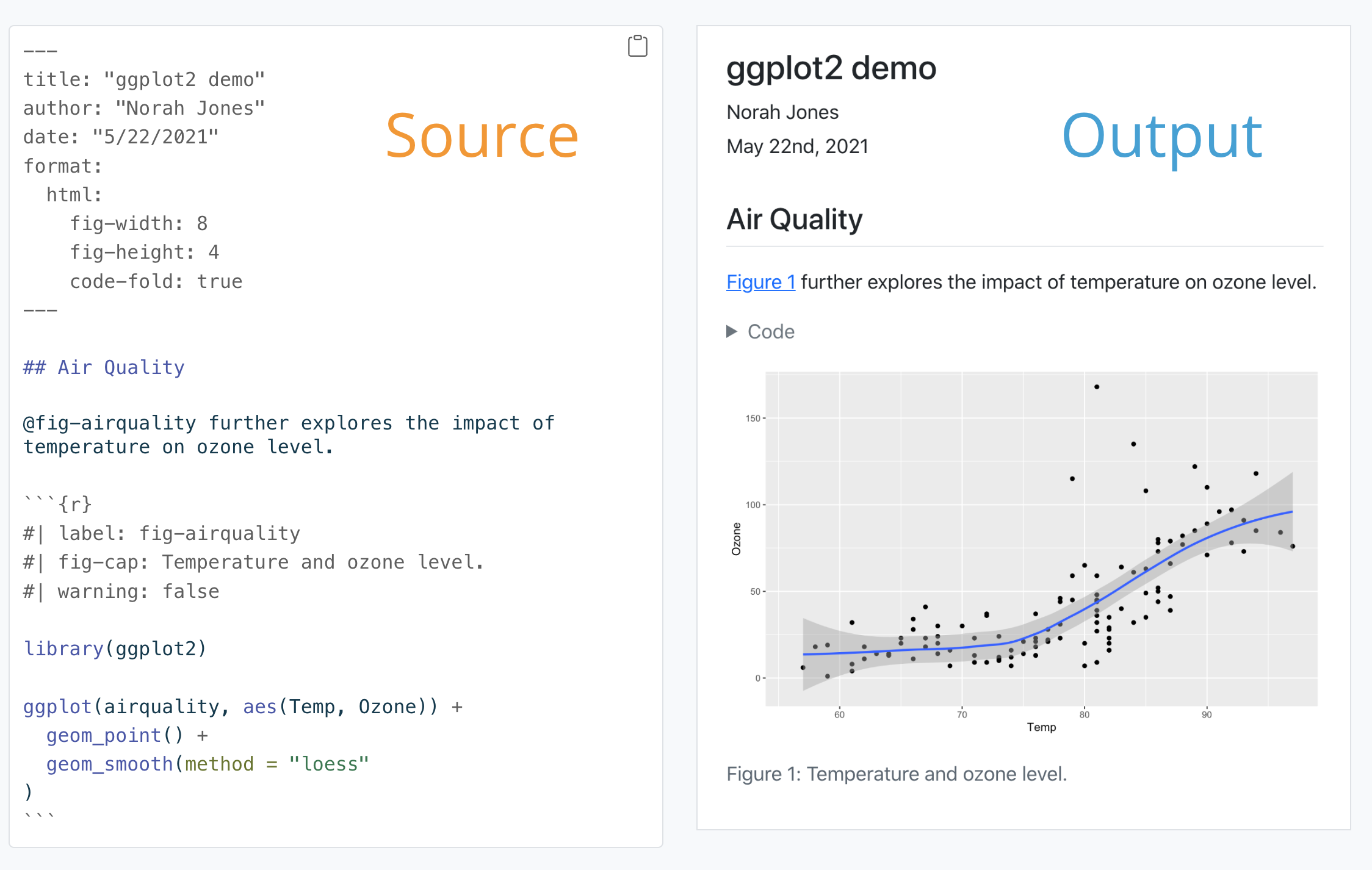
Quarto

Prose

Code

Metadata

Quarto

Prose = Markdown

Code

Metadata

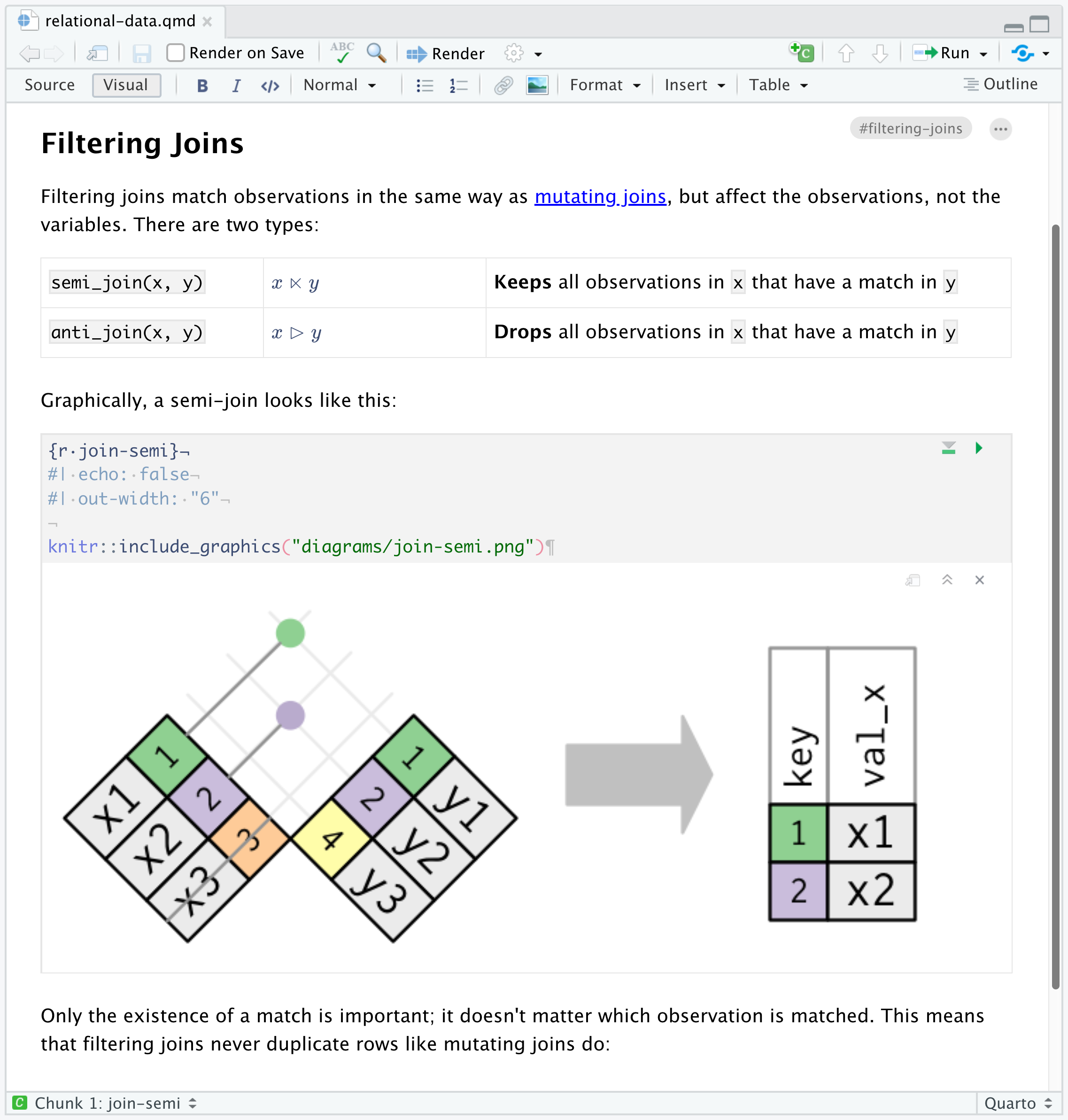
the Visual Editor
Basic Markdown Syntax

*italic*   **bold**

_italic_   __bold__

Basic Markdown Syntax

# Header 1

## Header 2

### Header 3

Basic Markdown Syntax

<http://example.com>

[linked phrase](http://example.com)

Learn more about Markdown Syntax with the ten-twenty minute tutorial on markdown at https://commonmark.org/help/tutorial.

Your Turn 2 (open exercises.qmd)

Read this short introduction to the Visual Editor: https://quarto.org/docs/visual-editor/

Use the Visual Editor to stylize the text from the Gapminder website below. Experiment with bolding, italicizing, making lists, etc.

Quarto

Prose

Code = R code chunks

Metadata

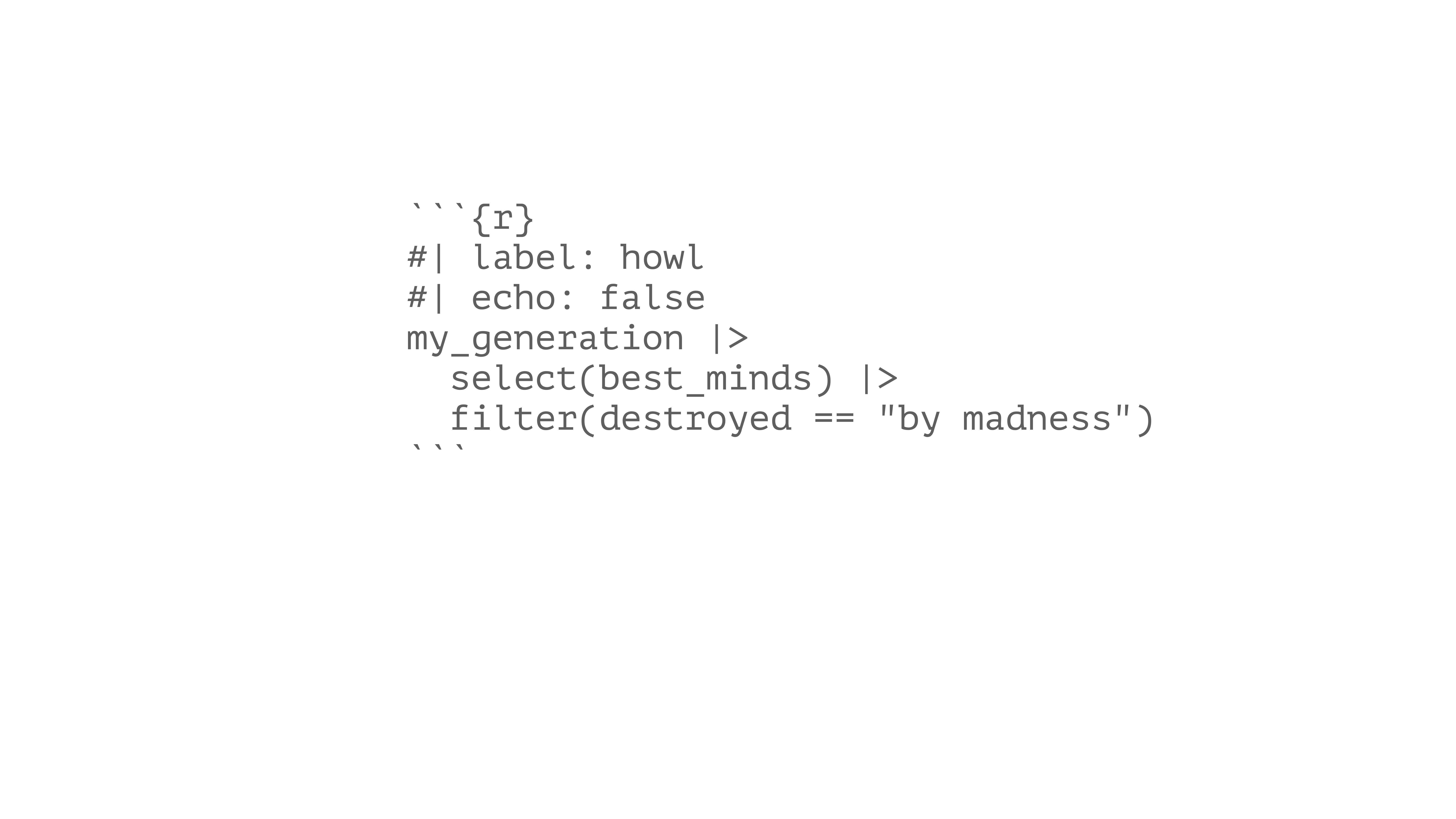
Code chunks
Code chunks
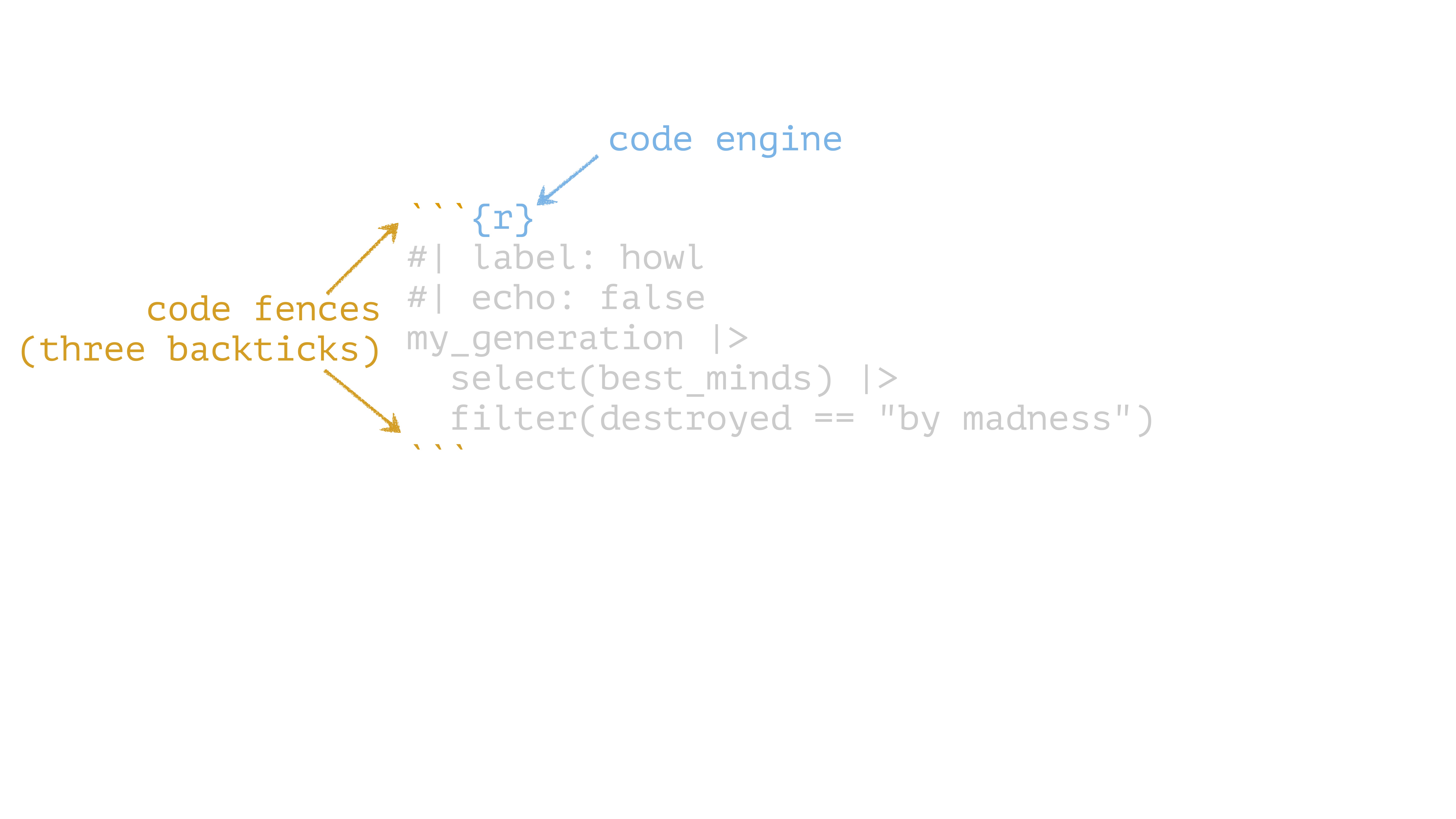
Code chunks
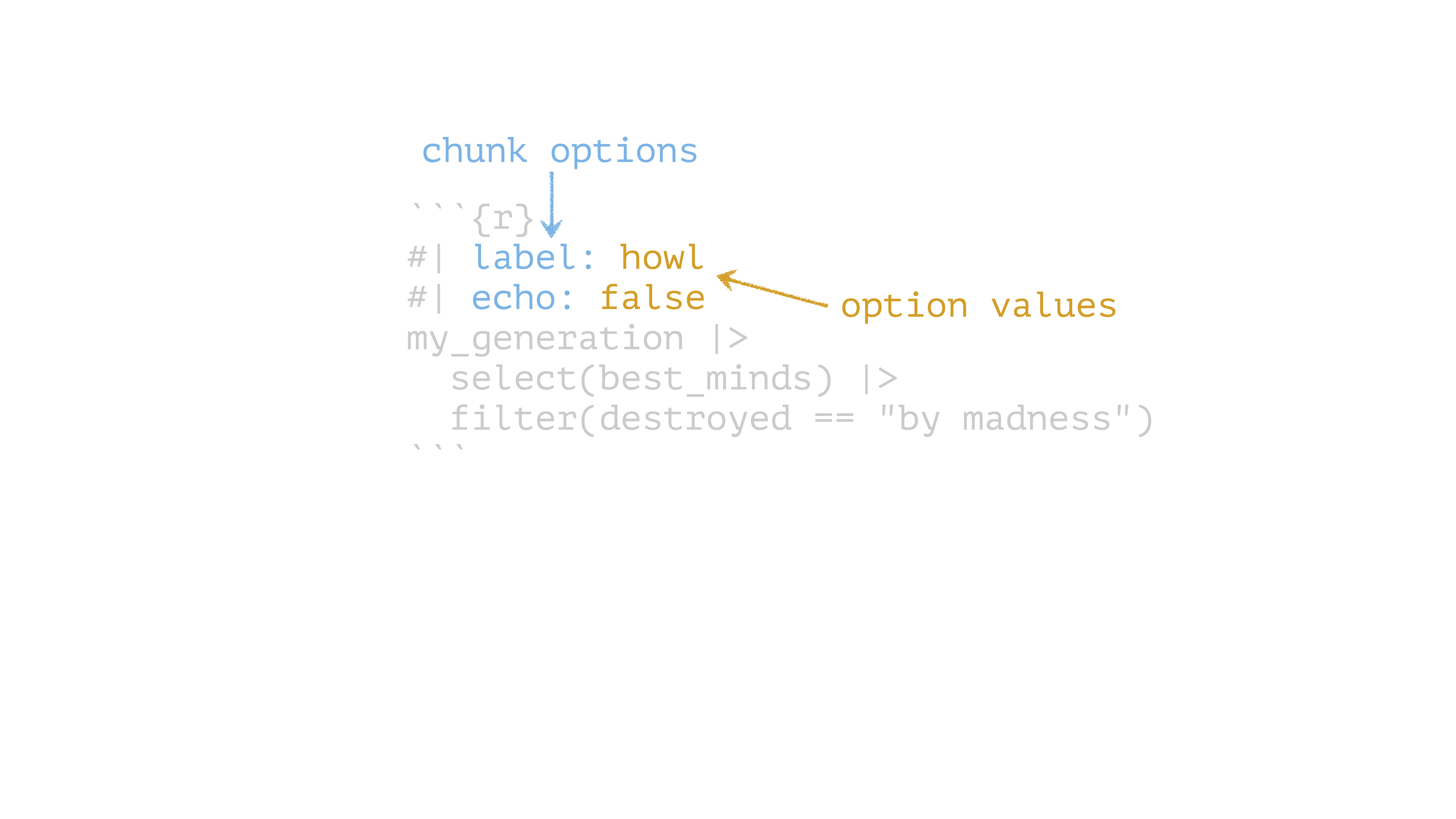
Code chunks
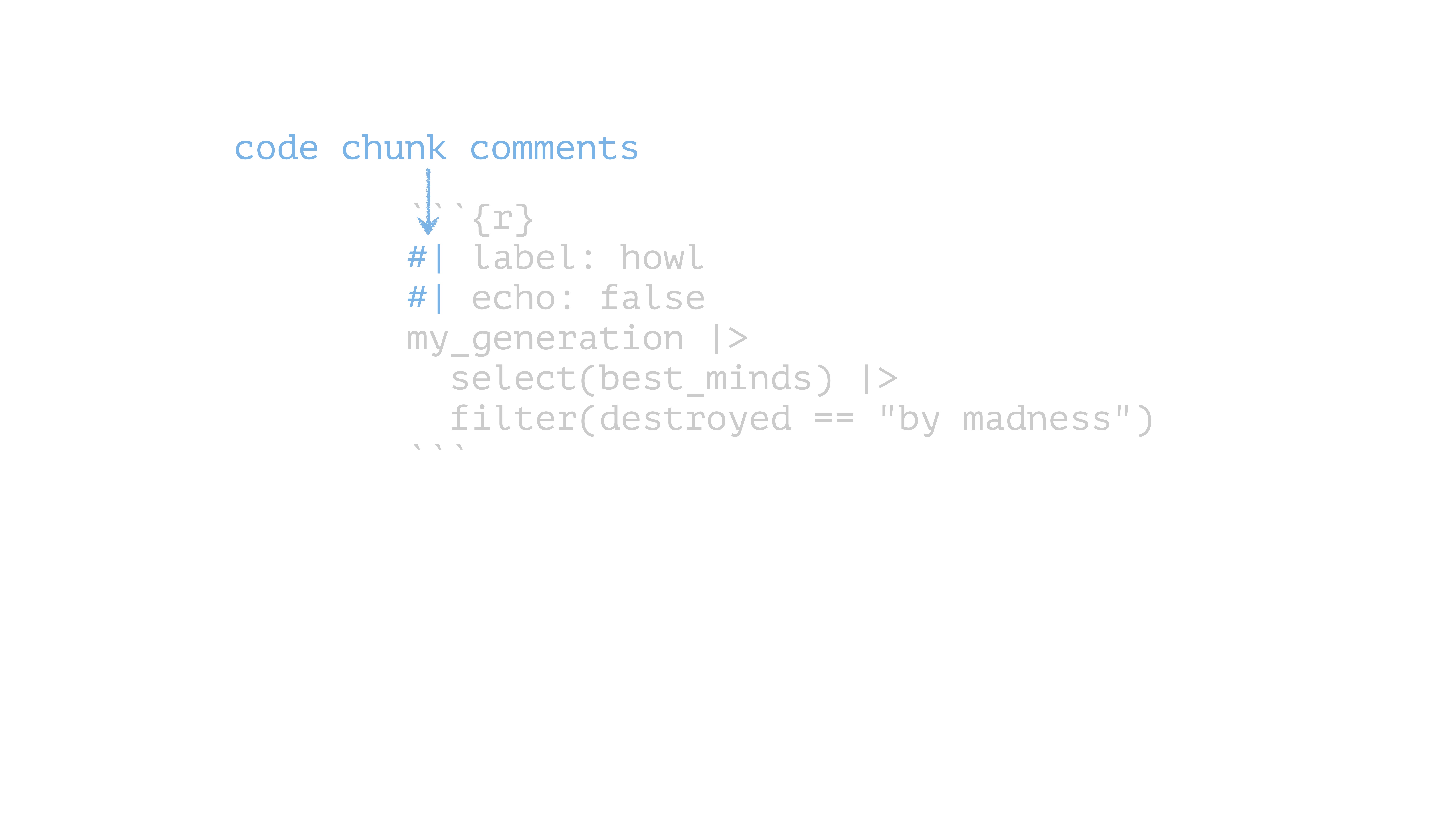
Chunk options

Option Effect
include: false run the code but don’t print it or results
eval: false don’t evaluate the code
echo: false run the code and output but don’t print code
message: false don’t print messages (e.g. from a function)
warning: false don’t print warnings
fig.cap: "Figure 1" caption output plot with “Figure 1”

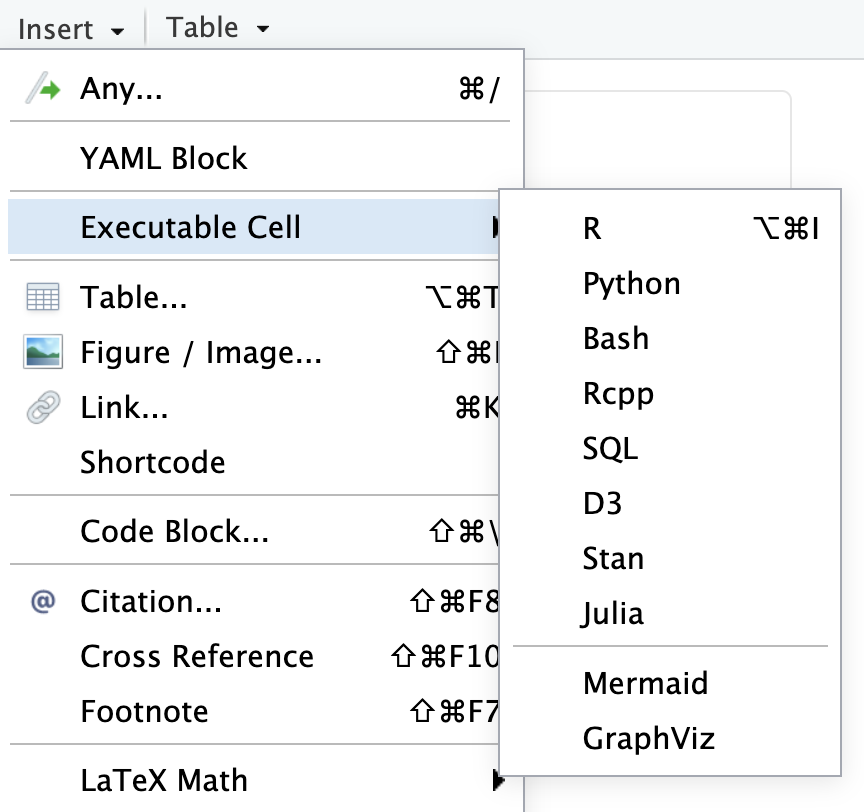
Other languages

First-class support for Python, Julia, and Observable JS

Supports Jupyter notebooks

Insert code chunks with cmd/ctrl + alt/option + I or Visual Editor
Press tab to autocomplete chunk options
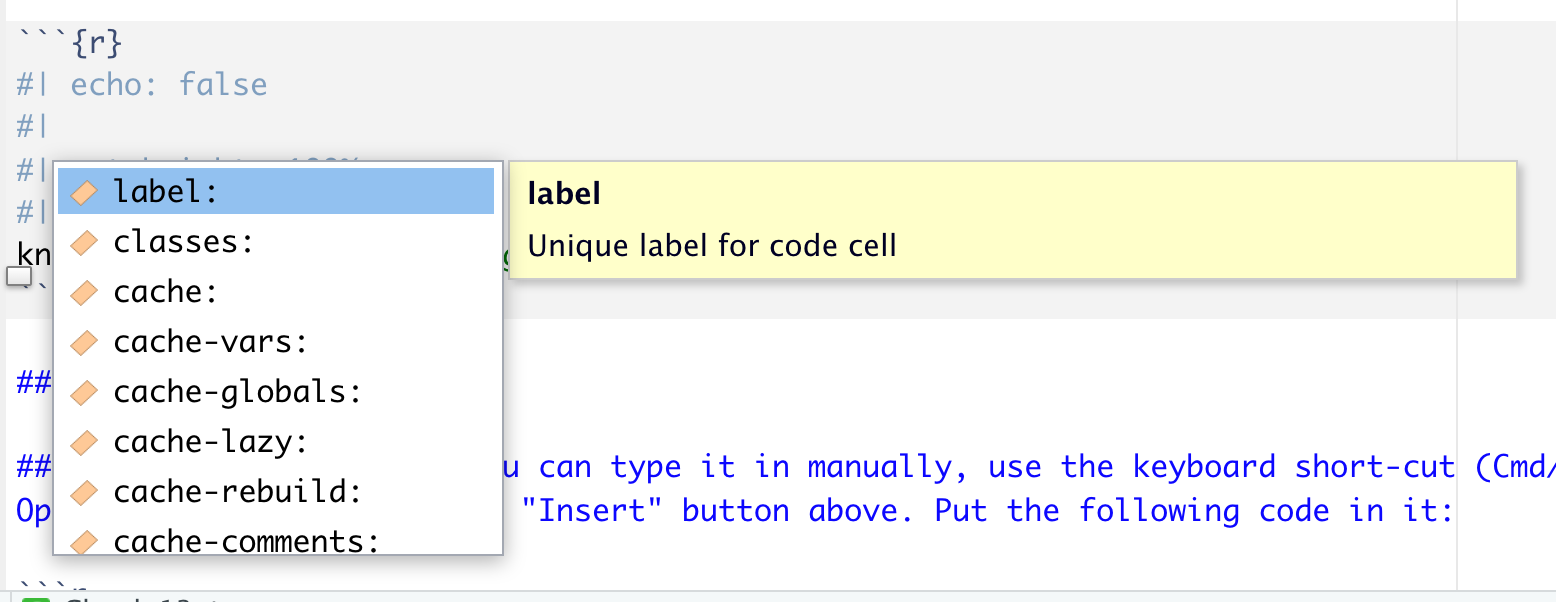
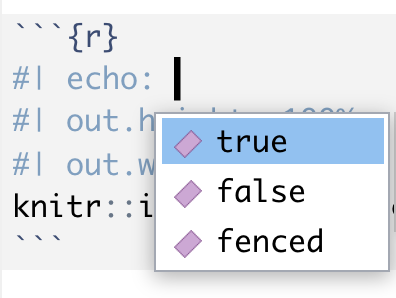
Your Turn 3

Create a code chunk. You can type it in manually, use the keyboard short-cut (Cmd/Ctrl + Option/Alt + I), or use the “Insert” button above. Put the following code in it:

gapminder |> 
  slice(1:5) |> 
   gt()

Render the document

Your Turn 4

Add echo: false to the code chunk you created and re-render. What’s the difference in the output?

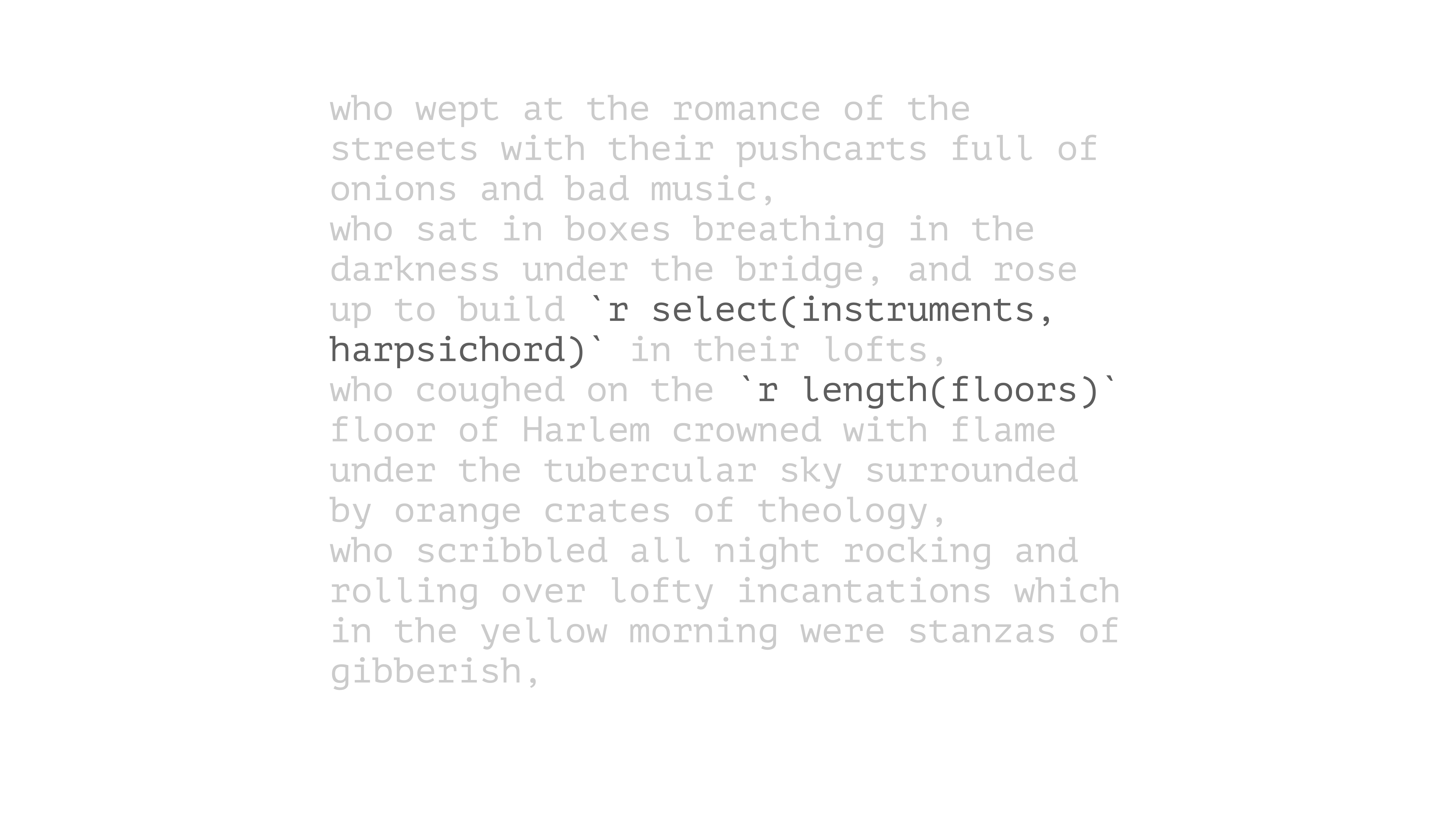
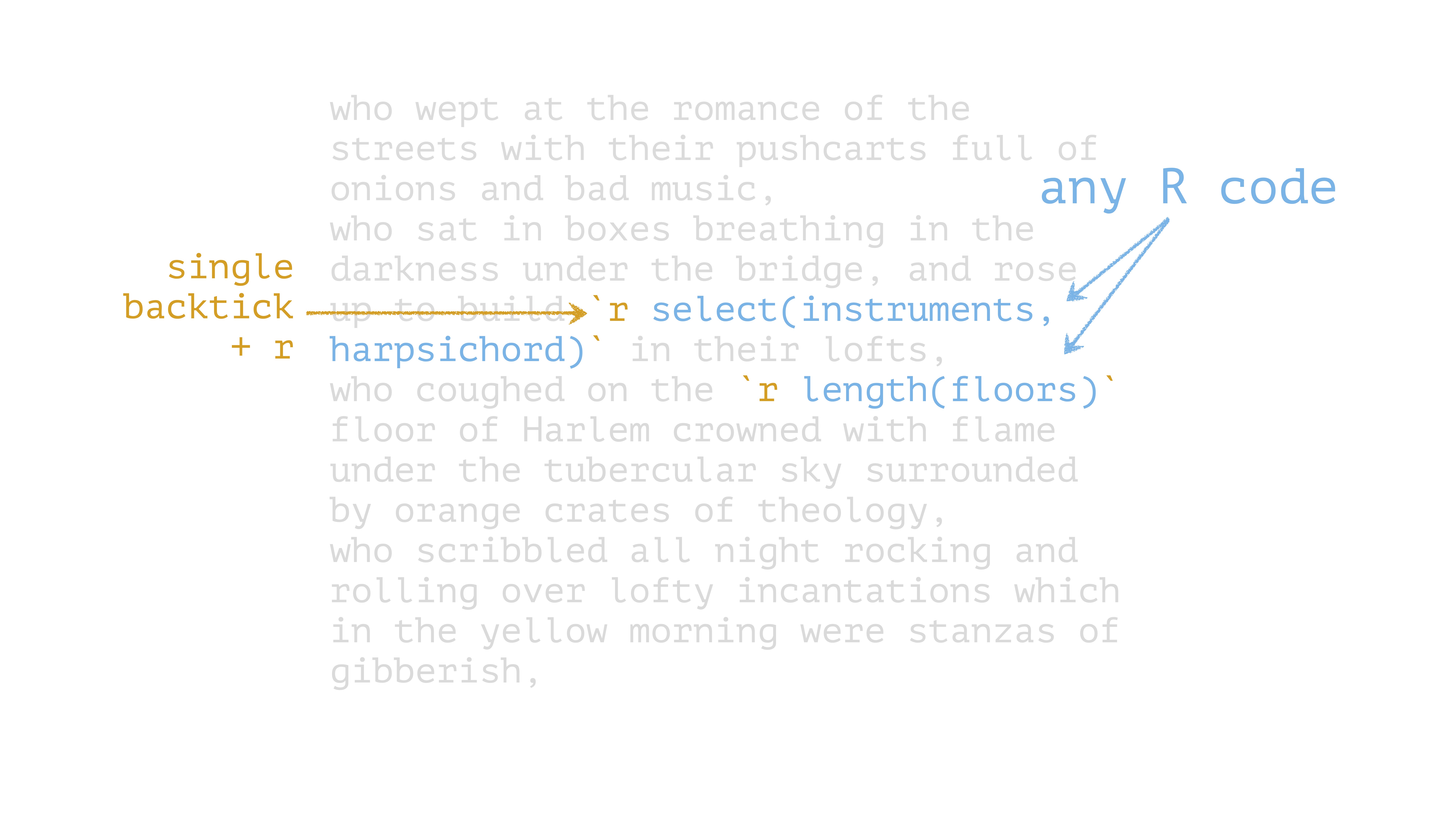
Inline Code

Inline Code

Your Turn 5

Remove eval: false so that Quarto evaluates the code.

Use summarize() and n_distinct() to get the the number of unique years in gapminder and save the results as n_years.

Use inline code to describe the data set in the text below the code chunk and re-render.

Quarto

Prose

Code

Metadata = YAML

YAML Metadata

---
title: "Howl"
author: "Allen Ginsberg"
date: "March 18, 1956"
format: 
  html: default
  pdf: 
    toc: true
    number-sections: true
---

Output formats

Format Outputs
html HTML
pdf PDF
word Word .docx
odt OpenOffice .odt
gfm GitHub-flavored Markdown
revealjs Reveal Slides (HTML)
beamer Beamer Slides (PDF)
pptx Powerpoint Slides

Your Turn 6

Set figure chunk options to the code chunk below, such as dpi, fig.width, and fig.height. Run knitr::opts_chunk$get() in the console to see the defaults.

Add your name to the YAML header using author: Your Name.

Change format: html to use the toc: true and code-fold: true options and re-render

Parameters

---
params: 
  param1: x
  param2: y
  data: df
---

Calling parameters in R

params$param1
params$param2
params$data

From the Console

quarto::quarto_render(
  "document.qmd", 
  execute_params = list(param1 = 0.2, param2 = 0.3)
)

Your Turn 7

Change the params option in the YAML header to use a different continent. Re-render.

gapminder |> 
  filter(continent == params$continent) |> 
  ggplot(aes(x = year, y = lifeExp, group = country, color = country)) +
  geom_line(lwd = 1, show.legend = FALSE) + 
  scale_color_manual(values = country_colors) +
  theme_minimal(14) + 
  theme(strip.text = element_text(size = rel(1.1))) +
  ggtitle(paste("Continent:", params$continent))

Bibliographies and citations

Bibliography files: .bib, Zotero, others

Citation styles: .csl

[@citation-label]

Visual Editor’s citation wizard can help!

Including bibliography files in YAML

---
bibliography: file.bib
csl: file.csl
---

the Visual Editor can also manage this for you.

Your turn 8

Cite Causal Inference in text below. Using the citation wizard, find the right citation under My sources > Bibliography.

Add the American Journal of Epidemiology CSL to the YAML using csl: aje.csl

Re-render

Make cool stuff in Quarto!

  • Books
  • Blogs
  • These slides!

See the Gallery for inspiration

Resources

Quarto Documentation: A comprehensive but friendly introduction to Quarto. Written in Quarto!

R for Data Science: A comprehensive but friendly introduction to the tidyverse. Free online. Written in Quarto!

Posit Recipes: Common code patterns in R (with some comparisons to SAS)